Cloud Job Manager

Optimize Operations

Get Paid Faster

Grow Smarter

Optimize Operations

Cloud Job Manager Trusted Industries

Sign up free today to experience the difference, or schedule a demo to see cloud job manager in action.

One App to Run Your Entire Service Business

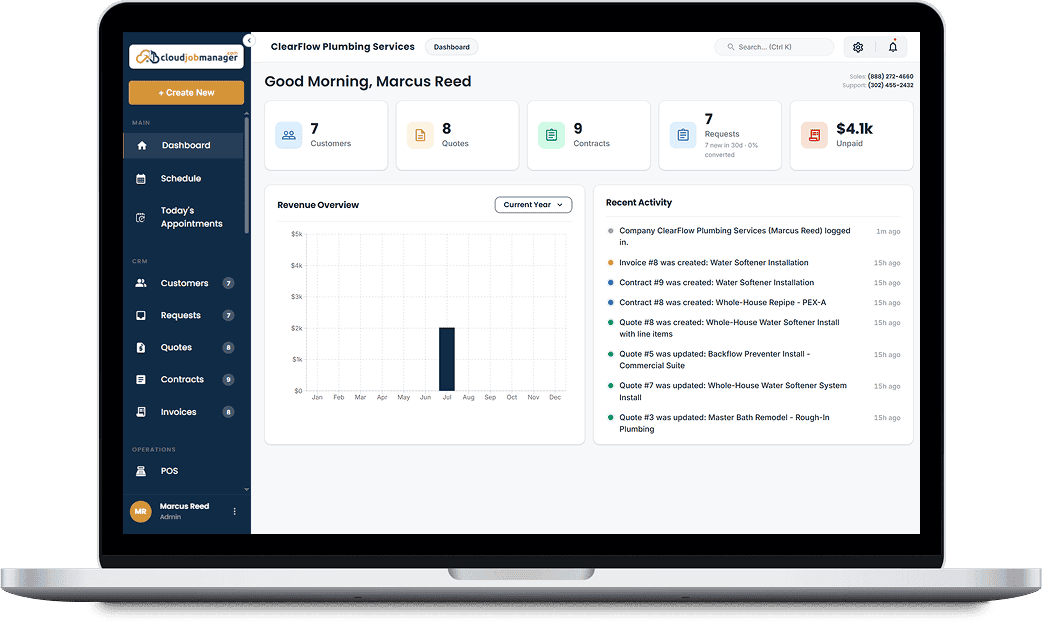
Cloud Job Manager takes every job from first phone call to final payment — without the sticky notes, spreadsheets, and missed invoices. Capture the request, send a professional quote, schedule your crew, invoice the moment the work is done, and collect payment on the spot.
Built for contractors, tradespeople, and field service teams of every size. Whether you’re a solo handyman or dispatching a full crew of electricians, plumbers, or HVAC techs, everything lives in one place — on desktop in the office or on your phone in the field.
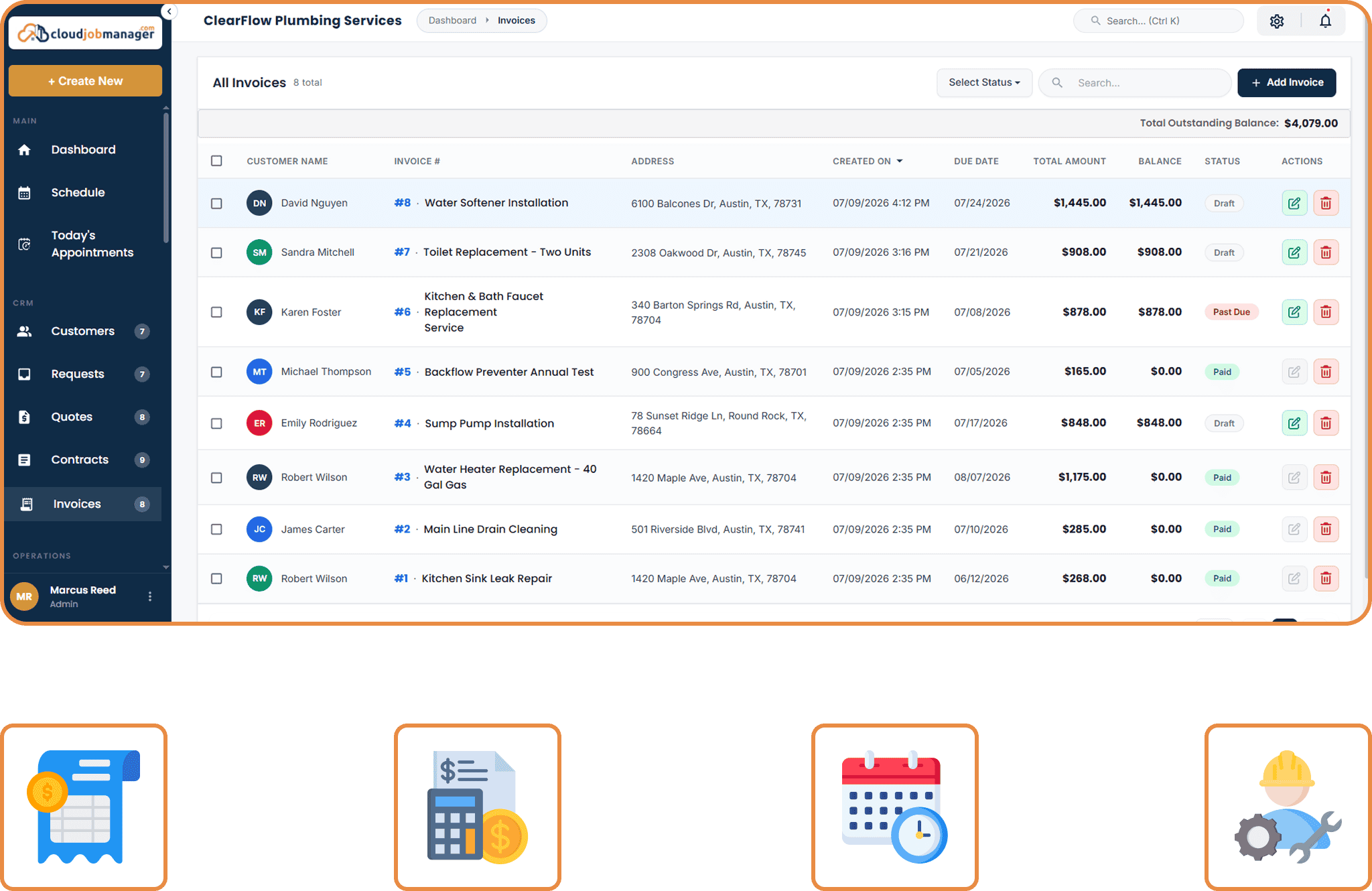
One App To Run Your Entire Service Business3

From "Can You Come Take a Look?" to "Payment Received" — in Four Steps

01

Capture the Request

Every inquiry from your website, phone, or booking page lands in one queue. Nothing slips through the cracks, and no lead dies in a voicemail.

02

Quote It and Win It

Build a professional estimate in minutes, send it by email or text, and let the client approve it online. Add optional line items to upsell without the awkward conversation.

03

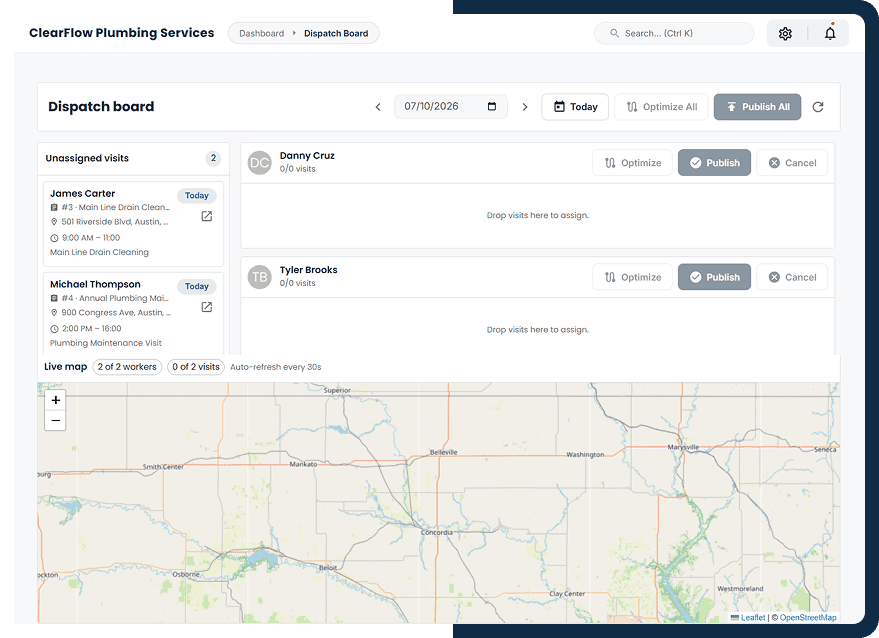
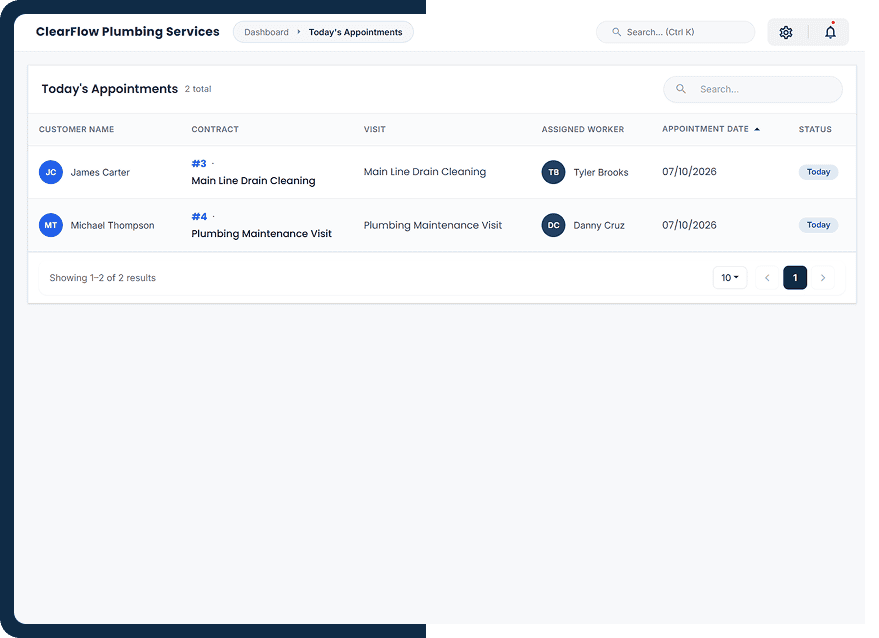
Schedule and Dispatch

Drop the job onto the calendar, assign your crew, and everyone gets notified automatically. Your team sees exactly where to be, when, and what the job involves.

04

Invoice and Get Paid

Convert the finished job to an invoice in one click. Take card, ACH, or digital wallet payment on-site or through a secure online link — before you've even left the driveway.

Everything the Trades Actually Need — Nothing You Don't

Cloud Job Manager replaces the half-dozen apps you're juggling today with one platform built for field service work.

Scheduling & Dispatch

Drag-and-drop calendar for your whole team. Assign jobs, avoid double-booking, and send automatic reminders so customers are home when your crew arrives.

Quotes & Estimates

Create polished, branded quotes on-site or from the office. Clients approve online with one click, and approved quotes convert straight into scheduled jobs.

Job Management

Track every work order from booked to done. Job details, site notes, photos, and crew assignments in one record, visible to everyone who needs it.

Invoicing

Turn completed work into an invoice, send customers a payment link, and track what's paid and outstanding.

Payments

Accept card and ACH payments in the field or online, with payment processing powered by Host Merchant Services.

Recurring Jobs & Billing

Manage repeat visits and set up recurring payments for maintenance plans and ongoing service agreements.

Customer Management

Full client history at a glance — properties, past jobs, quotes, invoices, and notes. Walk into every job already knowing the customer.

Time Clock & Shifts

Crews clock in from the app, break time shows at a glance, and staff request shifts and time off themselves from My Shifts. Approved hours flow straight to payroll-ready timesheets.

Promotions & Discounts

Run seasonal offers and first-time-customer deals with built-in promo codes. Discounts apply cleanly through quote, invoice, and payment — no manual math.

Payments Built In, Not Bolted On

Stop Chasing Checks.
Start Getting Paid On the Spot.

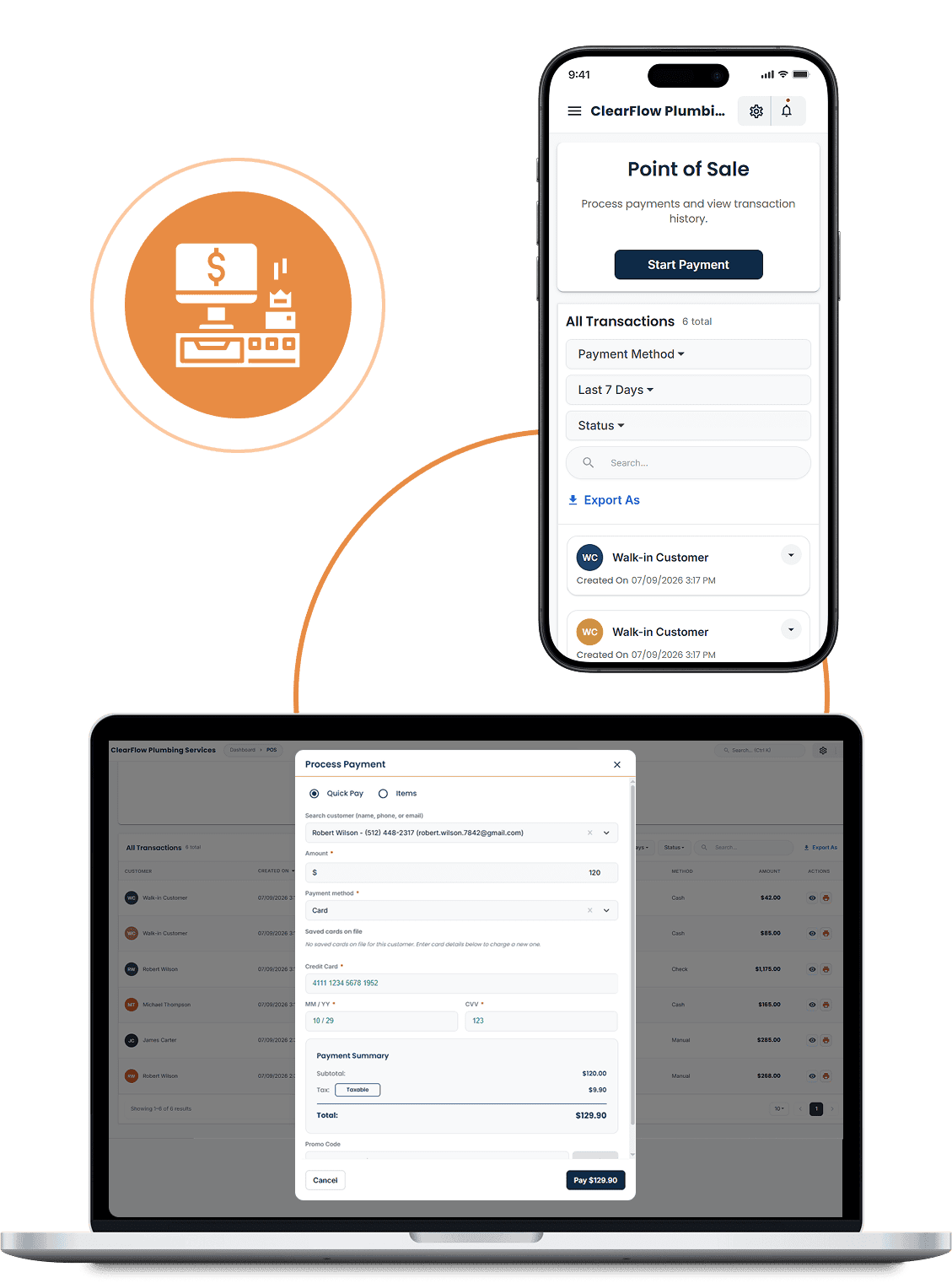
Cloud Job Manager brings invoicing and payments into the same place you manage your jobs, with payment processing powered by Host Merchant Services. Send an invoice, collect payment, and check the remaining balance without switching between systems.

When a job is finished, email or text your customer a payment link so they can pay from their phone. Payment details stay connected to the invoice, giving your office and field team the same view.

✓

Convenient Ways to Pay — Accept card and ACH payments, or send a payment link so customers can pay from their phone.

✓

Customer Portal — Let customers review quotes, approve work, view invoices, and pay online without calling your office.

✓

Simplify Billing for Repeat Work — Set up recurring payments for maintenance plans and ongoing services, reducing the need to collect each payment manually.

✓

Partial Payments, Clear Balances — Keep track of each payment and the amount still due, even when a customer pays an invoice in stages.

See Pricing
Cloud Job Manager payment processing interface
Cloud Job Manager mobile application interface
Cloud Job Manager job management interface
Run It From Anywhere

Your Office Now Fits In Your Truck.

Dispatch a new call from the driver's seat. Update a work order from the ladder. Send the invoice before you pull out of the driveway. Cloud Job Manager works the same on your phone as it does on the office desktop, so the business keeps moving even when you're in the field all day. Your crew runs their day from the same app: clock in, log a break, pick up a shift, or put in for time off from My Shifts, without a call to the office.

Automated reminders and status updates keep customers in the loop without you lifting a finger — fewer "When Are You Coming?" calls, more five-star reviews.

Why Service Businesses Switch to Cloud Job Manager

01

One Platform, Not Six Subscriptions

Quoting, scheduling, invoicing, payments, and customer management in a single system. No more copy-pasting between apps that don't talk to each other.

02

Free for Every Business

No monthly software subscription, per-user fees, or paid feature tiers. Your whole team can use Cloud Job Manager for free.

03

Keep Every Job Organized

Bring customer details, quotes, crew assignments, and invoices together so your team can find what it needs.

04

Part of Host Merchant Services

Cloud Job Manager is part of HMS, bringing job management and payment processing together in one platform.

Contractors Who Made the Switch

Creating detailed estimates, scheduling painting crews, and sending invoices is incredibly simple. We've reduced admin work and improved customer satisfaction.

Matthew Evans

Recurring treatments, route planning, and customer reminders are all automated now. Cloud Job Manager has made our operations far more efficient.

Lisa Morgan

Technicians can access customer information, update job status, and accept payments directly from the mobile app. It's helped us deliver faster, more professional service.

Andrew Collins

Emergency service calls require fast scheduling and clear communication. Cloud Job Manager gives our technicians everything they need while they're in the field.

Nathan Cooper

The Last Field Service Software You’ll Ever Need

Sign up free today, or schedule a live demo and see Cloud Job Manager in action. Set up takes minutes — winning back your evenings starts tonight.

Frequently Asked Questions

Cloud Job Manager is an all-in-one field service management platform for contractors and service businesses. It handles customer requests, quotes, scheduling, job tracking, invoicing, and payments in one cloud-based app.

Yes. Cloud Job Manager is free for every business, with no software subscription, per-user fees, or paid feature tiers.

Electrical, plumbing, HVAC, roofing, landscaping, cleaning, handyman, general contracting, renovation, pest control, garage door, painting, well & septic, and more. If you send crews to job sites, it fits.

Yes — accept credit, debit, ACH, and digital wallet payments on-site, by text/email pay link, or through the client’s online portal. You can also set up autopay for recurring work.

Yes. Cloud Job Manager is fully cloud-based and works on desktop, tablet, and phone, so you can run the business from the office or the field.

Sign up free in minutes — no credit card required — or schedule a live demo and we’ll walk you through it.

Only what their role allows. Team members see the customers, invoices, and records tied to their access, and owners and admins control who sees what. Profile and account details are protected from other accounts.

Yes. Staff clock in and out on their phone, break time shows on the time clock, and they can request shifts and time off from My Shifts. You approve from the office, and approved hours land on the timesheet.