

A Field Service Software Checklist for Multi-Branch Contractors
Running one service location is hard enough. Running five, ten, or twenty branches is a different game entirely. A schedule change in one region ripples into another. A tech in Dallas has no idea what a crew in Phoenix promised the same national customer. Invoices sit for days because each office bills its own way. If any of this sounds familiar, you already know why generic tools break down at scale.
Here’s where legitimately good multi-branch field service software shines. A quality system brings together all facets of field service into a single unified system as opposed to bringing all your chaos and disorder to a pretty screen. The following is a practical field service software checklist that will help buyers analyze options, avoid overspending, and select a system that branches will actually use.
Why Multi-Branch Contractors Need Different Software
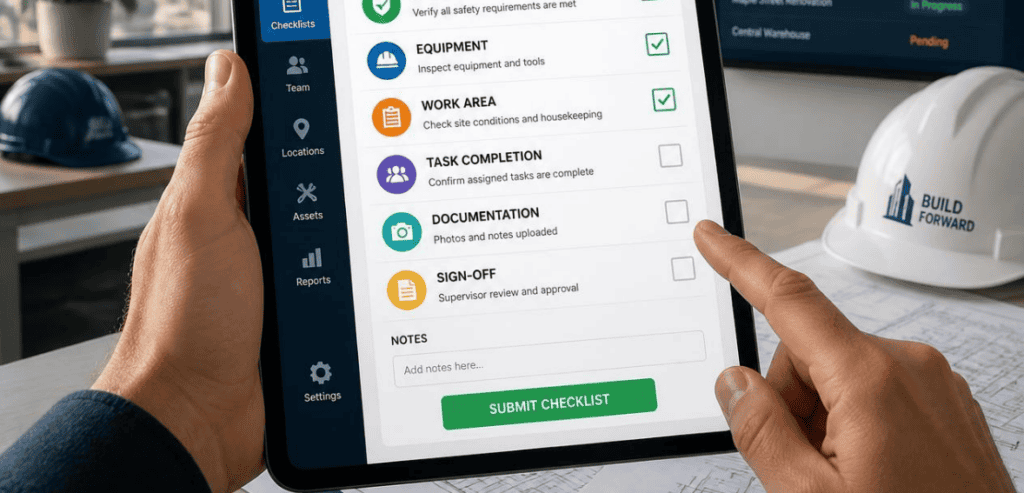
Single-location tools are built around one calendar, one crew, and one owner who remembers everything. That model falls apart fast once you add branches. Suddenly you need regional visibility, standardized workflows, and role-based access. You also need reporting that rolls up every location without an army of spreadsheets.
The market is moving in this direction. According to Grand View Research, the global field service management market is expected to grow from $6.1 billion in 2025 to $14.7 billion by 2033. The growth of the market can largely be attributed to contractors leaving behind the more labor-intensive management processes of the past. However, according to a Software Advice buyer report, about a third of those surveyed said they were still using spreadsheets or manual methods to manage their field service activities.
For multi-branch operators, the gap between office and field can be a significant and painful drain on bottom-line profitability. It often shows up as missed follow-ups, double-booked field personnel, and strained field service management cash flow. The right field service management application fills this gap. With field service management software, owners gain the visibility to understand job/business profitability for each of their branches, not just the branch directly across the street.
The Core Multi-Branch Field Service Software Checklist
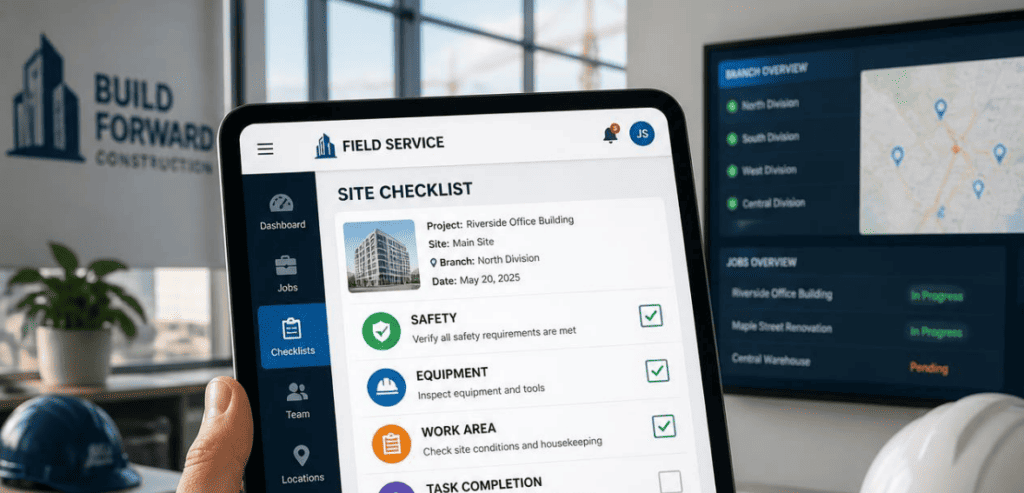
Use this checklist as your first filter. If a platform can’t confidently handle these items across every location, it’s probably built for a single-site business.
- Centralized scheduling with branch-level control: One master view, plus the ability to assign, filter, and manage work by branch, region, or trade.
- Role-based access and permissions: Regional managers see their locations; owners see everything; techs see only their jobs.
- Consolidated, drill-down reporting: Company-wide dashboards that let you drill into a single branch, crew, or job type.
- A mobile app techs will use: Offline access, photos, notes, signatures, forms, and time logging in the field.
- Standardized work orders and price books: Consistent quoting, invoicing, and job history across all branches.
- Two-way accounting integration: Verified sync with your accounting system, tested for how invoices and items actually flow.
- Scalable pricing you can predict: No surprise costs every time you add a branch or hire a crew.
Everything below expands on these points. From here on, the detail lives in plain language, the way you’d hear it from an operations lead who has already done this.
Centralized Scheduling and Dispatch Across Branches
Dispatchers deal heavily with integration. It is not convenient to have dispatchers searching across five different calendars to find coverage. Ease of use is achieved with one interactive board displaying all open work orders. Derived from that, dispatchers have the ability to filter by branch, technician, and/or job status.
The speed of answering some key questions is important. The dispatch screen needs to be able to show who is available, where they are, what job they are on, and which job orders are able to be rescheduled. Systems built for multi-metro coverage reduce phone tag. A real-time jobs map provides an advantage for contractors. A jobs map reduces calls that end with the phrase “I will call you back.”
Scheduling problems span multiple branches. If a customer in one region needs same-day service and the local branch already has shifts booked, is it possible for another branch to fill the gap without significant effort? Systems that lack branch integration instantly make scheduling across multiple branches difficult. Systems built specifically for multi-branch field service provide unified workforce flexibility.
Reporting and Visibility Owners Actually Trust
Here is a quiet truth about scaling. The more branches you add, the harder it gets to know which ones are profitable. Reporting is not a nice-to-have at this size. It is how you run the business.
Seek dashboards that consolidate revenue, job costs, and technician performance across all company locations. Then, verify if you are able to access a single branch or crew’s data without an export. Management needs to view the business and regional segments of the business. Datasets should be unified as the single source of truth.
Be conscious of permission control at the branch, regional, and business level for job costing and margin reporting. Late invoicing and unclear job costs are two of the most common ways multi-branch contractors lose money without ever knowing it. A system that links job completion to billing and displays margin at the job level helps prevent money loss at the branch level.
Mobile Tools Your Field Techs Will Actually Use

You can buy the most powerful platform on the market and still fail if your technicians won’t touch it. Field adoption is the make-or-break factor, and it lives entirely in the mobile app.
For this app to be viable for field use, it must be able to function offline. Techs will work around the app if the app is a barrier to field work. This leads to loss of clean data.
In regard to features, simplicity reigns supreme. If a staff member opens the app for the day and finds what they need to do in each job, there is no need for a plethora of additional features. Strongly built mobile apps will protect a staff member’s work in a court of law, as photos and signatures will add an extended record for future use.
Integrations, Data Migration, and Onboarding
No field service platform exists in isolation. Communications with accounting, payroll, CRM, and inventory systems are required. Most of the leading platforms integrate with various accounting applications; however, details matter. Understand if the integration is capable of two-way sync. Verify the flow of invoices and line items across systems before you put your signature on the dotted line.
Customer records, service history, and price books are some of the data that impose a cost on you, the customer. Understand how the vendor tackles data migrations. Ask which administrator will be responsible for the data cleanup. Assess your time frames realistically for implementation. A small team can go live in a week. A large multi-branch implementation will take more organized efforts over several months. Beware of the vendor who says he can go live across twenty branches in a week.
Matching Software Tiers to Your Branch Footprint
Not every multi-branch contractor needs the same tier of software. Overbuying is as costly as underbuying. A short tour of the market helps you place yourself.
ServiceTitan
ServiceTitan is designed with mid-to-large-size residential and commercial service contractors in mind who are looking to consolidate their operations under one solution. The solution provides features to manage scheduling and dispatch, marketing, sales, reporting, jobs, and payroll, as well as extensive management of price books. It is a serious solution for serious operations, and the benefits are enjoyed by contractors who value operational maturity. Pricing is per technician and provided via custom quote.
Salesforce Field Service
Salesforce Field Service targets enterprise organizations, especially those managing a blend of internal technicians and external contractors at scale. Its strength is a unified dispatch board and AI-powered optimization tied into a full CRM. For very large operators with complex multi-branch reporting needs and a dedicated software admin, it offers the most comprehensive footprint, though it also demands more configuration effort.
Microsoft Dynamics 365 Field Service
Mid-market service contractors within the Microsoft ecosystem often rely on Microsoft Dynamics 365 Field Service. It connects different segments of the business, including field operations, and offers a flexible pricing structure that is based on user volume. It is made for companies that want their field service to be integrated within a larger system.
The lesson is not about picking the largest option. It is about matching the tier to your company’s size. An example would be a firm with ten field branches and a company with a thousand field service technicians. The best software for field service for your firm is the software that deals with repetitive weekly admin tasks for you without increasing the complexity of the software beyond what is required. It is always worthwhile to see if field service software can complete quotes, dispatch, create jobs, invoice, and manage payments and job follow-up tasks, all without any after-work system integrations.
Conclusion
Choosing software for a multi-branch operation is not a feature-comparison beauty contest. It is a procurement decision that shapes how every branch runs for years. The winners share a pattern. They centralize scheduling and dispatch, give owners trustworthy cross-branch reporting, and put a mobile app in the field that technicians genuinely use. They integrate cleanly with your accounting, migrate your data without drama, and price in a way you can predict as you grow.
Run every demo against the checklist above. Really press the vendors on branch-level controls, drill-down reporting, and true two-way integrations. Don’t think twice about demanding access to the mobile view of the tech that’s hidden behind the sales dashboard. That approach guarantees that you will select multi-branch field service software that connects the office and the field, puts cash in the bank quicker, and provides a complete view of the entire operation for the first time. For a more comprehensive vendor list to develop your shortlist, the Capterra Field Service Management directory is a reputable, review-centric starting point.
Frequently Asked Questions
What is multi-branch field service software?
It is a field service management platform designed to run several service locations from one connected system. It centralizes scheduling, dispatch, work orders, mobile job management, and billing, while giving each branch its own controls and giving owners a company-wide view. The goal is consistency across locations without losing local flexibility.
How is multi-branch software different from single-location tools?
Single-location tools assume one calendar, one crew, and one manager who knows everything. Multi-branch platforms add role-based permissions, cross-branch scheduling, standardized workflows, and consolidated reporting that rolls up every location. They are built to keep data consistent and visible as you scale, which single-site apps struggle to do.
How long does it take to implement across multiple branches?
It depends on size and complexity. Smaller teams can often launch in a couple of weeks. Larger multi-branch operations usually need more structured onboarding, sometimes spread across one to three months, to handle data migration, integrations, and training. Ask each vendor for a realistic rollout plan tied to your number of locations.
Does field service software integrate with accounting systems?
Most leading platforms integrate with common accounting software. The important step is verifying the details. Confirm whether the sync is one-way or two-way, and test how invoices and line items flow before you commit. Clean two-way accounting integration is what keeps billing accurate across every branch.