
How to Reduce No-Shows with Automated Appointment Reminders
Missed appointments are not just a small inconvenience; they’re a loss of revenue, time, and efficiency. Whether you’re running a clinic, salon, fitness studio, or consulting business, nothing burns a hole in your books like an empty time slot. And unlike items in your inventory, time can’t be held and used later.
Some business owners attempt to address the problem through manual reminders, steeper penalties for cancellations, or overbooking. But these solutions won’t fix the problem; they’ll just put a band-aid on it.
After all, customers are busy people, juggling more than a dozen responsibilities. And in that mess, even a well-meaning customer can forget their appointment. The solution? Automated appointment reminders.
Technologies, timing, and thoughtful communication all play a role in reducing service appointment no-shows. But most importantly, businesses can use appointment reminder software and SMS reminders integrated into their scheduling systems to help reduce this problem.
Understanding Why Customers Miss Appointments
If you want to reduce no-shows, the first step is to figure out why they’re happening. Missed appointments aren’t always intentional. Customers often forget their appointment, especially when it was scheduled days or weeks in advance. Without a timely reminder, even the most reliable customers might miss their appointment.
Miscommunication is another possible reason. If people aren’t clear on the date, time, or location of their appointment, they might confuse it with something else or cancel at the last minute.
And customers are busy. They likely have many overlapping appointments. Or something comes up, or they simply misjudge how much time their appointment will actually take. A reminder could be the difference between being on time and being a no-show.
Furthermore, the no-show problem can also be caused by how easy it is to book. The easier the booking process, the more likely customers will book and forget about their appointment. If there is no system in place to emphasize the importance of the appointment, it will be a no-show.
The Role of Automated Appointment Reminders
Automated appointment reminders solve many of the problems we face with no-shows. The biggest advantage over manual reminders is that automation allows you to schedule the right reminder on the right channel to the right customer at the right time.
Appointment reminder software reduces staff workload and eliminates the risk of failing to remind customers.
Automated reminders keep the appointment top of mind for customers. A reminder one day before the appointment allows them to plan their day accordingly. A reminder on the day of the appointment reminds them to show up on time.
Automation ensures that every customer receives the same level of reminders. Customers’ confidence in the appointment booking process and your professionalism are strengthened.
Power of SMS Reminders in Reducing No-Shows
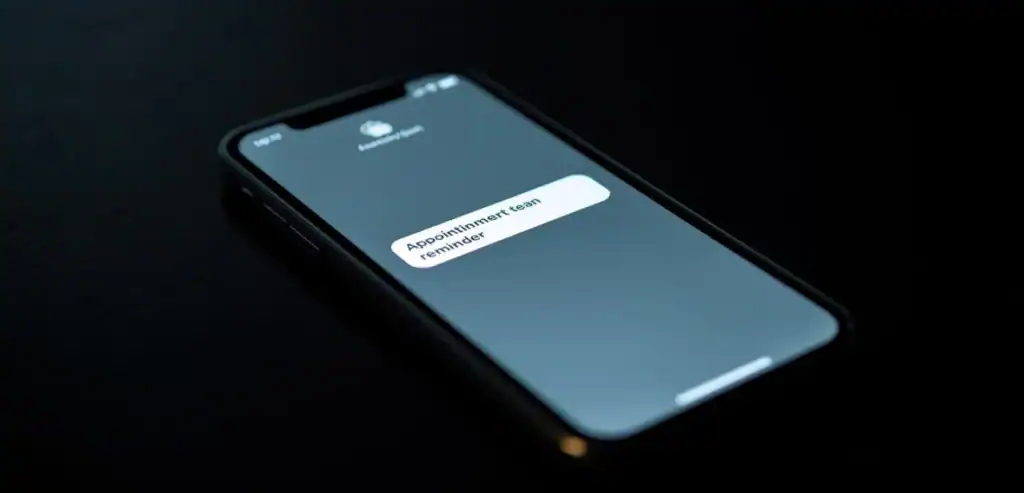
Among the channels available to you, SMS is one of the most powerful. SMS messages are read almost immediately. They are highly visible compared to emails, which can be easily ignored. But SMS messages are read within minutes. SMS reminders are so effective because they are exactly how people communicate with one another on a daily basis.
People carry their phones with them wherever they go. SMS reminders fit into everyday communication and are always accessible.
SMS messages are short and simple. They can be read and understood quickly and efficiently. By including all the details (what time, what day, what is the call to action?) in the message, people can respond immediately by confirming, rescheduling, or canceling their appointments. This reduces friction.
SMS can also be used to create urgency. Sending a same-day reminder can help customers reschedule and prioritize attending their appointment. This helps prevent last-minute no-shows.
Enhancing Scheduling Efficiency Through Automation
Reduce no-shows that improve scheduling efficiency. It works with scheduled appointments.
Simply include the better you schedule, the better your business runs. Scheduling appointments is key to the success of any business. It is the backbone of many businesses.
Simply put, the better you schedule, the better your business runs. Scheduling appointments is key to the success of any business. It is the backbone of many businesses.

Crafting Effective Reminder Messages
The key to an effective reminder message is the message. A good reminder is concise, clear, and actionable. It should have all the details the customer needs but be engaging enough to motivate them to take the next step.
Clear
Include the date, time, and location of the appointment, along with any other pertinent instructions. This gives customers all the information they need to show up.
Tone
A friendly, professional tone builds relationships. A reminder should feel like a conversation, not a command.
Call to Action
Letting customers confirm, reschedule, or cancel their appointments directly in the message can dramatically improve engagement. It can help businesses reduce no-shows and cancellations.
Timing
Send reminders at the right time. A few reminders—such as 24 hours and a few hours before the appointment—can help improve attendance and reduce the need to reschedule at the last minute.
Building Customer Accountability and Engagement
Automated messages do more than remind customers. They also cultivate accountability. When customers are constantly reminded of their appointment, they’re likely to take it more seriously.
You can reinforce that accountability by setting clear expectations and maintaining communication. For instance, the reminder might inform customers of cancellation fees.
And when you make it easy for customers to respond to reminders—by rescheduling, canceling, or simply confirming—your two-way communication channel doesn’t just reduce cancellations and no-shows; it also improves the overall experience.
By making it easier for customers to manage their appointments, you can foster stronger relationships.
Integrating Reminders with Broader Business Strategies
Automated appointment alerts should not operate in a vacuum but be considered part of a comprehensive customer experience, marketing, and operations strategy.
For example, reminders can strengthen your brand and build loyalty by adding a personal touch, such as the customer’s name.
When customers see their data included in communications, they feel a greater sense of appreciation. Similarly, you could use the reminder platform to promote add-on services or trigger repeat bookings by sending a follow-up message after the appointment, thanking them for their visit, and prompting them to book again.
This is how the true value of the reminder platform can be extended beyond the original purpose of reducing no-shows.
On the operations side, reminders should be integrated with scheduling and payment systems to streamline workflow for all stakeholders involved.
Overcoming Challenges in Implementation
Automated appointment reminders are a huge benefit, but they are not always easy to set up and use effectively. You need the right software for the job; it needs to be set up correctly and fit your business.
One of the biggest challenges is ensuring you have accurate, up-to-date contact information on file for each of your customers. You have no data, no data, no data. Even the best reminder platform is worthless without that data. Your business needs a process to continuously verify and update its data.
You also have to find the right balance. You don’t want to send too many reminders because that can come off as annoying, but you don’t want to send too few as that defeats the purpose of the system. Your organization needs to test and experiment with the timing and frequency of your reminders until you find the sweet spot for your customers.
Then, you’ve got your privacy and compliance. You need to ensure you have the necessary consent to send SMS reminders to your customers and that you are in compliance with the relevant regulations. That protects your business and builds trust with your customers.
Measuring the Impact of Automated Reminders
But to really invest in automated reminders, you have to measure and track their impact on your business. Three metrics to gather are no-show rates, appointment confirmations, and customer engagement.
You can quantify the impact they’re having by comparing them before and after reminders, and identify further optimizations to your new system, such as message timing or content.
You can also build quality by asking your customers questions and listening to them. What do they think of the reminder? Do they still miss fewer appointments anyway? Listen and iterate on both the system and the experience.
Leverage that insight to continue improving and notifying of your reminder system.
Conclusion
Turning Reminders into Reliable Attendance
Reducing no-shows for service appointments is a challenge that requires a creative, practical solution. Automated appointment reminders, particularly via SMS, provide a simple and effective way to improve communication, scheduling, and customer accountability.
With an understanding of your customers’ no-show triggers and the benefits of appointment reminder software, you can develop a solution that works for both your business and your customers, resulting in fewer no-shows, stronger relationships, and more consistent revenue.
In today’s competitive environment, every appointment counts. Making sure everyone goes to a satisfied customer is no longer a nice-to-have; it’s a must-have. And with automated appointment reminders, it is more affordable and achievable than ever before.
Frequently Asked Questions (FAQs)
1. Why do clients miss appointments even after booking?
Clients often miss appointments due to forgetfulness, scheduling conflicts, or unclear communication. Many people book appointments days or weeks in advance and simply forget as other priorities arise. In some cases, they may not fully commit because there are no consequences for missing the session. Poor confirmation processes, unclear timing, or missing location details can also contribute to no-shows. Without timely reminders, even interested clients may unintentionally skip appointments. Addressing these issues with structured communication and automated reminders helps reduce uncertainty and keeps appointments top-of-mind.
2. How do automated appointment reminders reduce no-shows?
Automated reminders work by sending timely notifications to clients before their scheduled appointments, ensuring they don’t forget. These reminders can be sent via SMS, email, or app notifications at strategic intervals, such as 24 hours and 1 hour before the appointment. They reinforce commitment, provide essential details, and give clients a chance to reschedule if needed. By reducing reliance on memory and improving communication, automated systems significantly lower missed appointments. They also create a more professional and organized experience, increasing client trust and improving overall attendance rates.
3. What is the best timing and frequency for sending reminders?
The most effective reminder strategy includes multiple touchpoints. A confirmation message immediately after booking reassures the client. A 24-hour follow-up reminder helps them plan their schedule. A final reminder 1–2 hours before the appointment ensures it stays top-of-mind. For high-value or critical appointments, an additional reminder a few days in advance can be helpful. However, it’s important not to overwhelm clients with too many messages. The key is to strike a balance between helpful reminders and avoiding notification fatigue.
4. Which communication channels work best for appointment reminders?
SMS reminders tend to have the highest open rates and are highly effective for urgent or same-day notifications. Email reminders are useful for providing detailed information, such as preparation instructions or directions. Mobile app notifications work well for businesses with dedicated apps. A combination of channels often delivers the best results, ensuring the message reaches the client through their preferred method. Offering clients the option to choose how they receive reminders increases engagement and satisfaction and improves the likelihood that they will attend their scheduled appointments.
5. How can businesses maximize the effectiveness of automated reminders?
To maximize effectiveness, reminders should be clear, concise, and personalized with the client’s name and appointment details. Include essential information like date, time, location, and any preparation steps. Adding a simple option to confirm, cancel, or reschedule directly from the reminder improves convenience and reduces no-shows. Consistent branding and a friendly tone help build trust. Analyzing response data and adjusting timing or messaging based on behavior can further improve results. Ultimately, a well-designed automated reminder system enhances both operational efficiency and the overall customer experience.