

Technician Timecard Corrections That Keep Payroll Accurate Without Creating Drama
Payroll errors are especially troublesome because they go unnoticed for a long time. A payroll error will accumulate for several pay periods until either the employee notices a problem on their pay stub, the manager notices a payroll anomaly during a budget review, or the auditor asks about the strange payroll discrepancy. For HVAC, automotive, and fleet maintenance, the inevitable task of correcting technician timecards for payroll is just part of the business. How the corrections are managed will either build trust or create animosity towards the payroll management process.
This article explains the entire technician timecard correction process, the required documentation to ensure an audit trail, and instructions for reviewing and determining whether the correction was due to a one-time error or a recurring error.
Why Technician Timecards Deserve Their Own Correction Protocol

Most service businesses spend a lot on tracking productivity and profitability on a per-technician basis. This expense relates to where this data is stored. Most of this data is stored in dispatch or shop management software. Payroll, on the other hand, has its own set of concerns. Payroll is primarily concerned with the total compensable hours, overtime, and differentials, as well as time and pay-related legal requirements. Payroll has to reconcile each of these with job costing data.
This is where most payroll and job-costing issues occur. A technician clocks out from the job in the field management software but forgets to clock out from the payroll timekeeping software. A shop foreman manually enters a start time and switches two digits. Poor cell coverage causes a mobile punch-in to fail. Each of these issues is solely a payroll issue. This means that your job costing reports may look fine, and payroll may still be incorrect.
Correcting this disparity between payroll and job costing data is a structured process that your employees use to identify, submit, and resolve issues. This process ensures that issues are corrected before the close of the pay period and, in the case of late submissions, payroll is accurately corrected to reflect the identified issues.
When a Technician Should Request a Timecard Correction
Not every discrepancy is a payroll error, and your technicians need to understand the difference. A timecard correction is appropriate when a recorded time entry does not reflect actual hours worked. Common triggers include missed punches, system errors that logged an incorrect timestamp, clock-in failures during remote work, or an entry made by a supervisor that the technician believes is inaccurate.
A correction should not be used to retroactively claim hours that were never worked, alter time to eliminate capped overtime, or change records without supervisor approval. Clearly stating that boundary in the employee handbook and including that explanation during employee onboarding can prevent the abuse of corrections from the start and safeguard employees and the business.
The correction window is also an important factor. Most payroll-compliant businesses have a 48- to 72-hour window after the relevant shift for techs to flag issues; after that, the opportunity to correct payroll closes. Corrections in the current pay period are much easier to rectify. Corrections in a closed pay period require payroll to be amended, which triggers additional compliance checks depending on the state’s wage payment laws.
How the Correction Request and Approval Process Should Work

A clean process shows that the technician notices the error and submits a formal timecard correction request (TCR), after which the supervisor approves the request and payroll processes the TCR. In theory, that is simple enough. The only real drama involves skipping steps to the process. These include direct system corrections in the absence of a correction request, verbal approvals without a timecard correction request (TCR) record, and disputes over what actually occurred during a given shift.
The request form needs to capture the following in the correction request: technician name, employee ID, date and shift, previously recorded time, requested time with correction, and a reason. That’s it, so please keep it simple. Accuracy is key, but avoid system bloat whenever possible.
Approval should sit with the direct supervisor, not HR or payroll. Supervisors have firsthand knowledge of the work schedule and can verify whether the correction makes sense. HR and payroll should receive the approved request and process it — they shouldn’t be making judgment calls about what actually happened on the shop floor. If a correction is disputed between the technician and the supervisor, escalating to an operations manager with a clear resolution timeline helps prevent stalling.
Documenting the Original Entry and the Correction for a Payroll Audit Trail
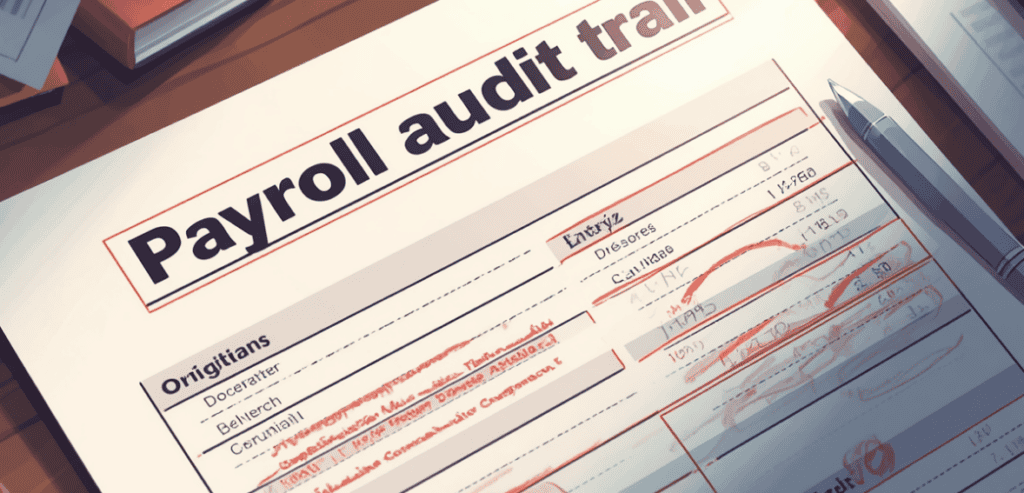
For small and medium-sized service operations, this is where most miss the mark. Make the correction, update the timecard, and move on. The original timecard entry vanishes. Six months later, in the event of a Department of Labor audit or a wage-claim dispute, there is no record of why a timecard entry was changed or who authorized the change.
Timecard correction payroll audit trails require the original timecard entry to be preserved, a record of the change with a correction time stamp, and an authorization record from the approving supervisor. Current time and attendance systems handle this automatically. If you use a legacy system or spreadsheets, you have to manually create this discipline, which means you have to never delete records of original timecard entries.
The most useful means is to keep the timecard corrections record separate from the master timecard data. Each entry in the timecard correction record should include the date of the original punch and the date of the corrected punch, the name of the approver, the date of the correction, the date the change was approved, and a justification for the correction. This record will be the first line of defense if payroll records are scrutinized.
ADP Workforce Now
ADP’s Workforce Now module has an automated audit trail for every edit to an employee’s time and attendance record. Managers can see a complete history of every edit to an employee’s time and attendance record, including who performed the edit and when. If ADP Workforce Now is utilized, the timecard edit history report can be used to extract timecard correction logs by pay cycle. This report is the most effective compliance document and should be stored with the payroll register.
Kronos (UKG Ready / UKG Pro)
Each time a change is made to a time entry on a UKG platform, a record of the change is made and is associated with the logging manager. UKG has an exception management dashboard that prevents time corrections from being sent to payroll until the corrections have been reviewed and approved by a supervisor. For businesses with multiple locations and services with employees working at different job sites, UKG’s geofenced punch validation helps to avoid time entry corrections by preventing erroneous time entry submissions outside the job site.
QuickBooks Time (Formerly TSheets)
For smaller shops, QuickBooks Time offers a straightforward correction workflow in which edited entries are marked with a change indicator visible to both the employee and the administrator. The time activity report captures original and edited entries for the selected date range, making it usable as an audit document. It’s less robust than enterprise platforms but more than adequate for teams with fewer than 50 technicians when paired with a manual correction log.
Patterns That Signal Systematic Timecard Errors vs. Isolated Mistakes
A single-punch error caused by a technician stuck in a garage with a dead phone battery can be understood as a unique event. However, if there are three separate incidents of technicians at the same location missing their punch-in time for the same day of the week, then a systemic issue exists. Knowing the difference allows for a more accurate response, whether that is a change for the individual or for the entire system.
Random isolated errors will be found across a variety of locations, shifts, and technicians. They will not be consistent or clustered around specific managers or time clocks. Errors in the correction log that are explained by forgotten punch-outs, connection issues, or supervisor data-entry errors will be managed through the standard correction process and timekeeping reminders.
Systemic errors will demonstrate some pattern. For example, corrections that consistently cluster around a time clock may suggest that the clock needs a hardware or software update. If corrections cluster around a specific time and shift type, that may suggest a gap in the scheduling system or operational process. If corrections cluster around a specific manager, that may suggest a training gap or, in rare cases, warrant corrective action. A good practice is to sort your correction logs by location, technician and approving manager. If corrections in one of these categories are significantly higher than the norm, this may suggest a need to investigate the process.
Pay special attention to overtime-adjacent corrections. If corrections to technician timecards consistently result in hours that fall just below the overtime threshold, that’s a compliance red flag that warrants immediate review — both of the entries themselves and of the approval chain that processed them.
Conclusion
Technician timecard corrections aren’t a sign that your payroll process is broken. They’re a sign that your team is human, and your systems have edges. What separates well-run operations from problematic ones isn’t the absence of corrections — it’s the presence of a clear, documented, consistently applied process for handling them.
Build the correction request workflow. Preserve the audit trail. Review the patterns monthly. Give supervisors the authority to approve corrections without requiring HR sign-off on every entry. And make sure technicians understand both the process and its boundaries. When timecard corrections are handled with transparency and consistency, they stop being a source of friction and start being a quiet confirmation that your payroll operation actually works.
Frequently Asked Questions
How Far Back Can a Technician Request a Timecard Correction?
Most employers allow corrections through the end of the current pay period without additional processing steps. Corrections for prior closed pay periods typically require an amended payroll run and should be processed within 30 days to stay compliant with most state wage payment statutes. Beyond that window, consult your employment counsel — the rules vary significantly by jurisdiction.
Who Has the Authority to Approve a Technician’s Timecard Correction?
The technician’s direct supervisor should hold approval authority for routine corrections. Escalation to an operations manager is appropriate when the correction is disputed or affects a previously closed pay period. Payroll and HR should process approved corrections, not make approval decisions about time worked.
What’s the Best Way to Prevent Timecard Errors in the First Place?
Geofenced mobile punch-in, automated alerts for missed punches, and reminders for daily timecard reviews reduce the need for correction by eliminating errors on timecards. Timekeeping best practices from SHRM and recordkeeping requirements from the Department of Labor are good resources to review for developing or assessing your policy.
Can Technicians Be Disciplined for Frequent Timecard Errors?
Yes. Persistent timekeeping issues can be managed as you would for any other performance issue, as long as actions taken are consistent and documented. However, you cannot withhold or delay pay while a timekeeping issue is being investigated. Under the FLSA, the owed payment must be made on the scheduled payday, even if there is a dispute regarding timekeeping.