
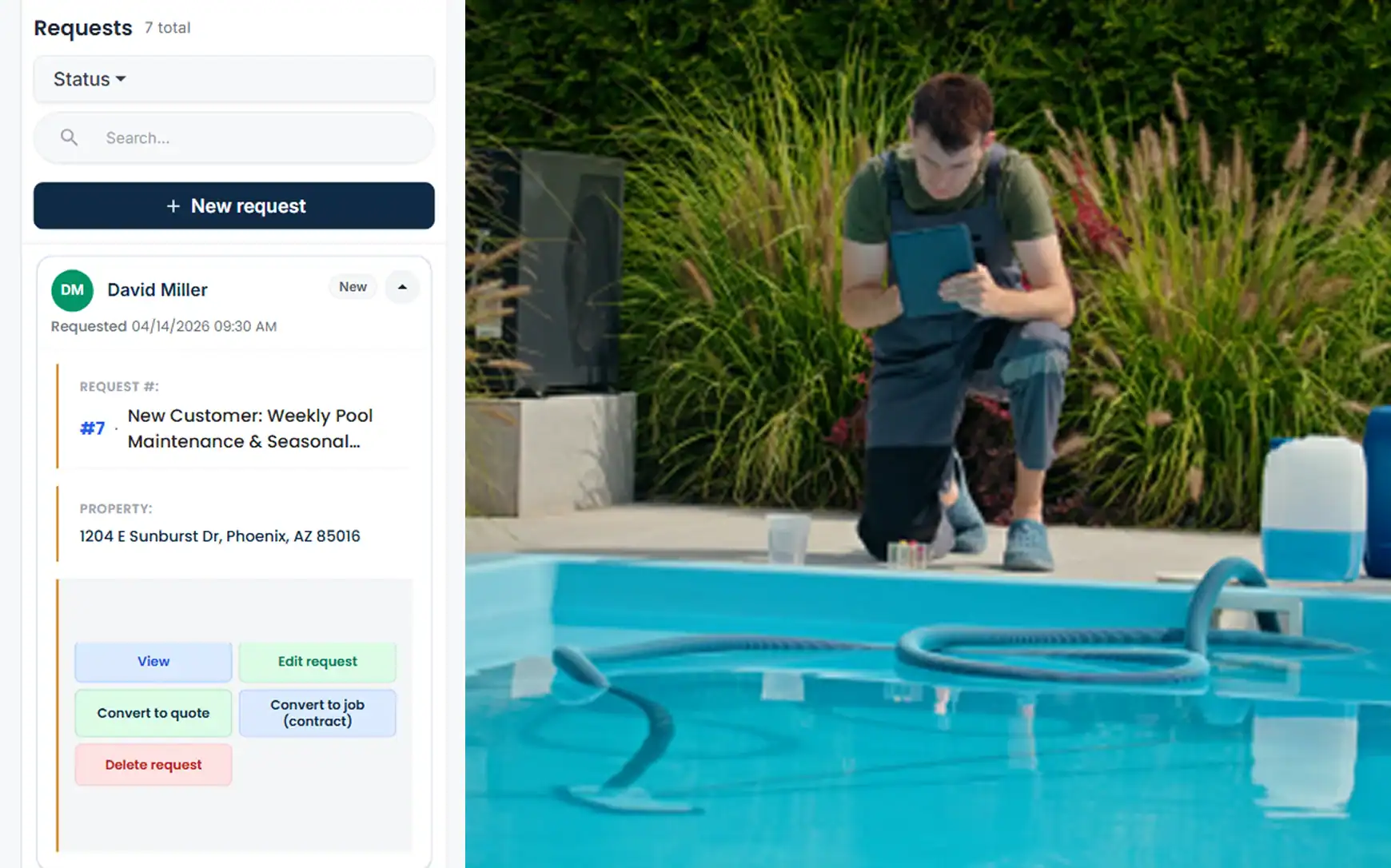
Pool Service Software — 100% Free
A pool route lives or dies on Tuesdays: the same forty backyards, in the same order, every week from opening to closing. Cloud Job Manager is pool service software that keeps that route on your tech’s phone, records what they found at every pool, turns a bad pump into a quoted repair, and takes payment at the truck or by pay link. Pool companies of any size use it free — no per-user fees, no feature paywalls.
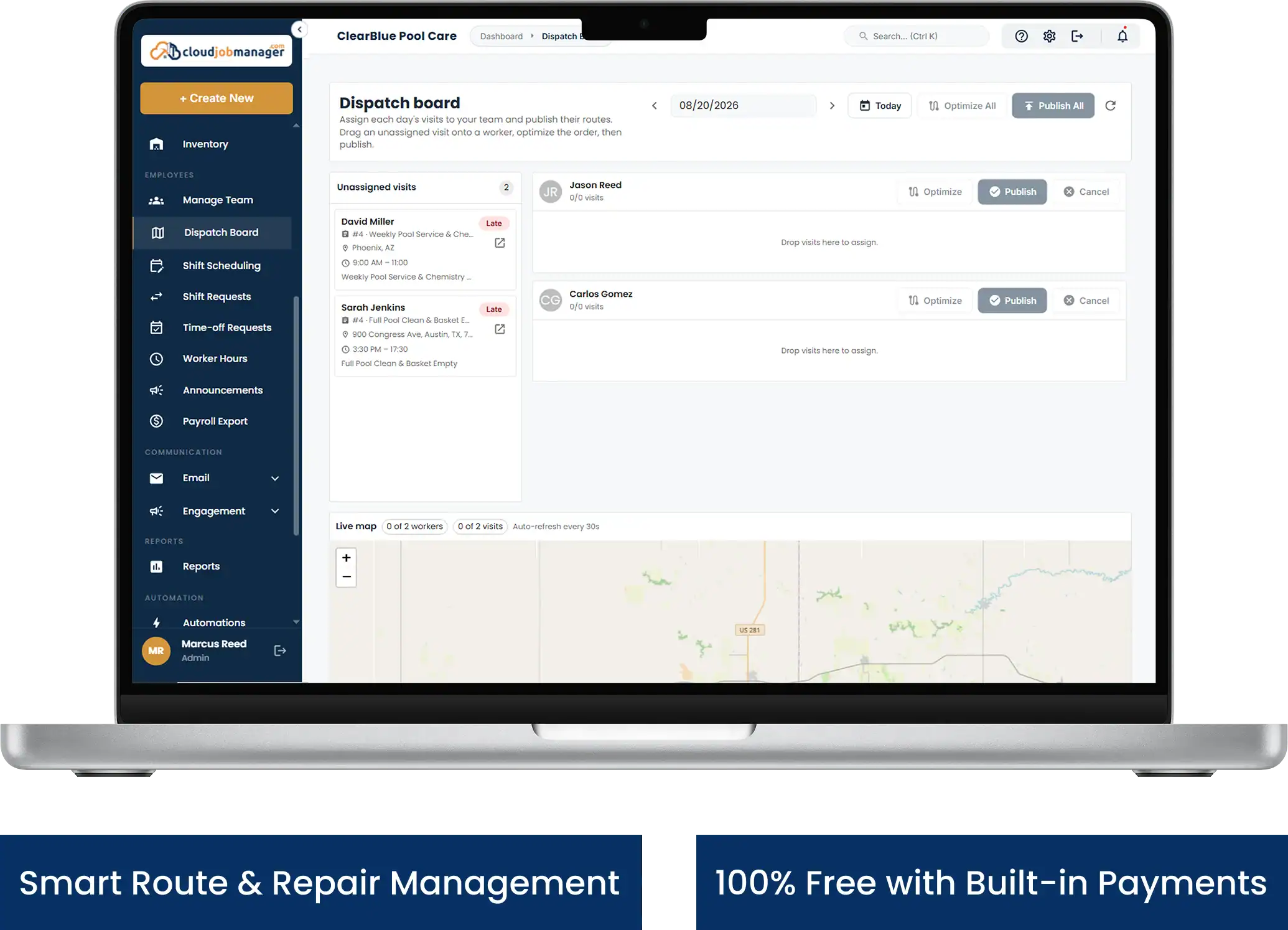
All-in-One Pool Management
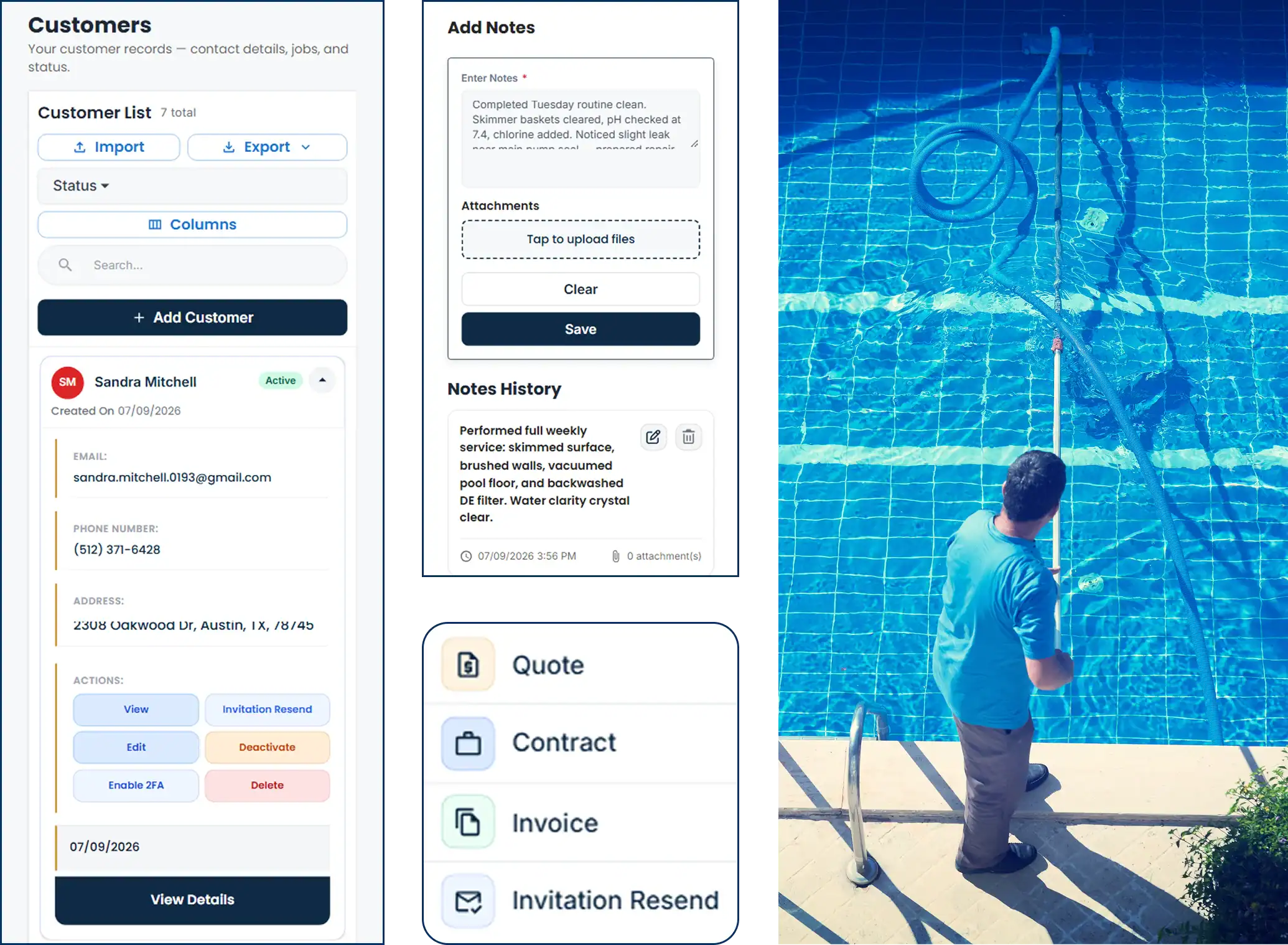
Between weekly cleanings, filter changes, openings, closings, repairs and the odd green-pool rescue, a pool company juggles more job types than most trades. Pool service software should put every one of them on the same customer record, alongside the schedule, the estimates and the invoices, and Cloud Job Manager does — so the office knows what the tech saw at 2 p.m. and the tech knows what the customer was billed last month.
- One record per pool with visit notes, photos and repair history
- Weekly and biweekly recurring visits laid out by route day
- Repair estimates converted to invoices in one click
- Card, ACH and digital wallet payments tied to each visit or repair
- Reports on revenue, unpaid invoices and how full each route is
Weekly Route Days and Recurring Pool Maintenance
Set each customer up once with a route day and a frequency — weekly through the season, biweekly for the ones who only swim on weekends — and swimming pool maintenance software should do the rest. Cloud Job Manager creates every recurring visit on the calendar, so Monday’s stops, Tuesday’s stops and Friday’s stops are all there before the week starts, in the order you set.
Weather still runs the schedule, and pool maintenance software is only useful if it copes with the weeks that do not go to plan. When a storm blows the whole afternoon, reschedule the stops you missed to Saturday, or skip a visit for a customer who is away and let the next one stand. A tech who finishes early can pull a Thursday stop forward. Nothing gets lost, because the missed visit stays on the calendar until someone moves it or marks it done.
- Fixed route days per customer, weekly or biweekly
- Visits generated for the whole season in advance
- Skip, reschedule or bring forward a stop without touching the rest of the route
- Openings and closings booked as one-off jobs alongside the recurring route
Cloud Job Manager shows the day’s pools in the order you arrange them; it does not reorder the route for you. Pair Cloud Job Manager with a mapping app if you want turn-by-turn routing between stops.
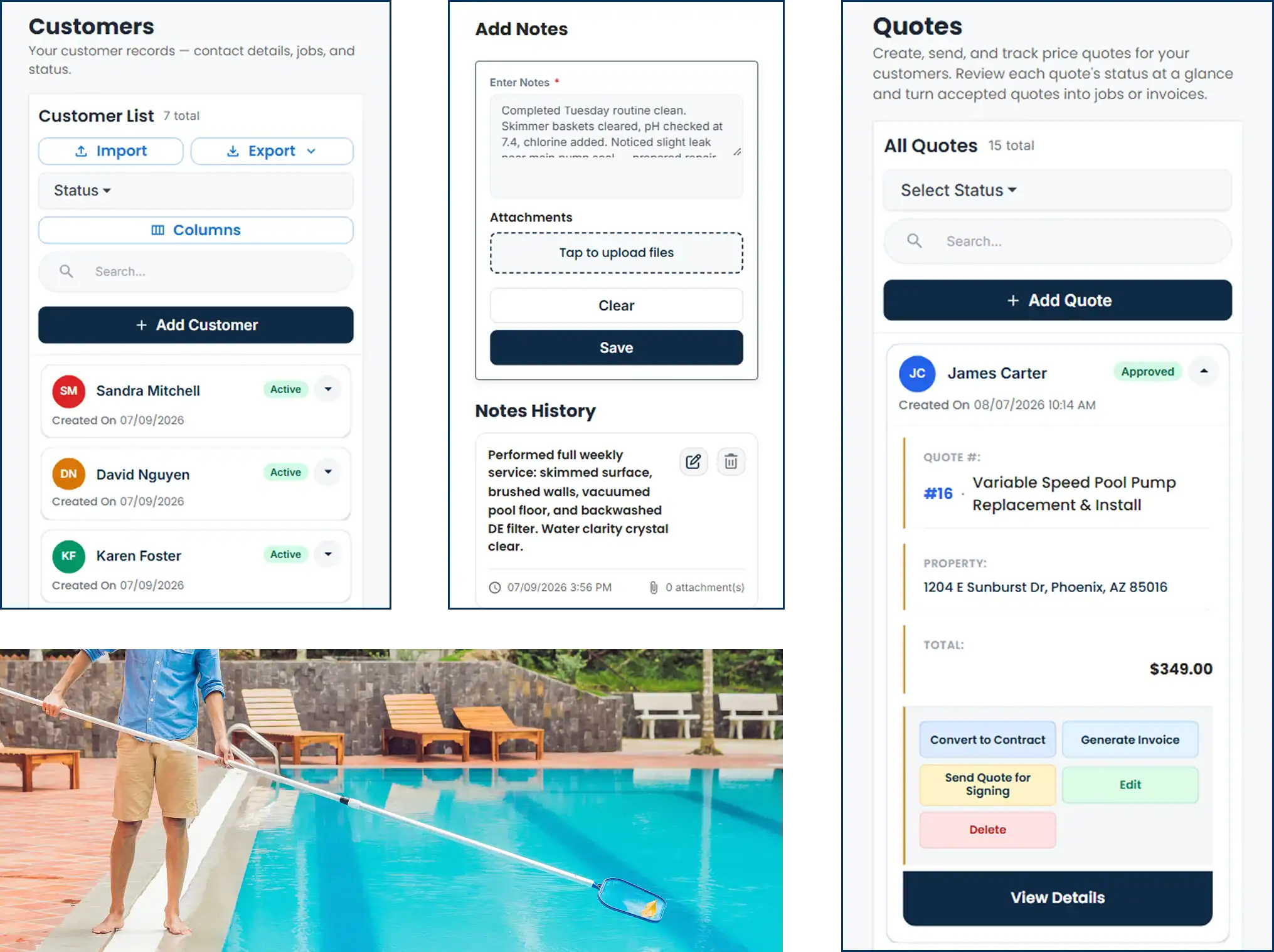
Service Notes, Photos and Repair Upsells
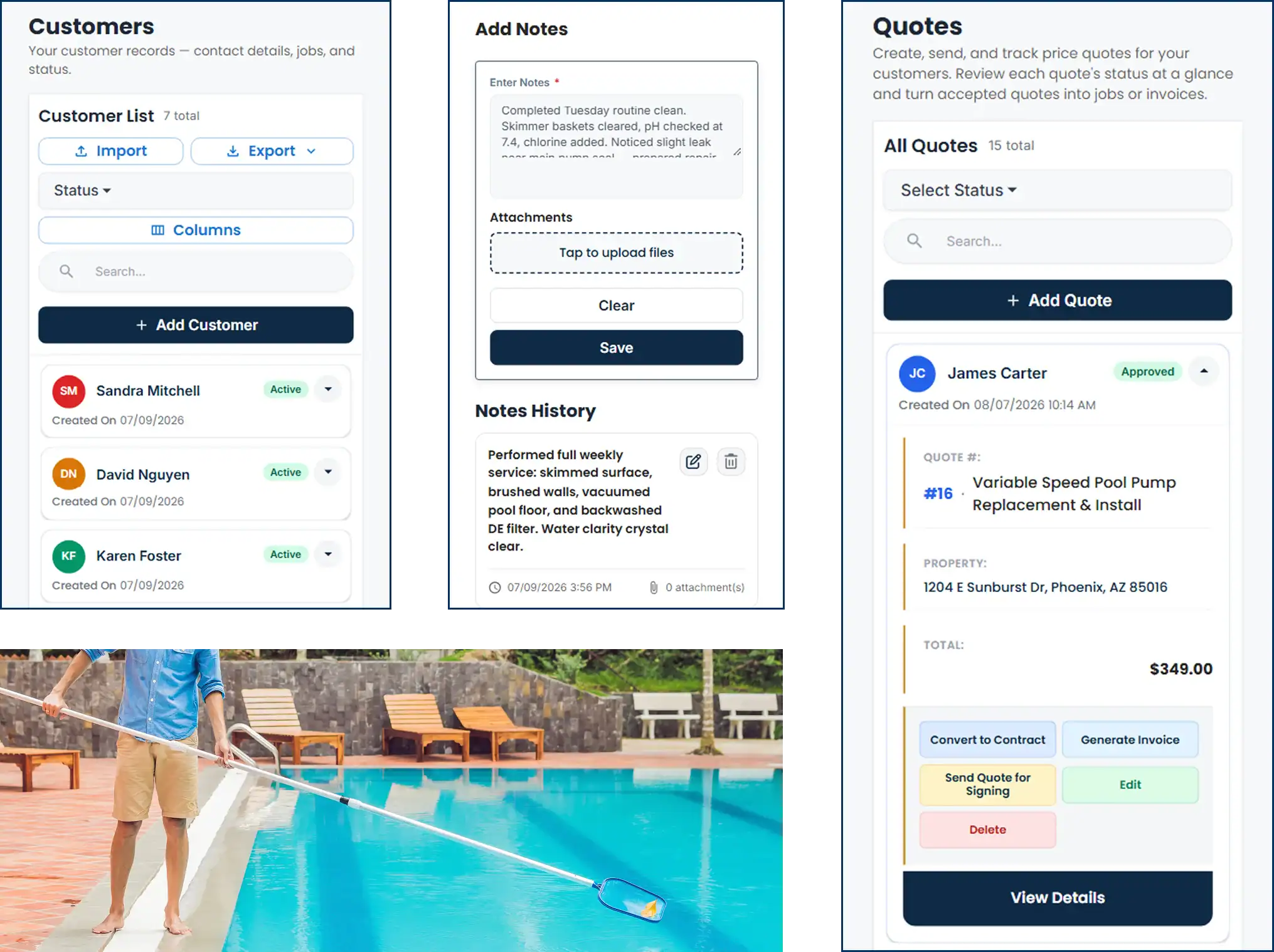
The note the tech leaves at each pool is worth more than the cleaning. “Pump basket cracked, pressure gauge reading high, salt cell scaled” written into the visit and backed with a photo of the equipment pad means the office can call the customer that afternoon with a quote instead of finding out a month later when the pump seizes. Pool service management software that keeps those notes in the customer record turns a maintenance stop into the start of a repair job.
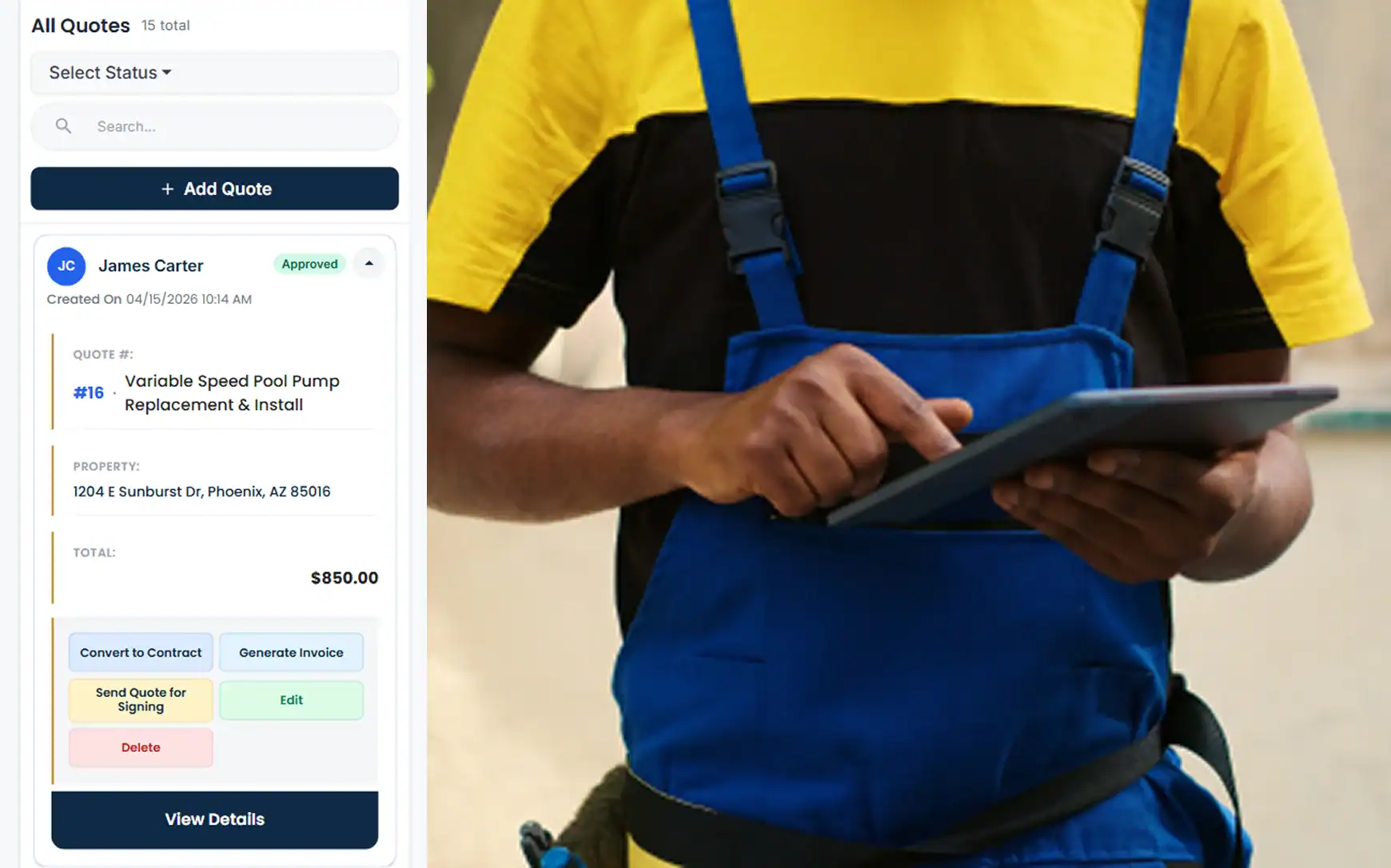
From the visit, the tech or the office creates an estimate — new filter cartridge, replacement pump, a cell cleaning — and sends it to the customer for approval. Approved, it becomes a scheduled repair job with a work order. Finished, it becomes an invoice with one click. The customer’s record now shows the weekly visits, the repair and what was paid, in one place.
- Notes and photos attached to every visit
- Equipment issues quoted as a repair job from the same customer record
- Estimate approval on the customer's phone
- Repair history visible on the next weekly stop
Smart Scheduling & Job Tracking
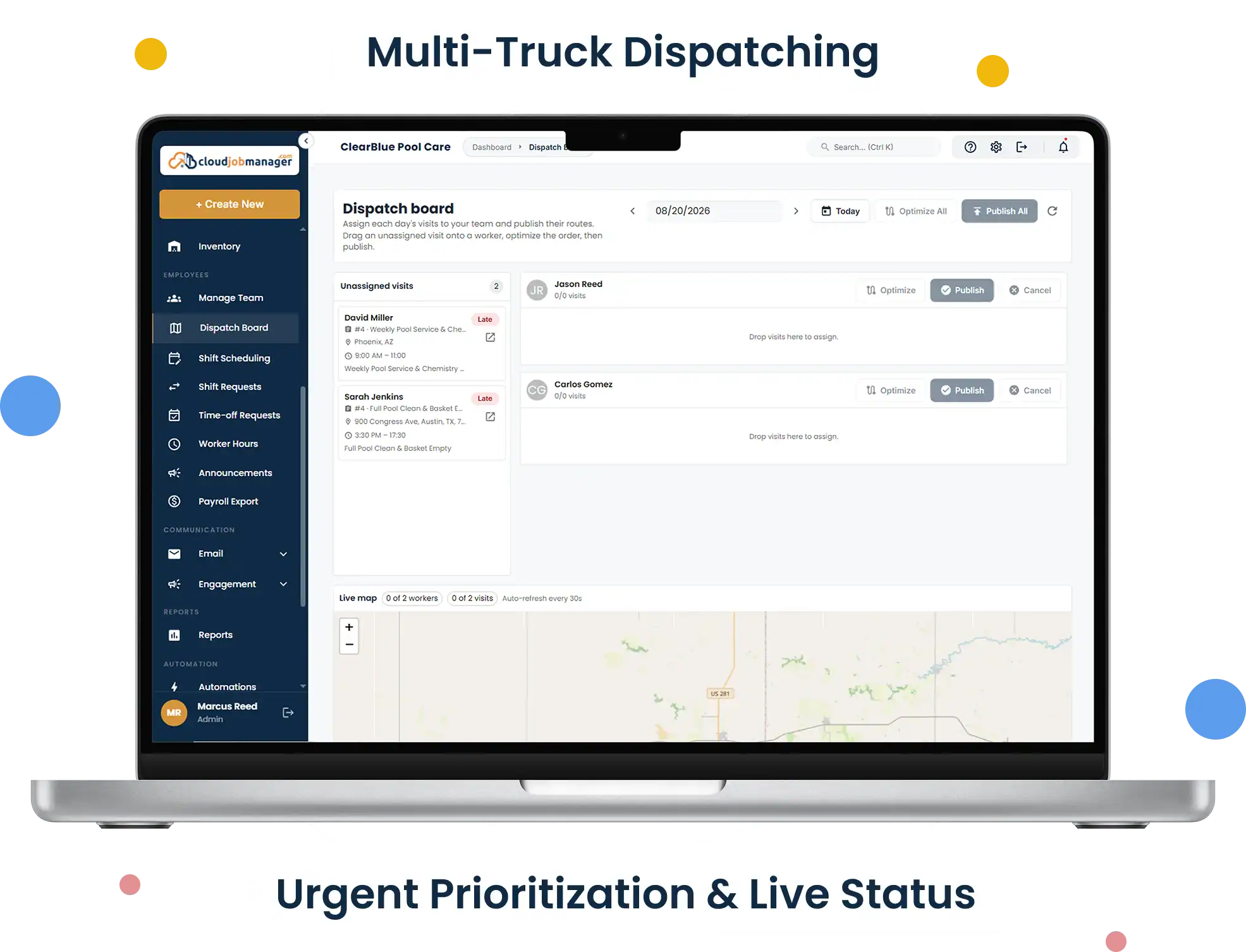
Spring openings and fall closings stack up in the same few weeks every year, on top of the weekly route. The calendar holds both: the recurring maintenance stops and the one-off openings, closings, acid washes and equipment installs. Assign the openings to your second truck, keep the route tech on the route, and see at a glance which day is already full before you promise a customer a date.
- Assign techs to routes and one-off jobs without double-booking a truck
- Flag a green-pool rescue or a leaking pump as urgent so it sits above routine stops
- Track each stop from scheduled to complete as the tech updates it
- See route coverage before adding a customer to a day
Estimates, Work Orders & Invoicing
Quote repairs from your own price list — pump motors, variable-speed upgrades, filter grids, heater ignition parts, salt cells — and send the estimate for approval by email or text. Openings and closings can be quoted the same way, with the chemicals and labour itemised. Once approved, the job carries a work order the tech reads on site, and the finished job converts to an invoice in one click.
Change orders handle the extras that appear once the equipment pad is opened up: a check valve that has failed alongside the pump, a union that will not seal. Add the item to the job so the invoice matches the work, and bill weekly service monthly, per visit or seasonally, whichever your customers are used to.
Manage Jobs From the Mobile App
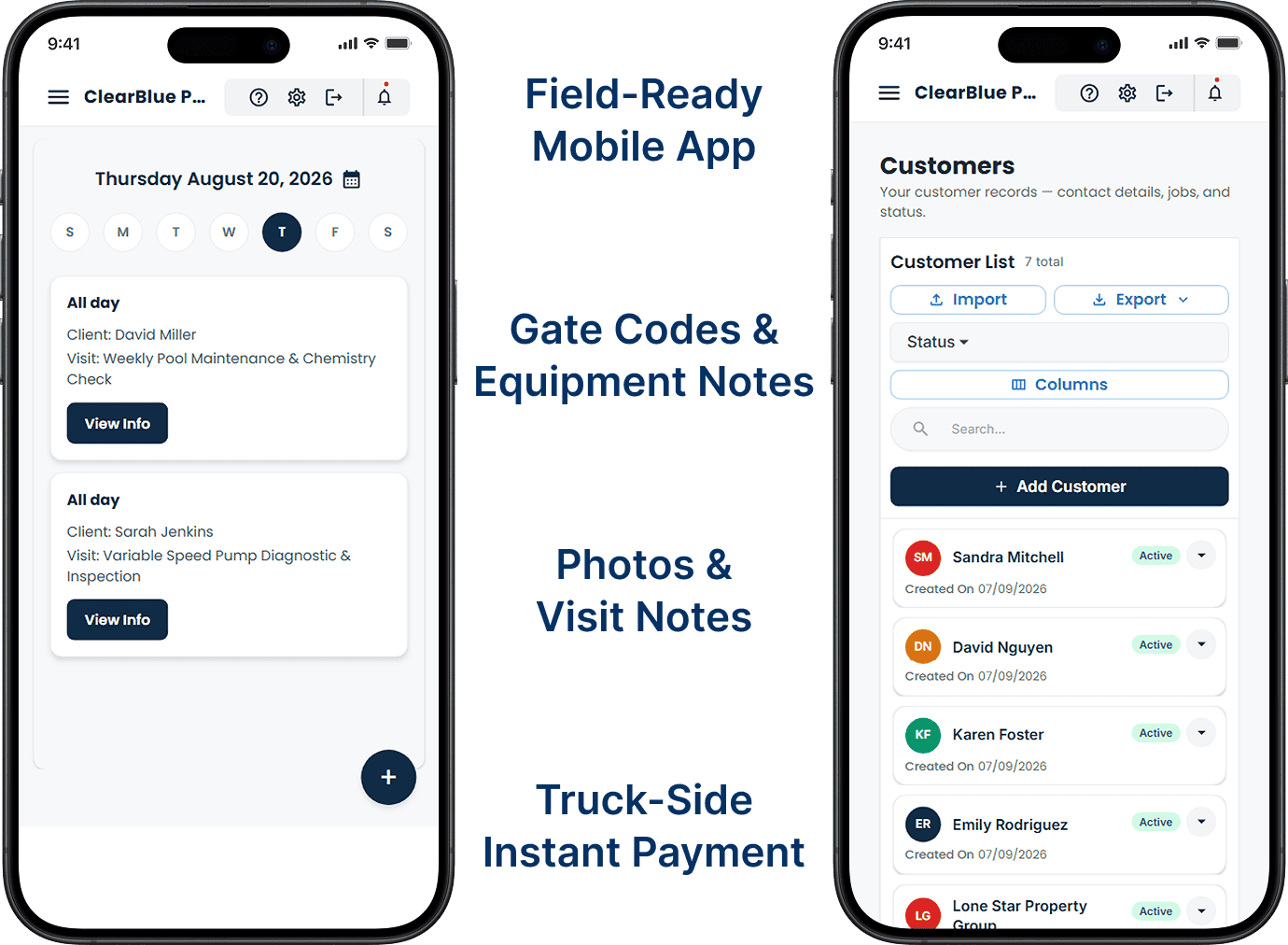
A pool service app has to work with wet hands in bright sun. On the iOS or Android app the tech sees today’s stops in order, opens each one to the customer’s gate code and equipment notes, adds a photo and a note, and marks it complete. After a repair they send the invoice and take card, ACH or digital wallet payment at the truck, so the office is not chasing it next week.
From First Call to "Payment Received" in Four Steps
02
Send an estimate
Quote the opening and the monthly service rate, send it, and let the customer approve it on their phone. For a repair spotted on a route stop, the tech quotes it from the pool deck the same way.

03
Schedule the crew
Assign the opening to the crew that does openings and drop the weekly stop into the route tech’s Tuesday. Both see the address, gate code and notes in the app.

04
Invoice and get paid
The opening converts to an invoice and is paid by card at the truck; the weekly service is invoiced monthly with a pay link by text. Each payment records against the right job automatically.
Accept Payments with Host Merchant Services
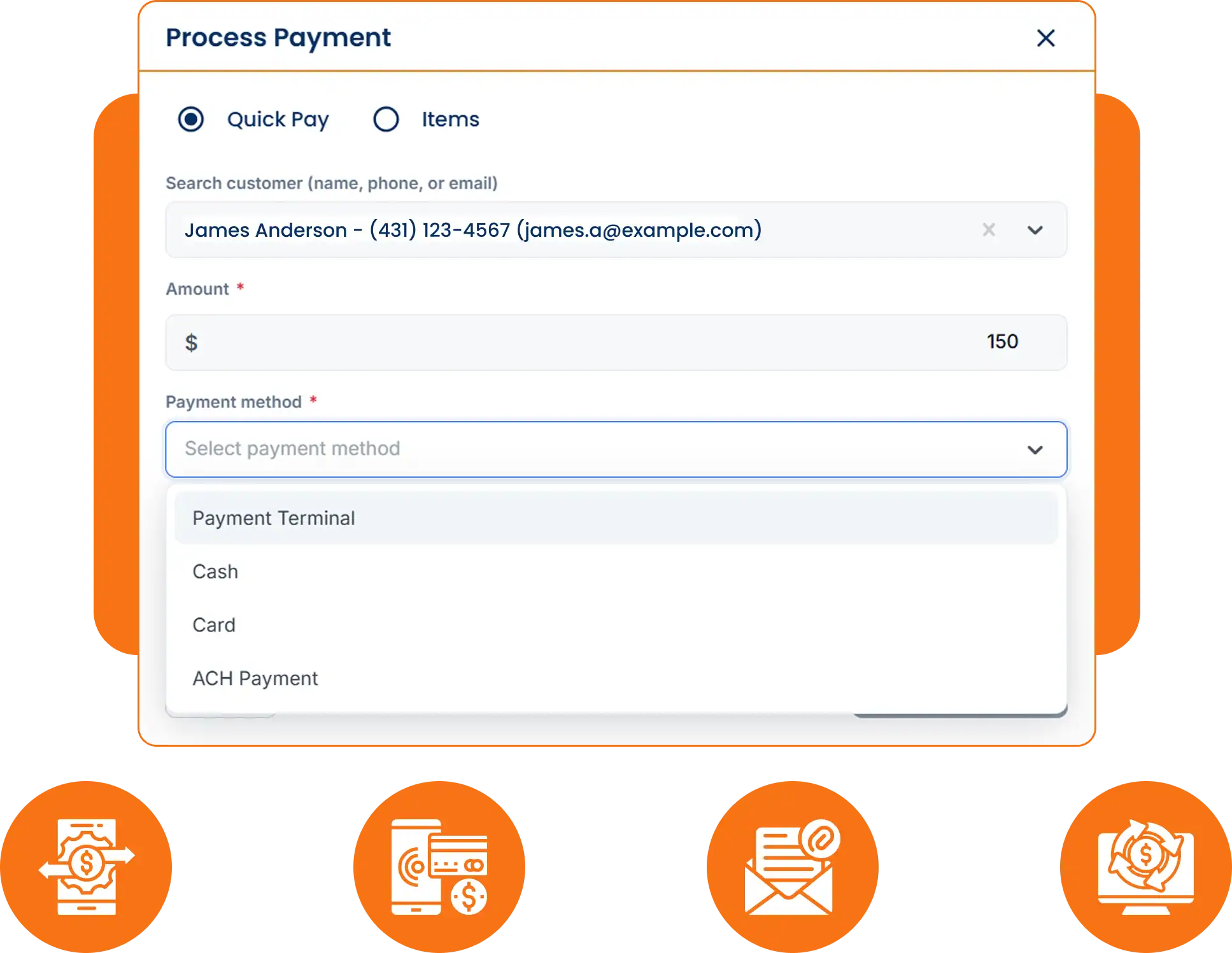
Payment processing from Host Merchant Services is built into Cloud Job Manager, so the tech can take a card for a filter change at the equipment pad and the office can send a pay link for the monthly service invoice from the same account. Credit and debit cards, ACH bank transfers and digital wallets are all accepted, and every payment syncs to its job.
- Card, ACH and digital wallet payments on site or remotely
- Pay links by text or email for monthly service billing
- Payments matched to the visit or repair with no manual entry
Reports & Business Insights
Pool business software should tell you how much of your revenue is route service versus repairs and openings, which customers are behind on their monthly invoice, and how many stops each tech is carrying. When you are deciding whether a route is full enough to justify a second truck, that report is the answer.
Why Is Cloud Job Manager Free?
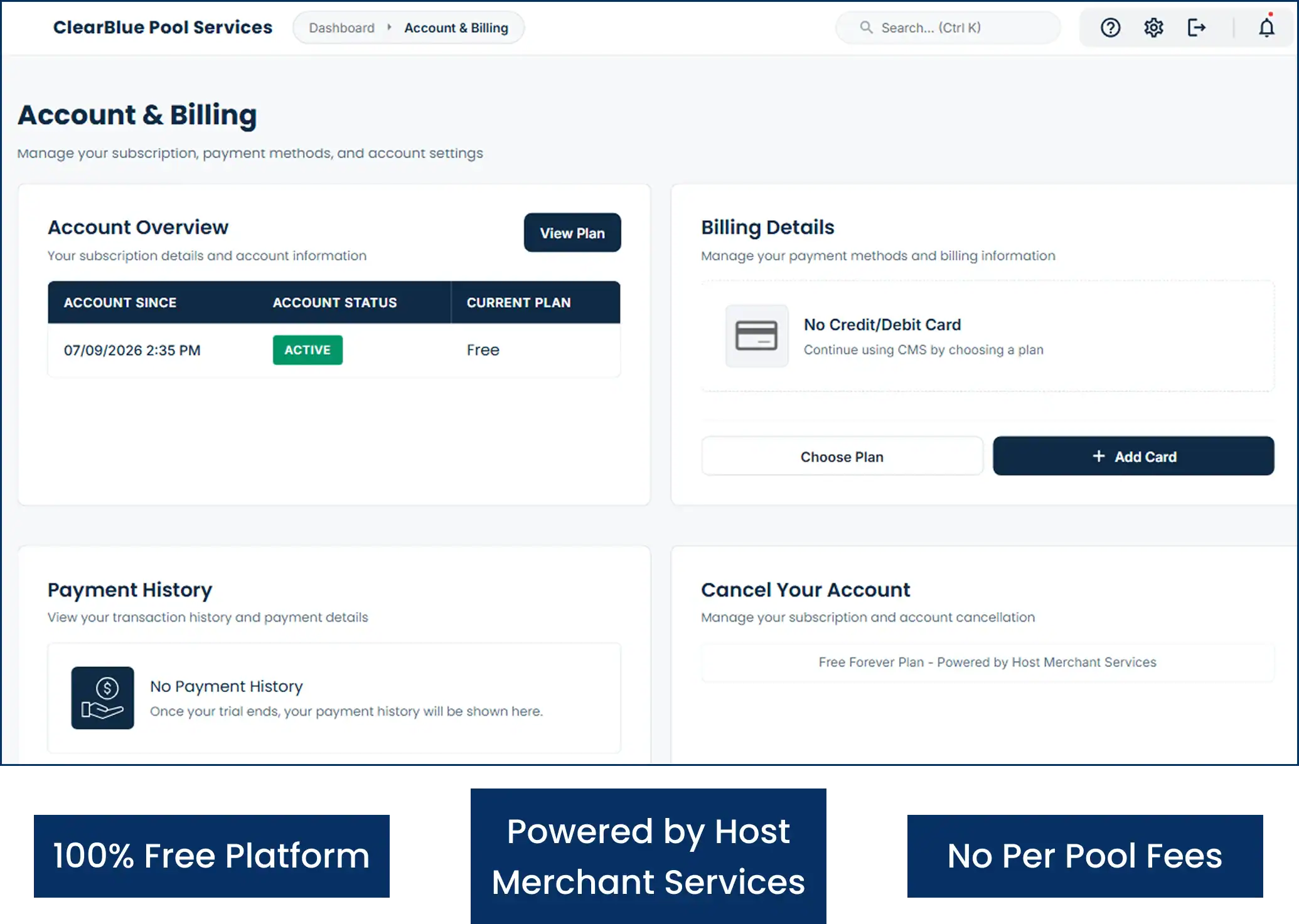
There is no charge for the software. Host Merchant Services provides the payment processing, and the processing is what funds Cloud Job Manager — so when customers pay for a pump replacement or a month of service by card, ACH or digital wallet, the platform is paid for. You will not see per-user fees for a summer tech, tiers, or features held back for a higher plan.
Most pool company software prices by the user or the number of pools on the route, which grows exactly when your business does. Pool cleaning software on Cloud Job Manager costs the same at ten pools as at four hundred. Read more about free job management software on the homepage, see the other trades on the industries page, or read our guides on managing pool service scheduling and routes and routes, maintenance scheduling and on-site payments.
Frequently Asked Questions
Pool service software runs the business side of a pool company: recurring route visits, openings and closings, service notes and photos per pool, repair estimates, invoicing and payment collection. Swimming pool service software from Cloud Job Manager does all of that in one free account, with an iOS and Android app for the tech on the route.
Yes. Give each customer a route day and a weekly or biweekly frequency, and the visits are generated on the calendar for the season. You can skip a stop for a customer who is away, reschedule a day lost to weather, or bring a visit forward, without rebuilding the rest of the route.
Yes. From the visit on their phone, a tech can build an estimate for a pump, filter or cell replacement, attach a photo of the problem, and send it to the customer to approve. Once approved it becomes a scheduled repair job, and when finished it converts to an invoice in one click.
Yes. One truck, one login: the route calendar, customer records, estimates, invoices and card payment all sit on the owner’s phone at no cost. Because there are no per-user fees, adding a second tech when the route fills up is a matter of inviting them to the account, not upgrading a plan.
Cloud Job Manager is. The software has no subscription, no per-user charge and no feature paywalls. Host Merchant Services processing built into the platform is what pays for it; your only cost is the standard rate on the card, ACH or digital wallet payments your customers make.
Ready to Run Your Pool Business From One Free Platform?
Keep the route on the calendar, the notes on the record and the money in the bank before the truck leaves the driveway. Start free today, or book a demo and we will walk you through setting up your first route.