Cloud Job Manager

Lawn Care Business Software — 100% Free

Forty lawns a week from the first cut in April to the last leaf pickup in November, and every one of them wants the same day, the same crew and a bill they do not have to think about. Cloud Job Manager is lawn care company software that runs the recurring mowing schedule, the seasonal contracts, the crew’s route list and the invoices from one free account, with card and ACH payments built in and no per-user fees for the summer hires.
Lawn Care Business Software — 100% Free

All-in-One Lawn Care Management

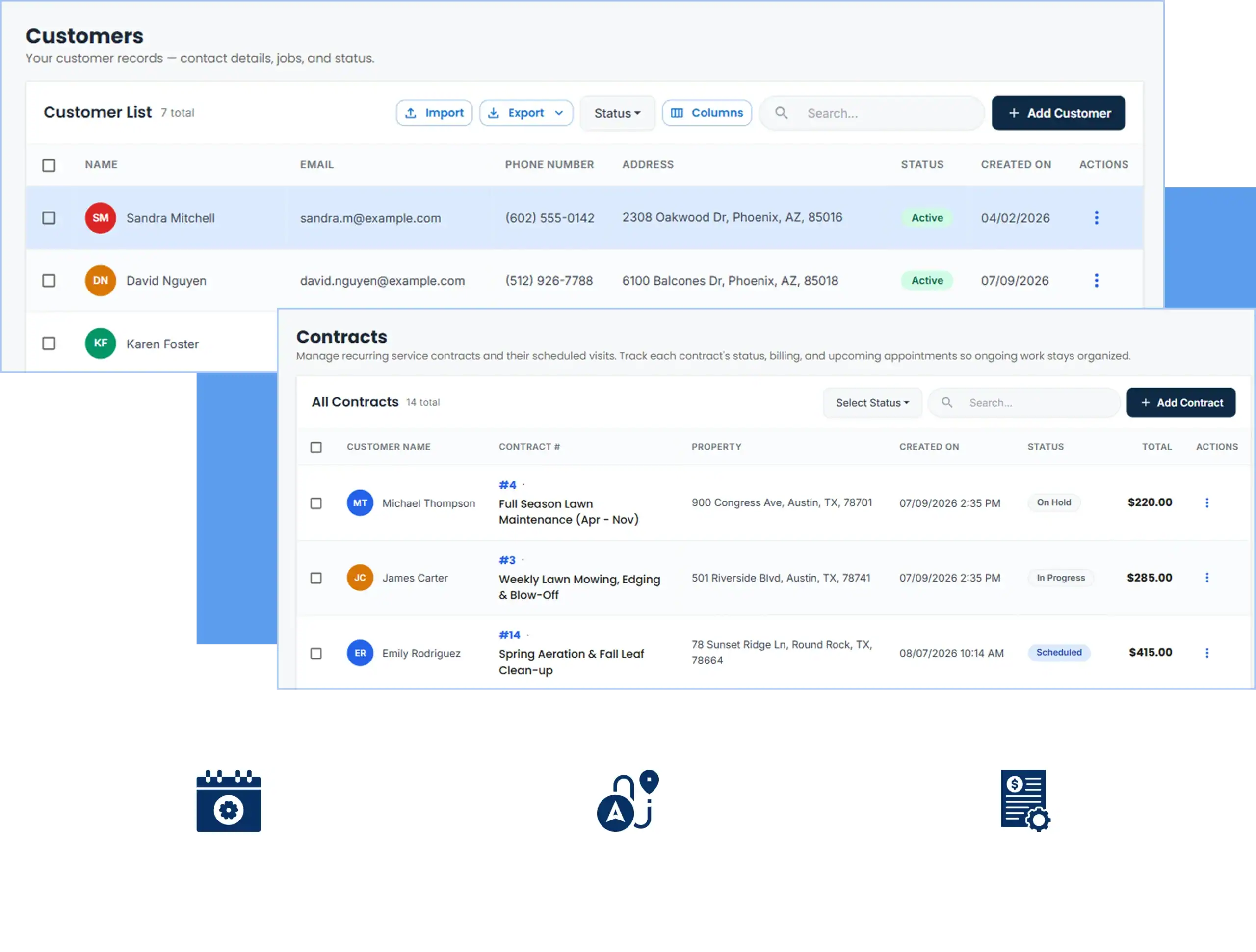
A mowing business has a small number of job types repeated hundreds of times: weekly cuts, biweekly cuts, spring start-ups, aerations, fall clean-ups, the occasional bed edging or mulch install. Software for lawn care business owners has to make those repeat visits effortless and still leave room for the one-off work. Lawn care company software done right keeps each property, its schedule, its contract and its invoices on one customer record, so a change to a customer’s cut day is made once and every future visit follows.
All-in-One HVAC Management
  • One record per property with cut day, gate notes and service history

  • Recurring visits generated for the whole season

  • Estimates for one-off work converted to invoices in one click

  • Monthly, per-visit or seasonal billing with card and ACH payments

  • Reports on revenue per route, unpaid invoices and crew load

Recurring Mowing Schedules and Seasonal Contracts

Set a customer to weekly on Wednesdays or biweekly on Fridays and Cloud Job Manager builds the visits out to the end of the season. Add the spring start-up in April and the fall clean-up in October as one-off jobs on the same record, and the calendar shows the whole year for that property. When a customer goes to biweekly in the August dry spell or cancels for a month, change the schedule once and the crew’s route list updates.
Contract customers are billed the way you sold them. A flat monthly rate from April through November, an annual contract paid up front, or per visit at the end of each month — set the terms on the customer and invoice on that cycle. Lawn service business software should not force you to invoice forty customers by hand at month end; here the invoices are built from the visits already marked complete.
If you are still handing customers a paper lawn care contract template each spring, the estimate you send from Cloud Job Manager can carry the same terms and be approved on their phone.
Recurring Mowing Schedules And Seasonal Contracts
Lawn Care App For Crews In The Field

Lawn Care App for Crews in the Field

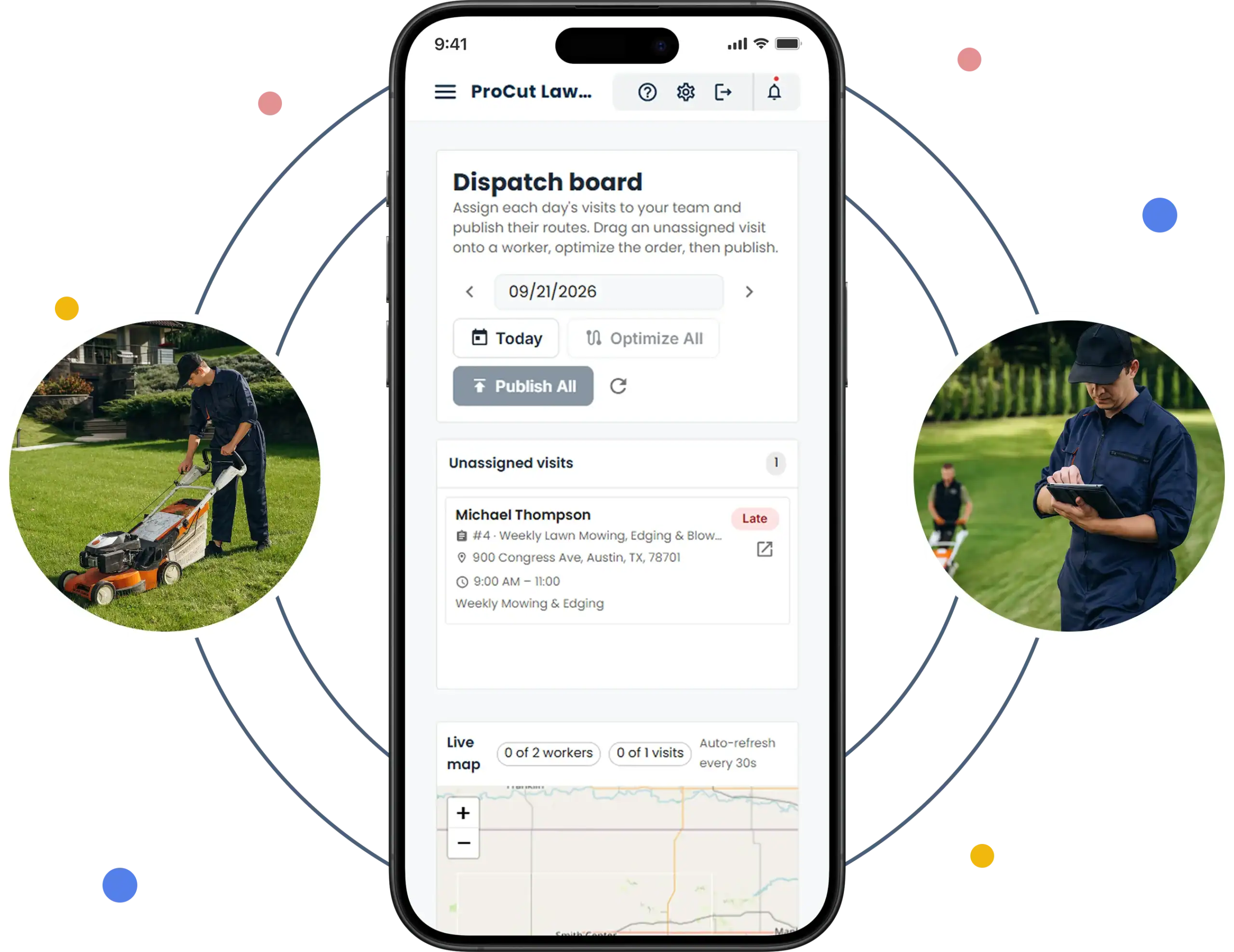
The crew lead opens the iOS or Android app in the truck and sees the day’s properties in the order you arranged them, each with the address, the gate code, the note about the dog and the standing instruction to skip the back slope when it is wet. As each lawn is finished they mark it complete and add a photo of the striped front yard, so when a customer calls to say nobody came on Wednesday, the office has the photo and the time.
For one-off work the crew can send the invoice from the driveway and take a card payment on the spot. An app for lawn care crews only earns its place if it is faster than the paper route sheet; this one is.
If you are still handing customers a paper lawn care contract template each spring, the estimate you send from Cloud Job Manager can carry the same terms and be approved on their phone.

Smart Scheduling & Job Tracking

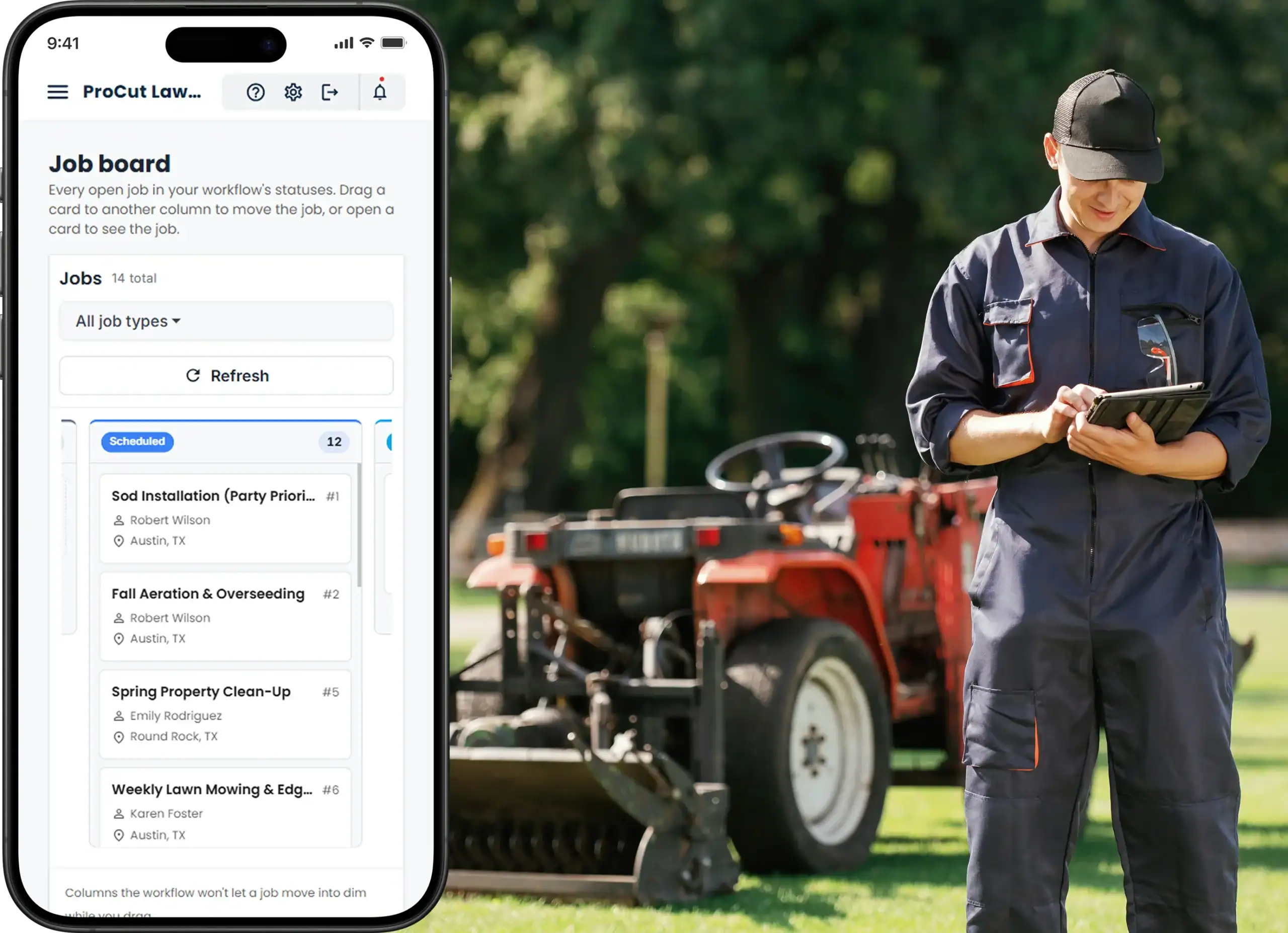
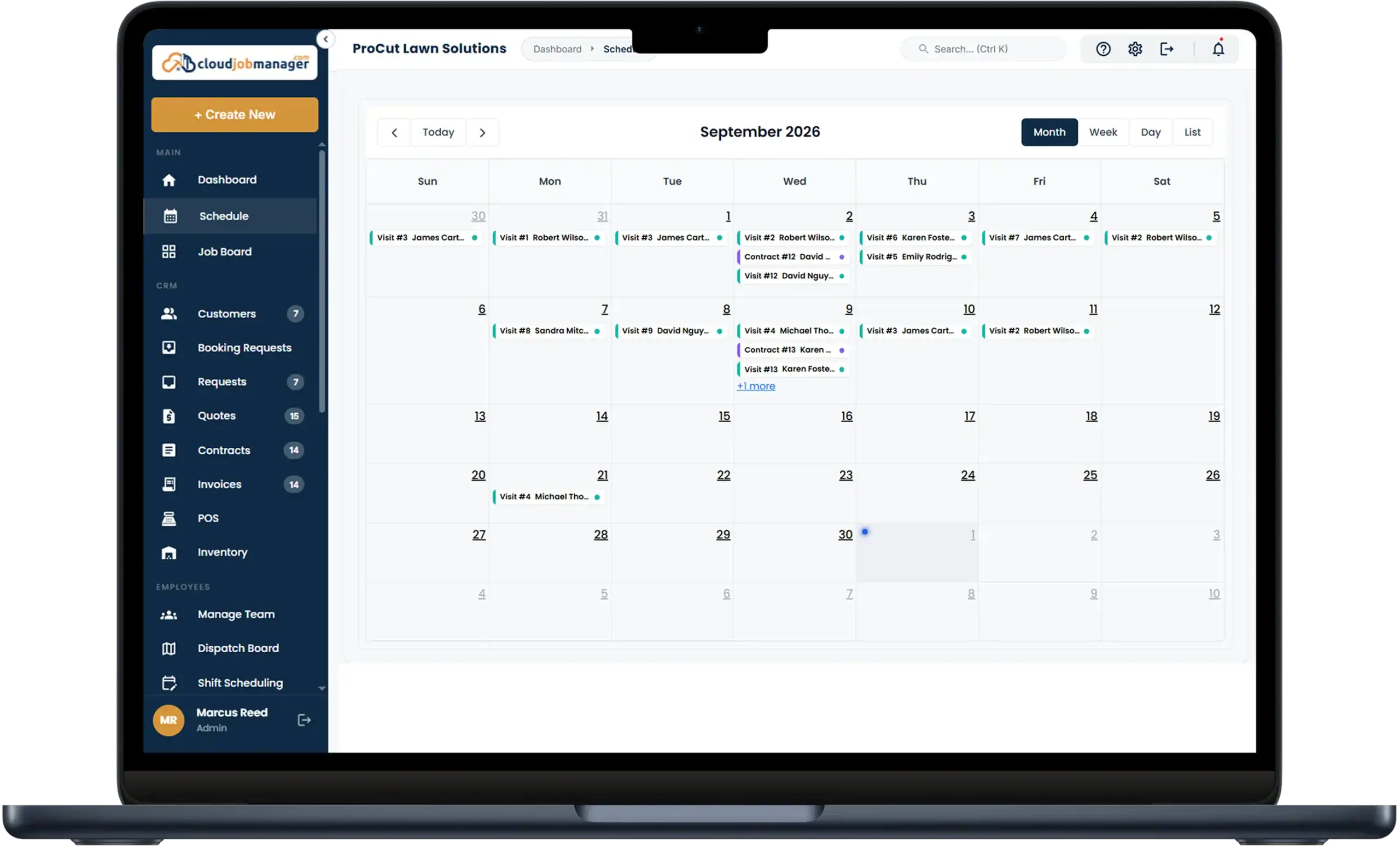
The calendar carries every crew’s week: the recurring routes, the spring clean-ups that arrive all at once, and the aeration and overseeding jobs that pile up in September. Assign the second crew to the clean-ups and keep the first on the mowing route, flag the customer whose sod install has to happen before a weekend party, and see which days are already full before you quote a start date.
Smart Scheduling & Job Tracking
Estimates, Work Orders & Invoicing

Estimates, Work Orders & Invoicing

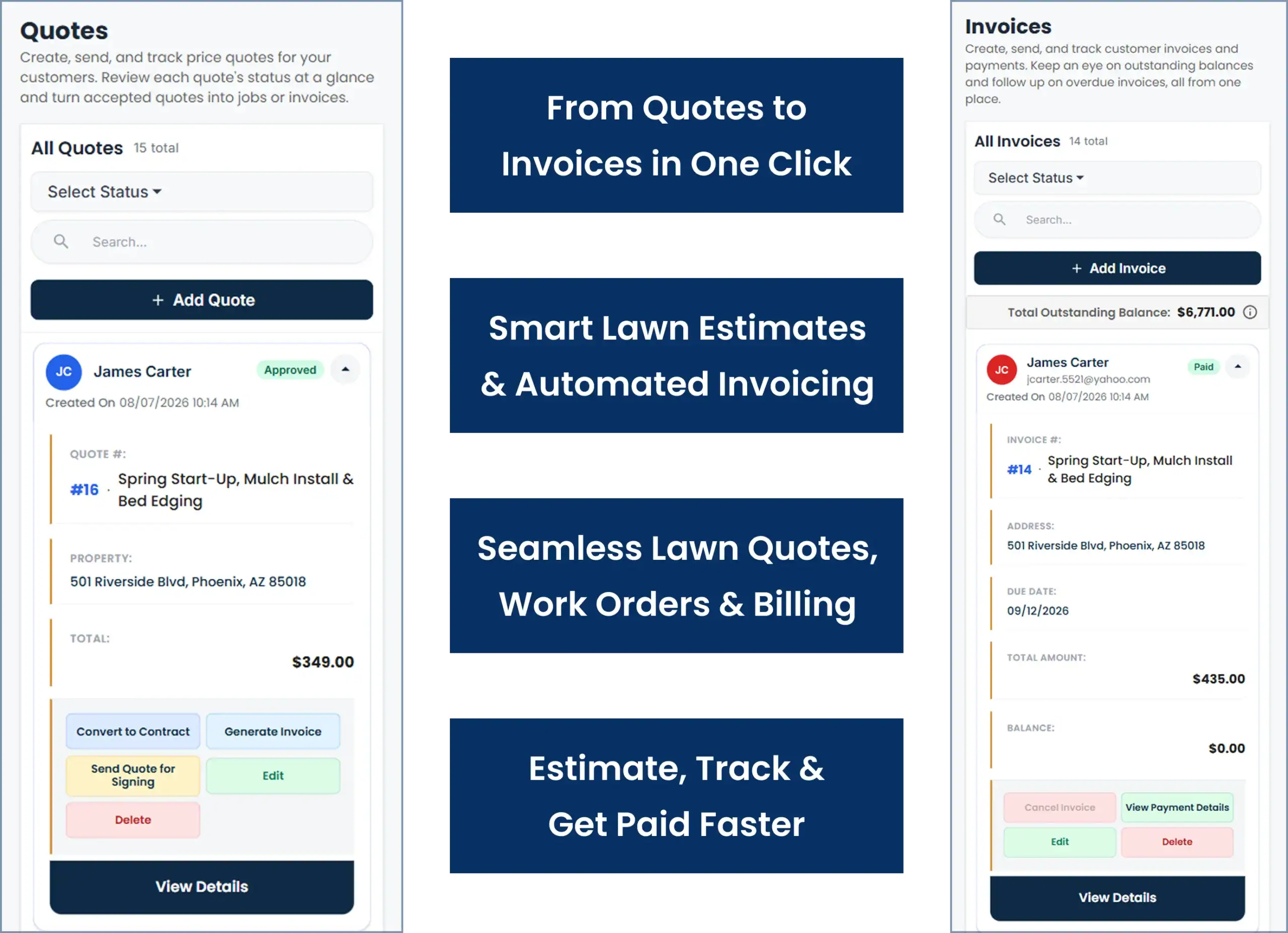
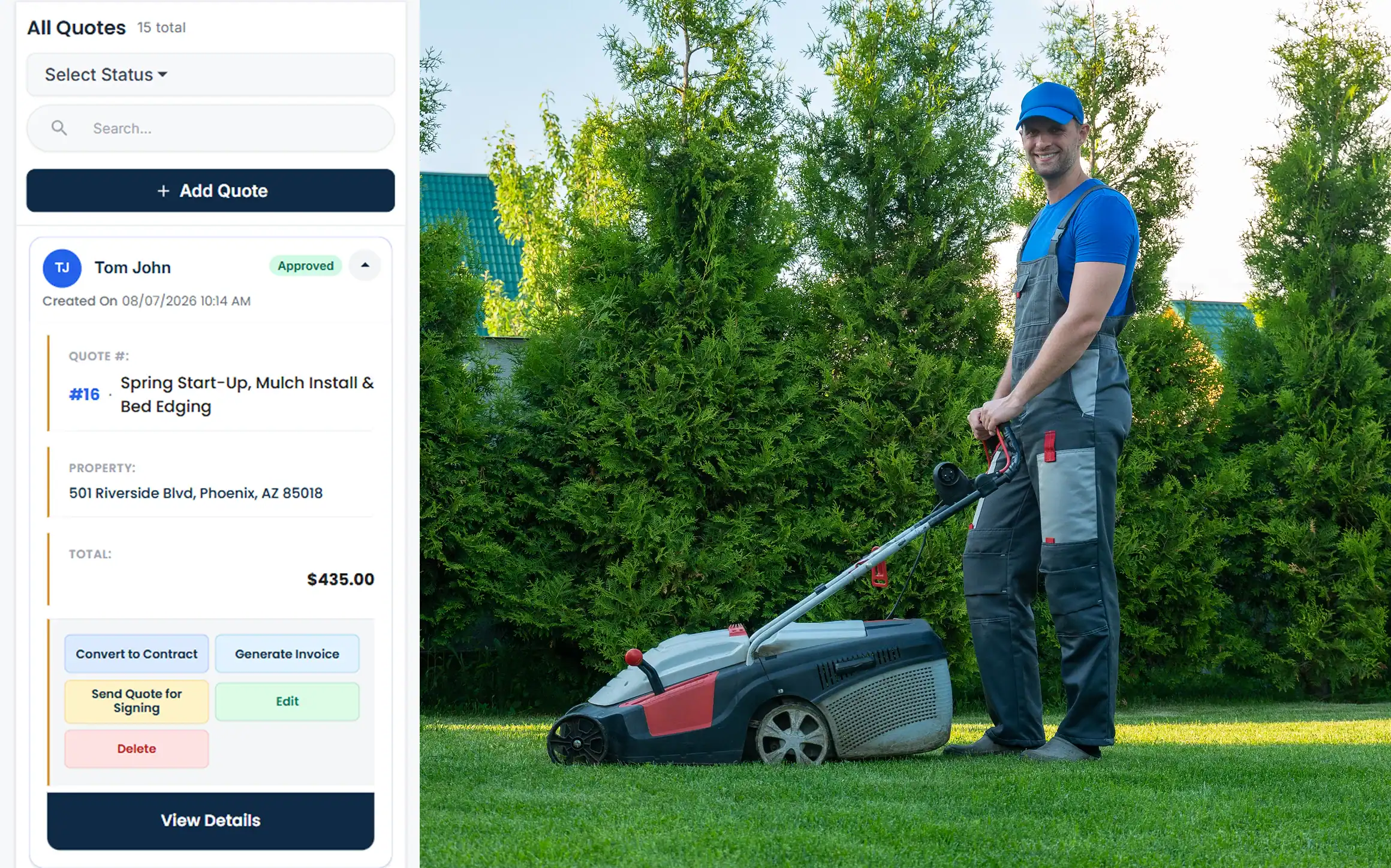
Quote a spring start-up, a mulch install or a full-season contract from your own price list by lot size or hours, send it by email or text, and let the customer approve it on their phone. Approved, the job goes on the calendar with a work order the crew reads on site. When the crew marks it done, one click makes it an invoice.
Scope changes on lawns too: the customer adds the side yard, asks for the beds edged while you are there, or wants the hedges done. Add a change order to the job so the invoice matches what the crew actually did. Lawn care computer software that keeps the estimate, the change and the invoice on one record is what stops those extras from going unbilled.

Manage Jobs From the Mobile App

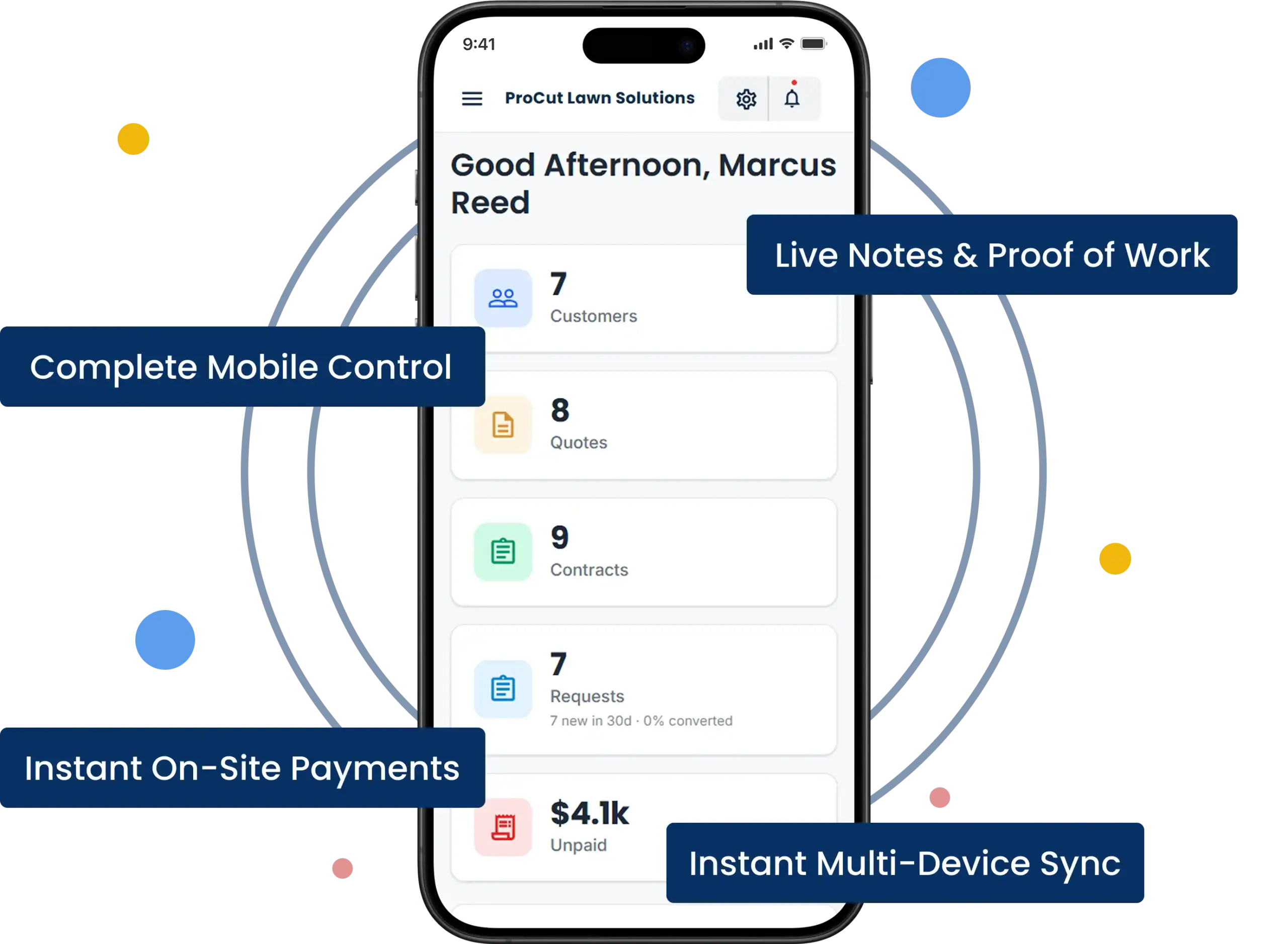
Everything the office does, the crew lead can do from the truck: check the schedule, open a customer’s record and history, add notes and photos, update the job status, send the invoice and take card, ACH or digital wallet payment. The office and the crew see the same information at the same time, on iOS and Android.
Manage Jobs From The Mobile App

From First Call to "Payment Received" in Four Steps

HVAC Four-Step Workflow

Receive the request

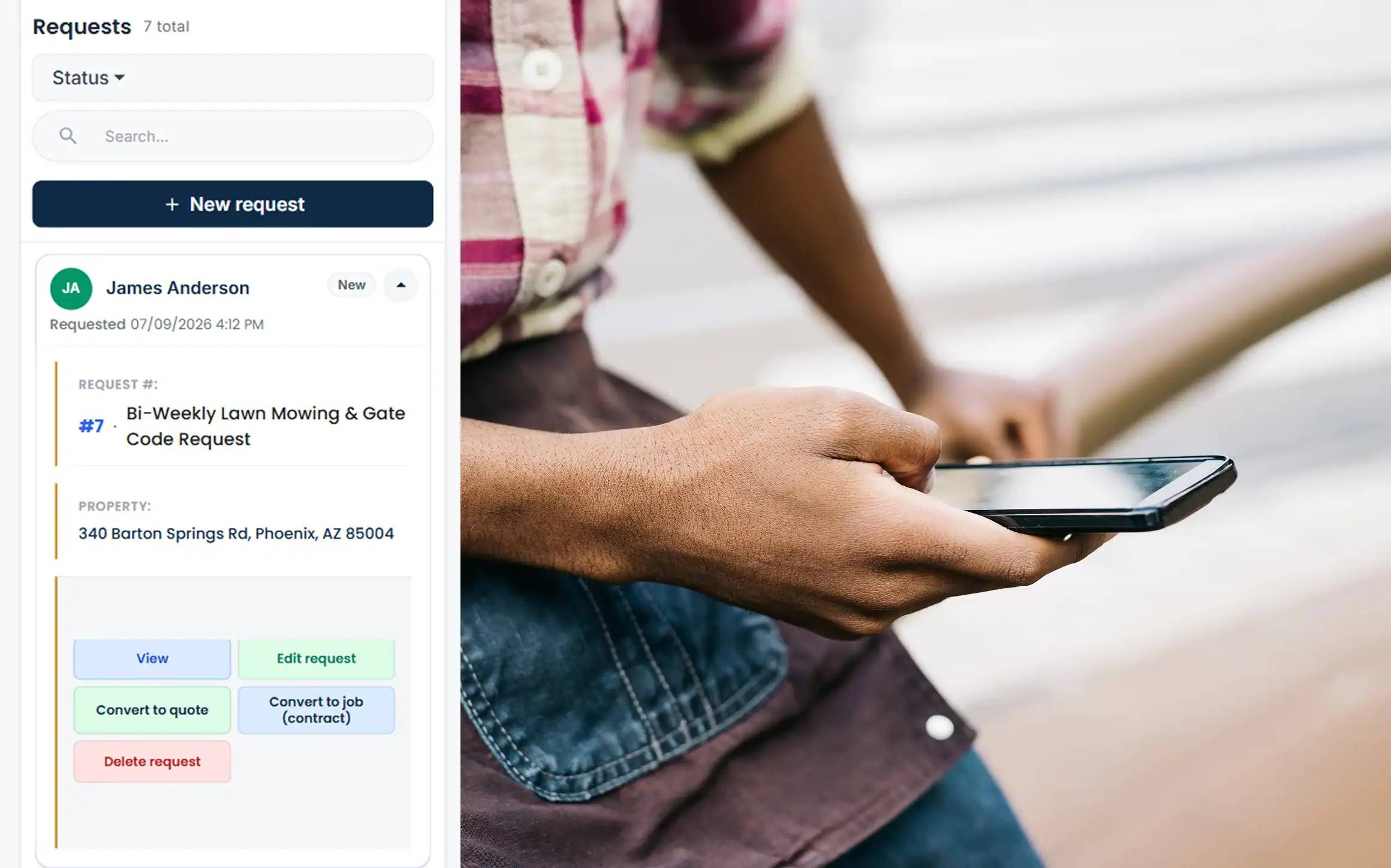
A homeowner asks for weekly mowing and a spring clean-up. Both land on their new record as jobs: the clean-up as a one-off, the cut as a recurring visit on the day that fits your route.

Send an HVAC estimate from Cloud Job Manager

Send an estimate

Price the clean-up and the weekly rate, send it, and let the customer approve it from their phone. The seasonal contract terms ride along on the same estimate.
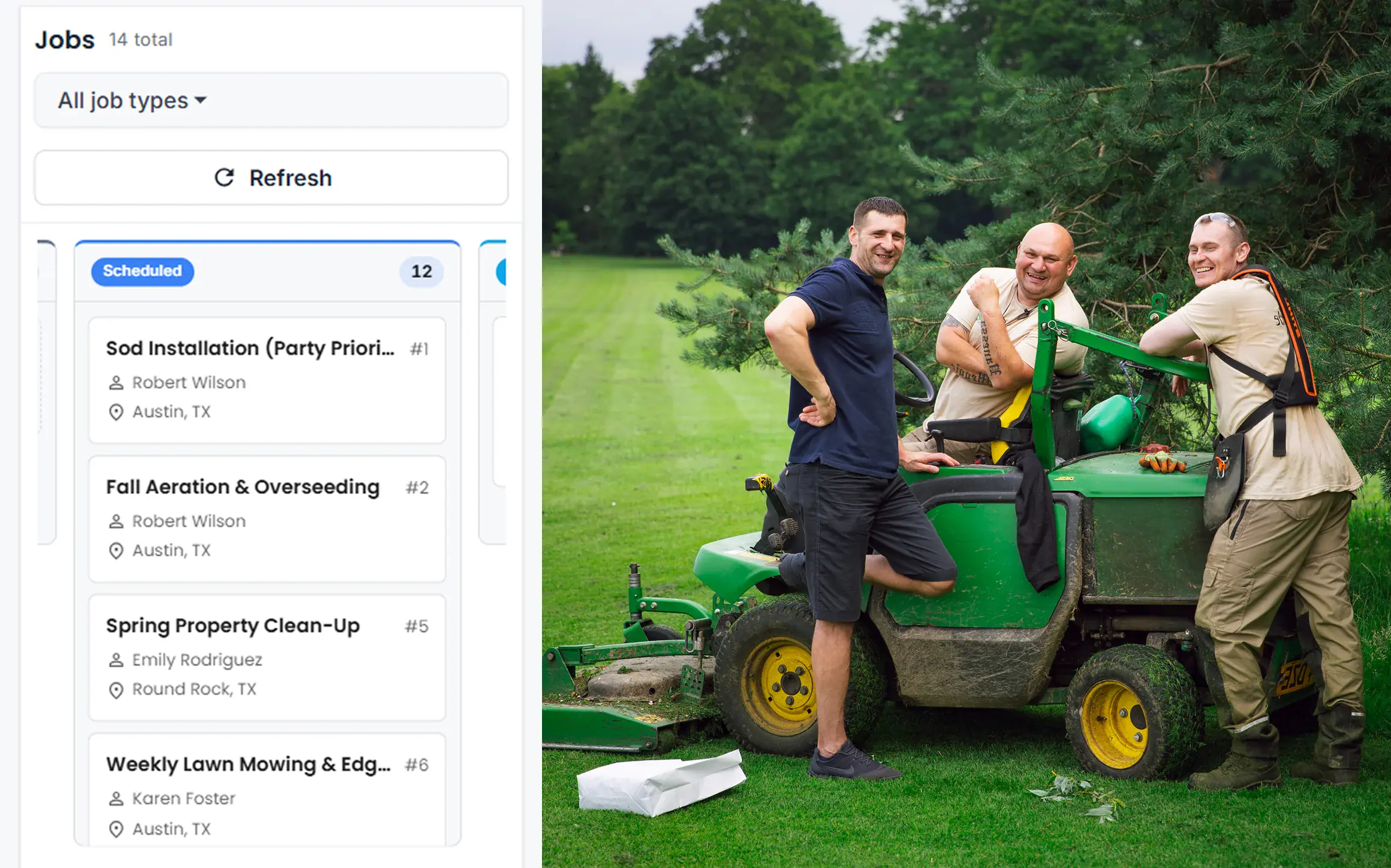
Schedule an HVAC crew in Cloud Job Manager

Schedule the crew

Drop the clean-up onto the crew's Tuesday and the recurring cut into the Wednesday route. The crew lead sees the address, gate code and notes in the app before leaving the yard.
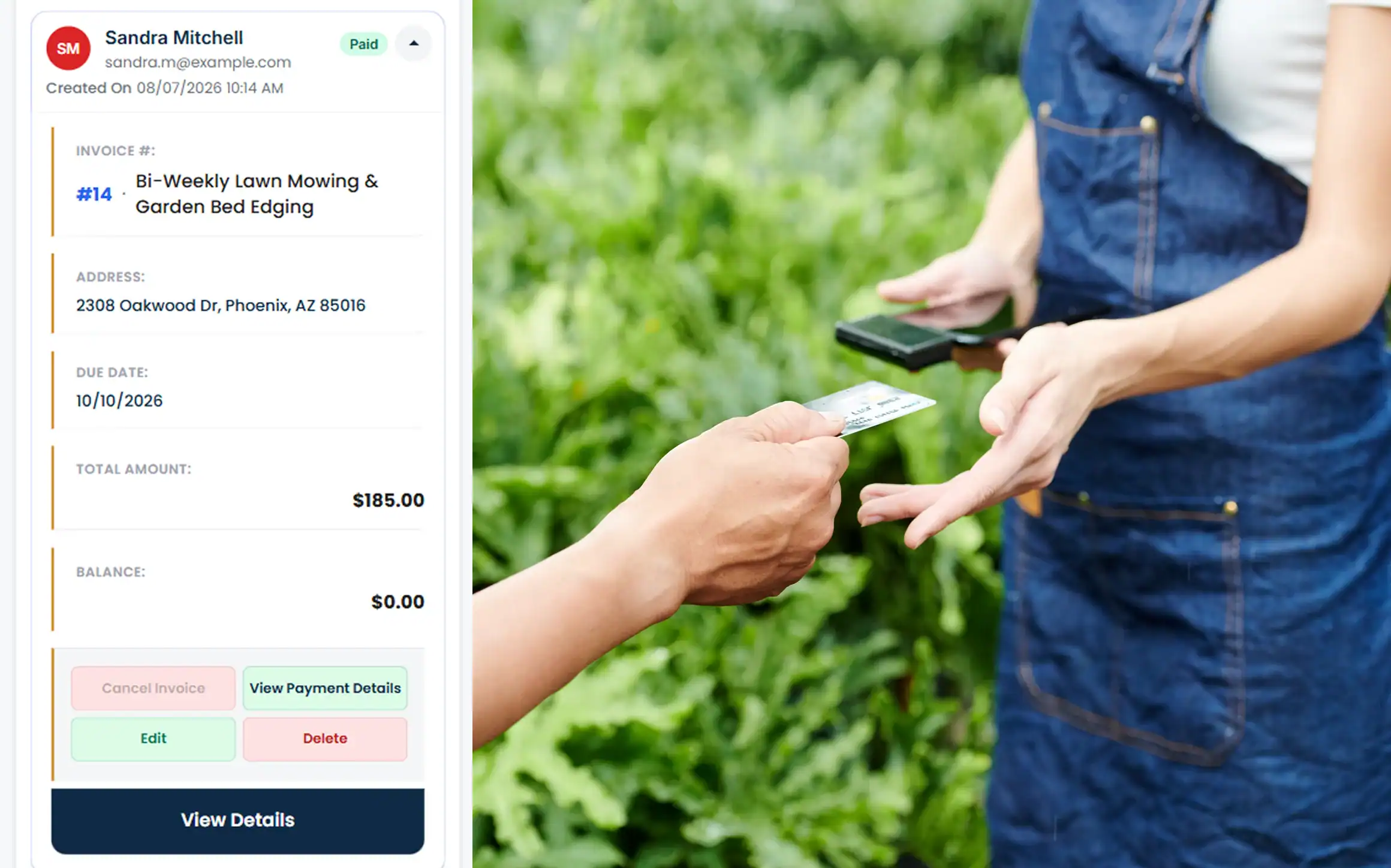
Invoice an HVAC customer and record payment

Invoice and get paid

The clean-up is invoiced and paid by card in the driveway. The weekly cuts roll into the monthly invoice, sent with a pay link by text. Every payment lands against the right job.
Step 1 of 4

Accept Payments with Host Merchant Services

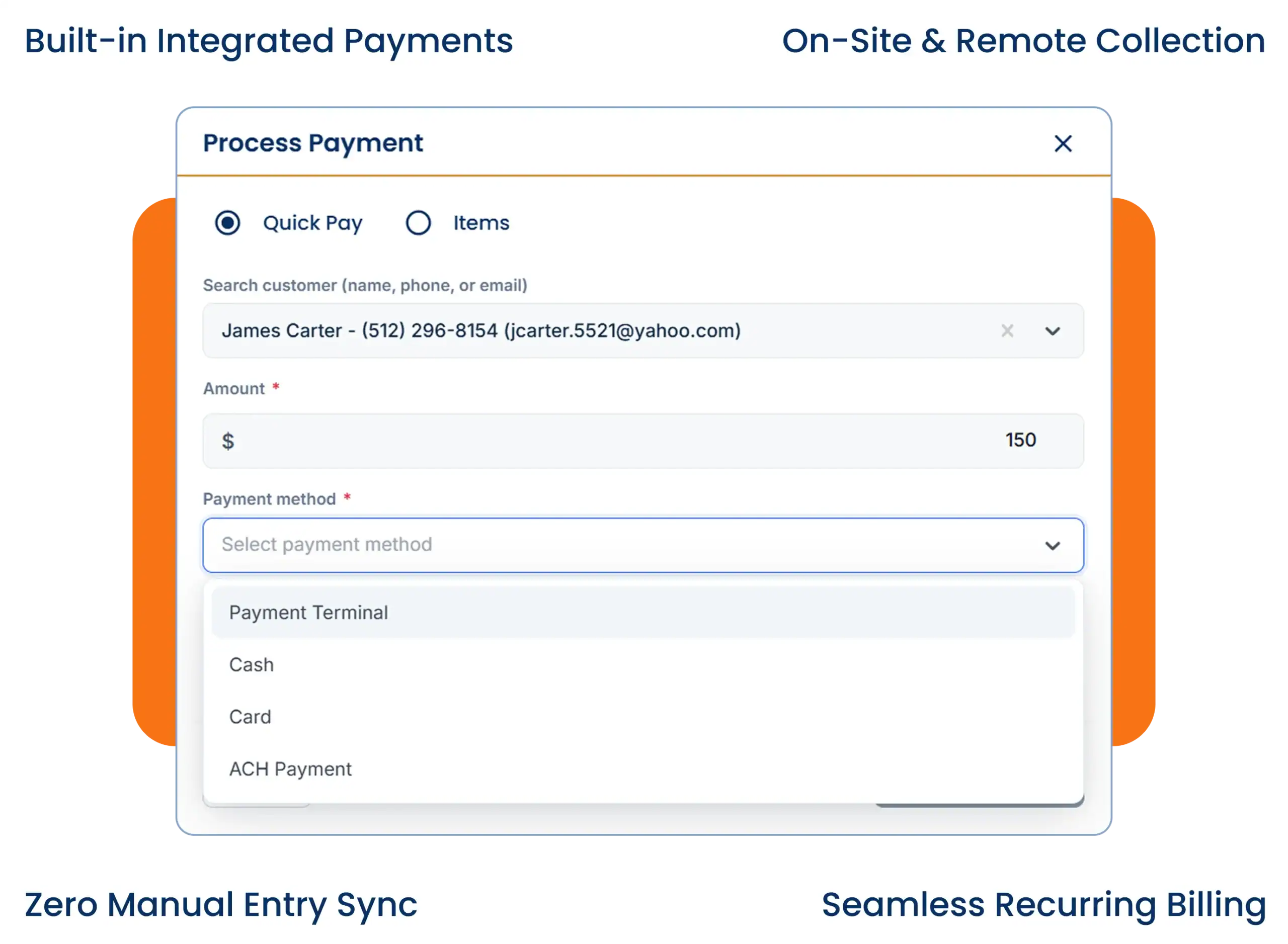
Payment processing from Host Merchant Services is built into Cloud Job Manager. Take a card at the door after a clean-up, collect the monthly mowing invoice by ACH, or text a pay link to the customer who is never home when the crew is. Whatever the customer uses — credit, debit, ACH or a digital wallet — the payment lands on the right visit and invoice by itself.
Accept Payments With Host Merchant Services

Reports & Business Insights

Landscape management software tends to report by project; a mowing company needs revenue per route. See that, how much of it is contract versus one-off work, which customers are behind on their monthly invoice, and how many properties each crew is carrying. When you are deciding whether to add a third mower and a driver next spring, the crew-load report tells you whether the route can pay for it.

Job mix

See which recurring routes carry the business.

Contract vs one-off

Compare seasonal income with extra jobs.

Crew load

Track properties per crew and unpaid invoices.

Why Is Cloud Job Manager Free

Why Is Cloud Job Manager Free?

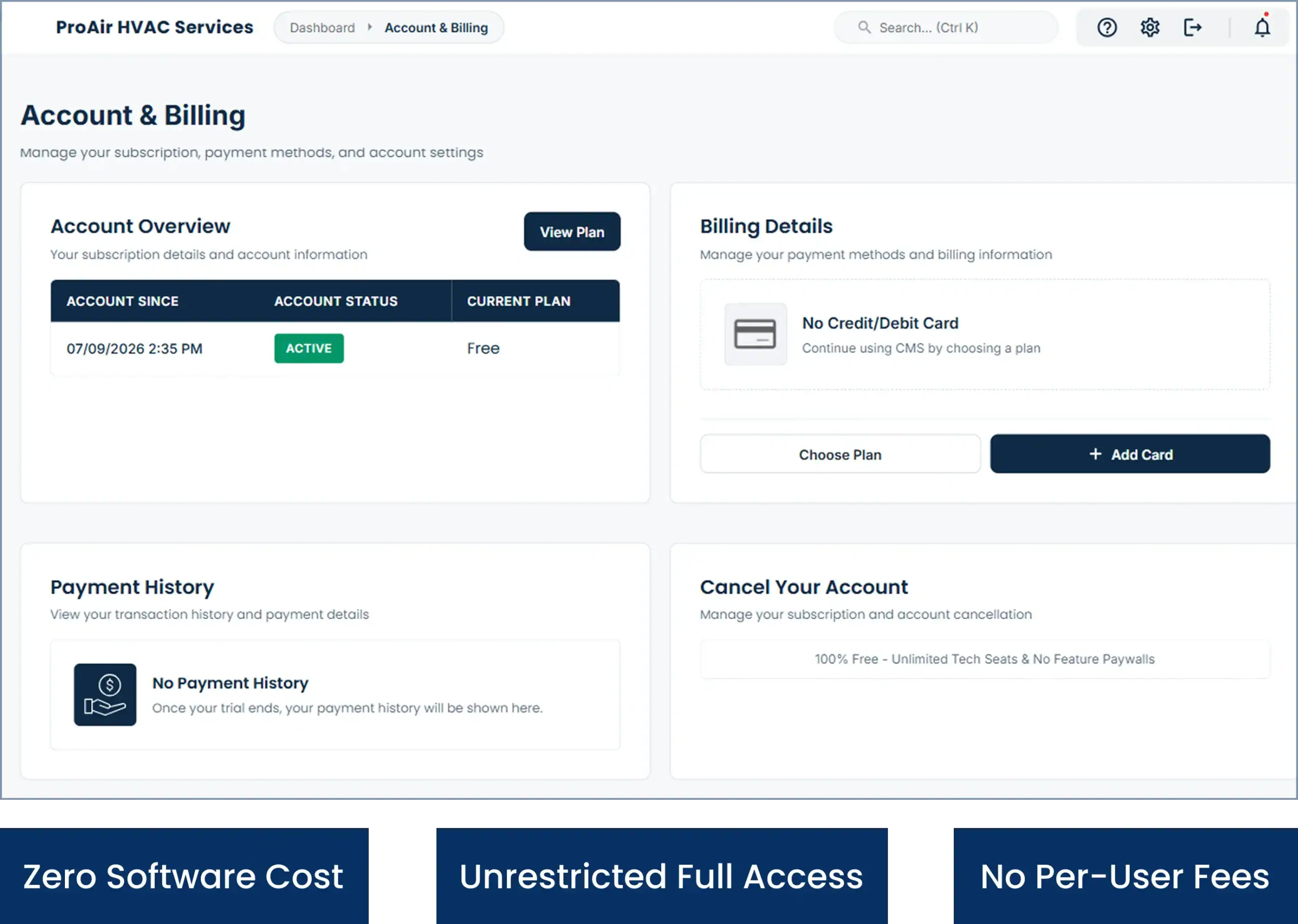
Nobody pays for the software; Host Merchant Services provides the payment processing, and the processing is what keeps Cloud Job Manager free. Every card, ACH or digital wallet payment from a mowing customer runs through it, and that is the whole business model — no per-user fees for seasonal crew, no tiers, no features held back for a paid plan.
That matters most in a trade that hires in April and lets go in November, and it is why lawn care company software with a per-seat price never fits. There is more on free job management software on the homepage, the industries page covers the other trades, and our guide to season-proof lawn care scheduling goes deeper on rain days and route changes.

Frequently Asked Questions

It runs the repeat side of a mowing business: recurring weekly or biweekly visits per property, seasonal jobs like start-ups and clean-ups, contract billing, a route list for the crew, invoices and card or ACH payments. All of it runs from one free Cloud Job Manager account, and the crew gets it on iOS and Android.
Yes. Assign a cut day and a weekly or biweekly cadence to the property once; the season’s visits are generated from that. Change the day or frequency once and every future visit updates. A rain day can be moved to Saturday, and a customer who pauses for a month simply has those visits skipped.
Yes. Set the customer’s terms — a flat monthly rate through the season, an annual contract paid up front, or per visit at month end — and invoice on that cycle. The invoice is built from the visits already marked complete, sent by email or text with a pay link, and paid by card or ACH.
Yes. The iOS and Android app shows each crew member the day’s properties in order, with gate codes, notes and history. They mark each lawn complete, add a photo, and for one-off jobs send the invoice and take payment from the truck. There are no per-user fees, so every crew member can have it.

This page is for mowing and maintenance companies whose work is mostly recurring routes and seasonal contracts. Our landscaper page covers the other side: one-off design and install projects with deposits and multi-day crews. Both run on the same free Cloud Job Manager account, so a company that does both uses one login.

Ready to Run Your Lawn Care Business From One Free Platform?

Put the route, the contracts, the crew and the money in one place before the first cut of the season. Sign up free in a few minutes, or book a demo and we will set up a sample route with you.