Cloud Job Manager

Mobile Detailing Software — 100% Free

You bring the water, the power and the polish to the customer’s driveway, which means the whole business lives in the van and on your phone. Cloud Job Manager is mobile detailing software for exactly that: service packages you quote in seconds, the day’s jobs in order on the phone, before-and-after photos on every job, monthly recurring clients, and card payment taken beside the car. It is free for a mobile car detailing business of any size, with no per-user fees.
Mobile Detailing Software — 100% Free

All-in-One Painting Management

A detailer’s week is a mix of one-off full details, monthly maintenance washes for the same handful of clients, the occasional fleet of six work trucks, and the ceramic coating job that takes all day. Mobile detailing software earns its place by keeping each customer’s vehicle, package history, photos and invoices on one record, so when the client with the black SUV calls, you already know it had a two-stage correction in the spring.
Junk Removal Management Features
  • Customer records with vehicle, package history and photos

  • A calendar with the day's jobs in the order you drive them

  • Package estimates converted to invoices in one click

  • Card, ACH and digital wallet payment beside the car

  • Reports on revenue by package and unpaid invoices

Service Packages and Add-Ons

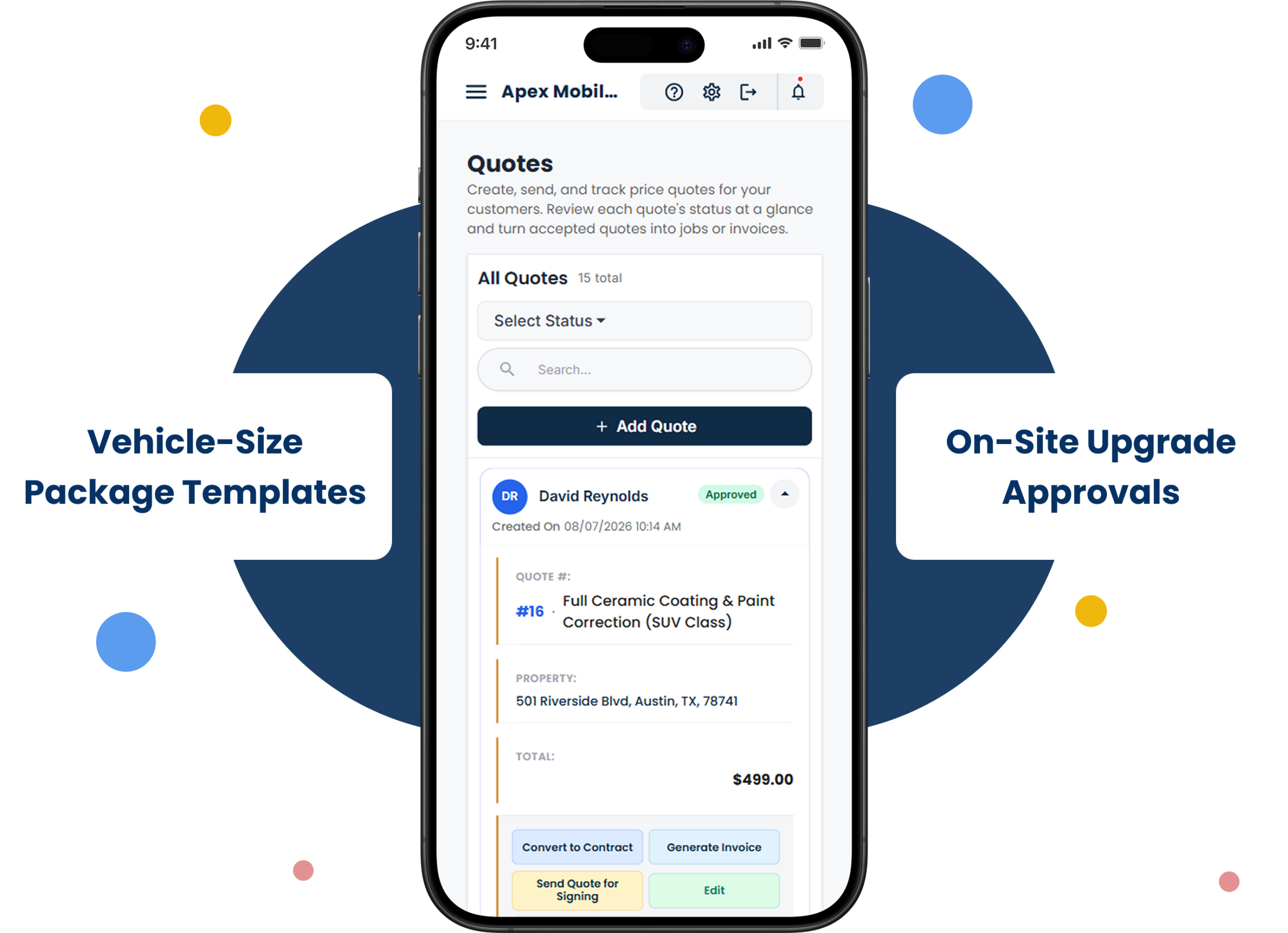
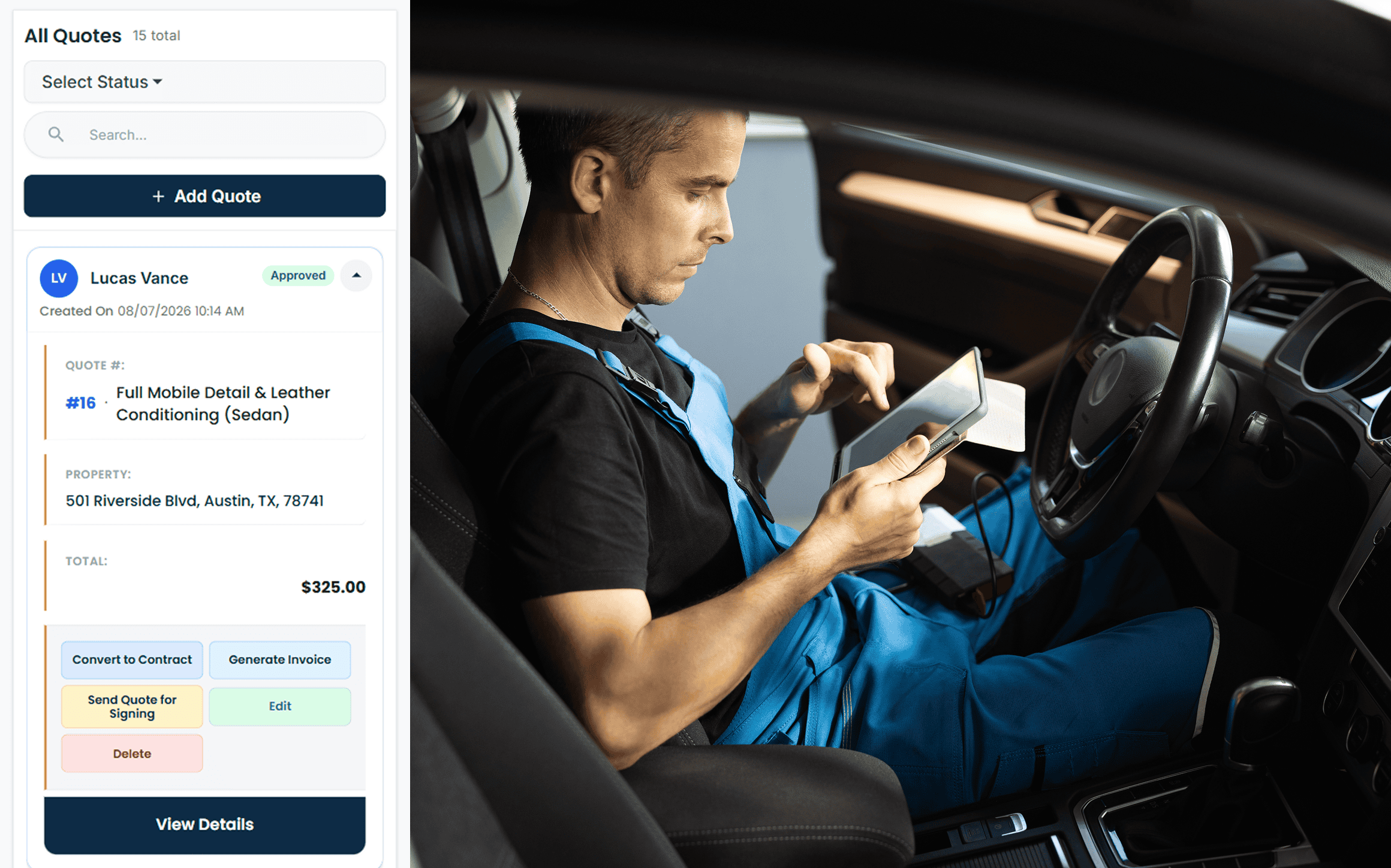
Most of what you sell is a package: an exterior wash and wax, a full interior and exterior, a paint correction, a ceramic coating. Build each one as an estimate template with the price by vehicle size — sedan, SUV, truck — and quoting a new customer is picking the package and the vehicle. Detailing booking software that makes you retype the same six line items for every job is costing you a car a day.
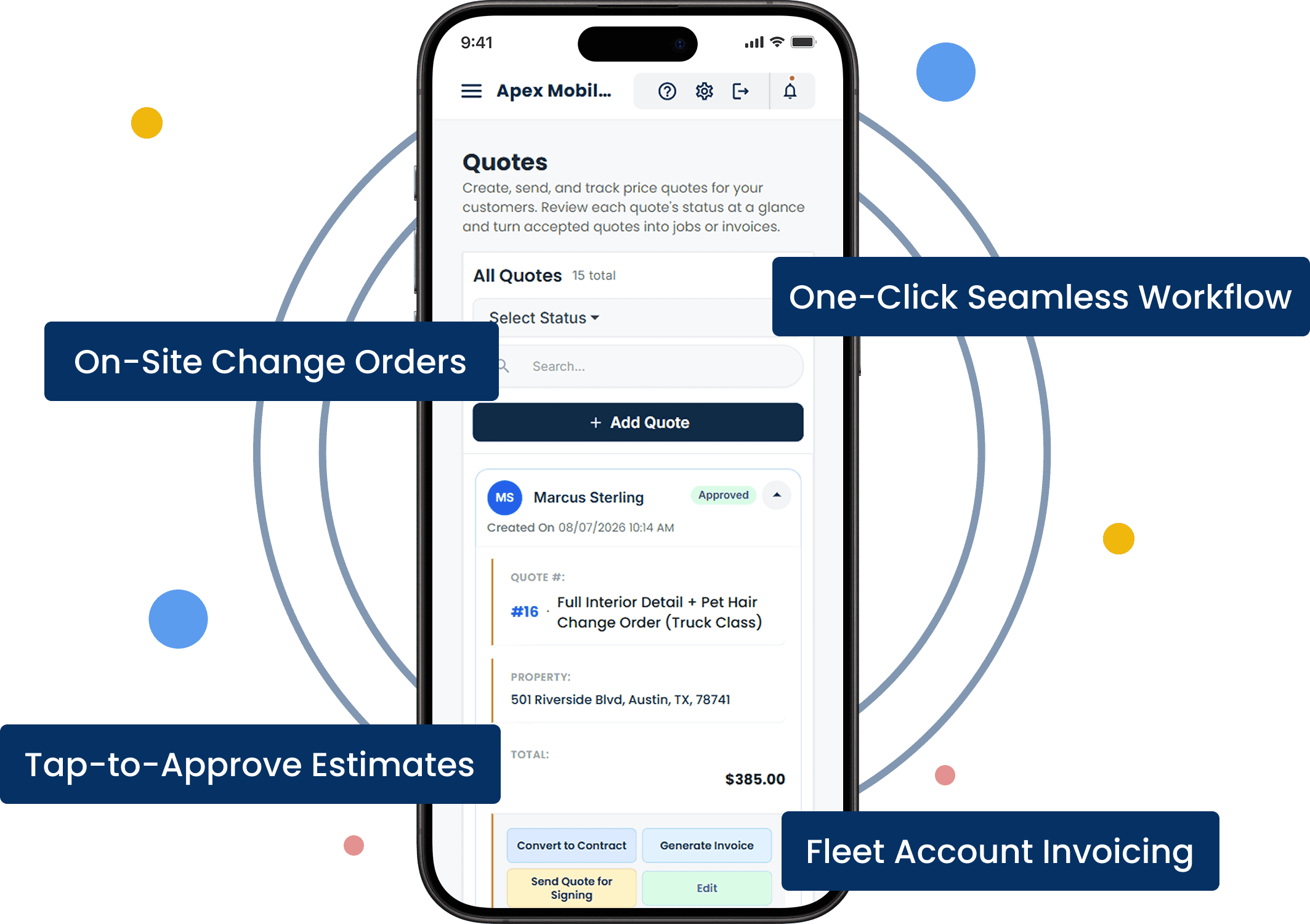
Add-ons are quoted on site, where you can see the car. Pet hair, headlight restoration, an engine bay, odour treatment, a second row of seats that turned out to be leather: add the line to the job on your phone, the customer approves it standing next to you, and the invoice matches what you actually did. Auto detailing software should let you sell the upgrade at the moment the customer can see why it is needed.
Service Packages And Add Ons
Before And After Photos In Every Job Record

Before-and-After Photos in Every Job Record

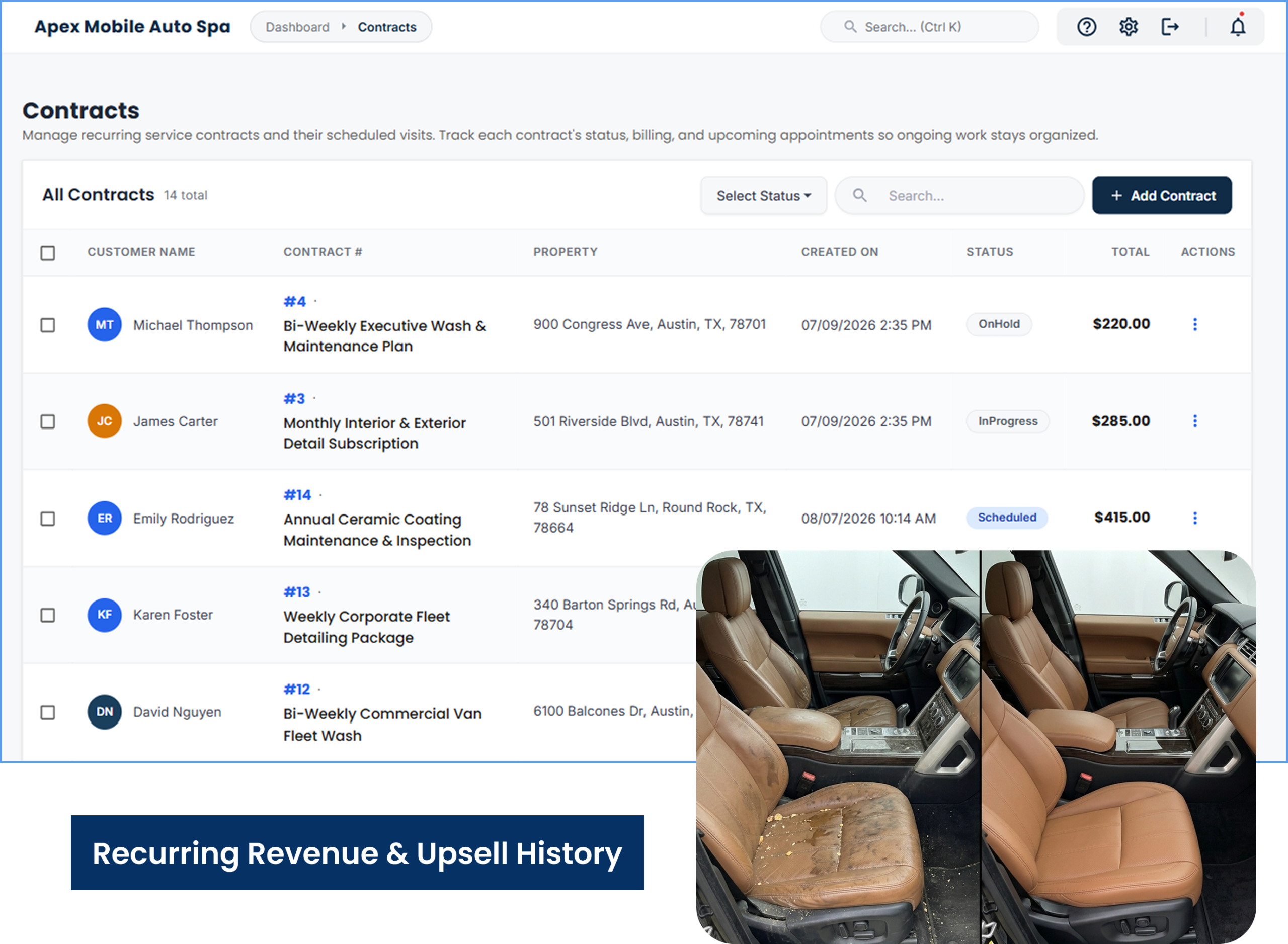
The photo of the seat before you touched it is the best sales tool you own. Take it on the job, add the after shot when the car is finished, and both live on the job record with the invoice. When a customer questions a swirl mark a week later, the before photo answers it; when the same customer books again in three months, the photos show them what a maintenance wash keeps up and what a full detail restores.
Those repeat clients are the steady income. Set a customer to a recurring monthly or biweekly visit and it appears on the calendar for the year, on the day they prefer, with their package and vehicle already on it. Mobile auto detailing pricing for a maintenance plan is easier to sell when the customer has seen the before-and-after from the first visit.

Smart Scheduling & Job Tracking

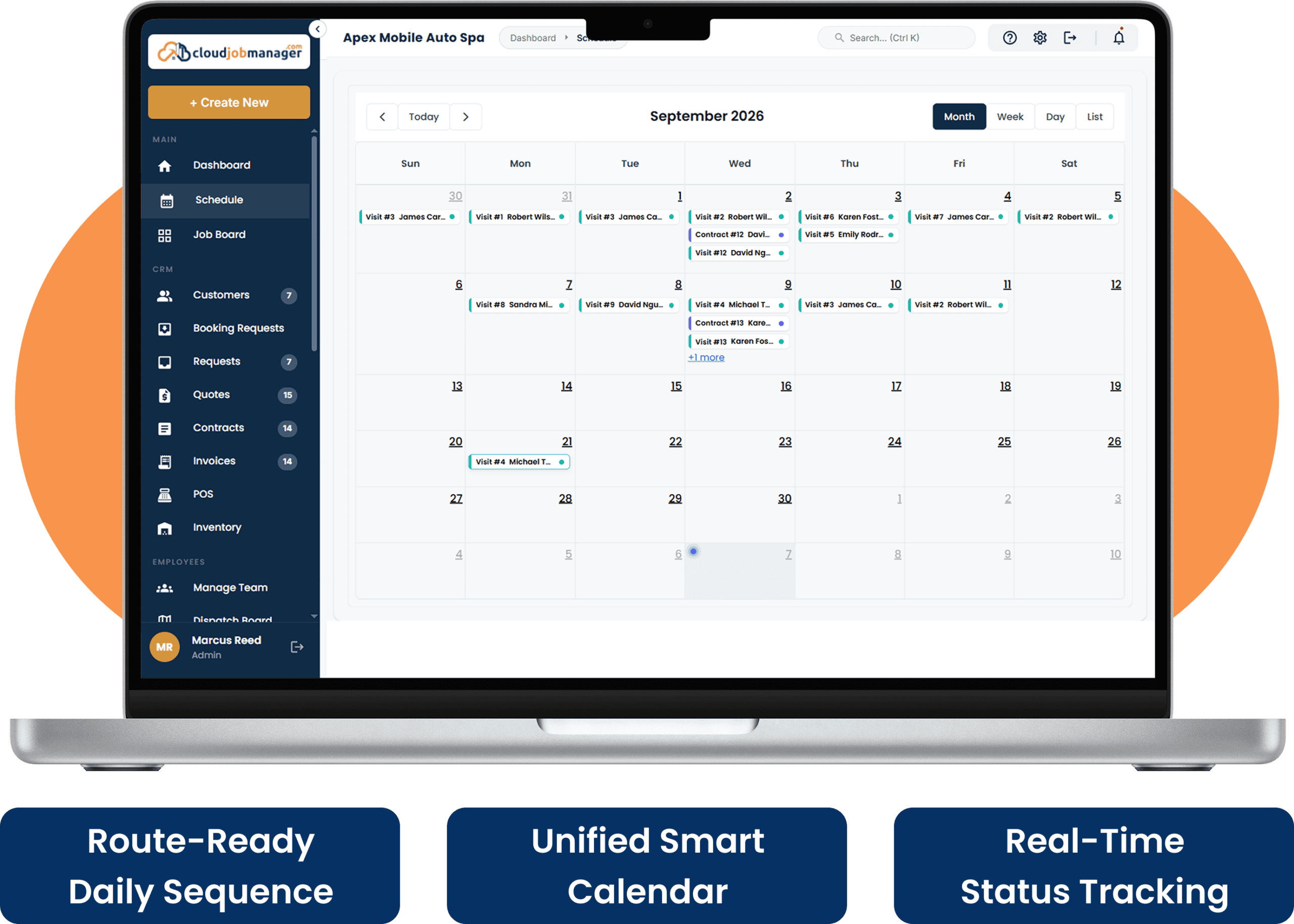
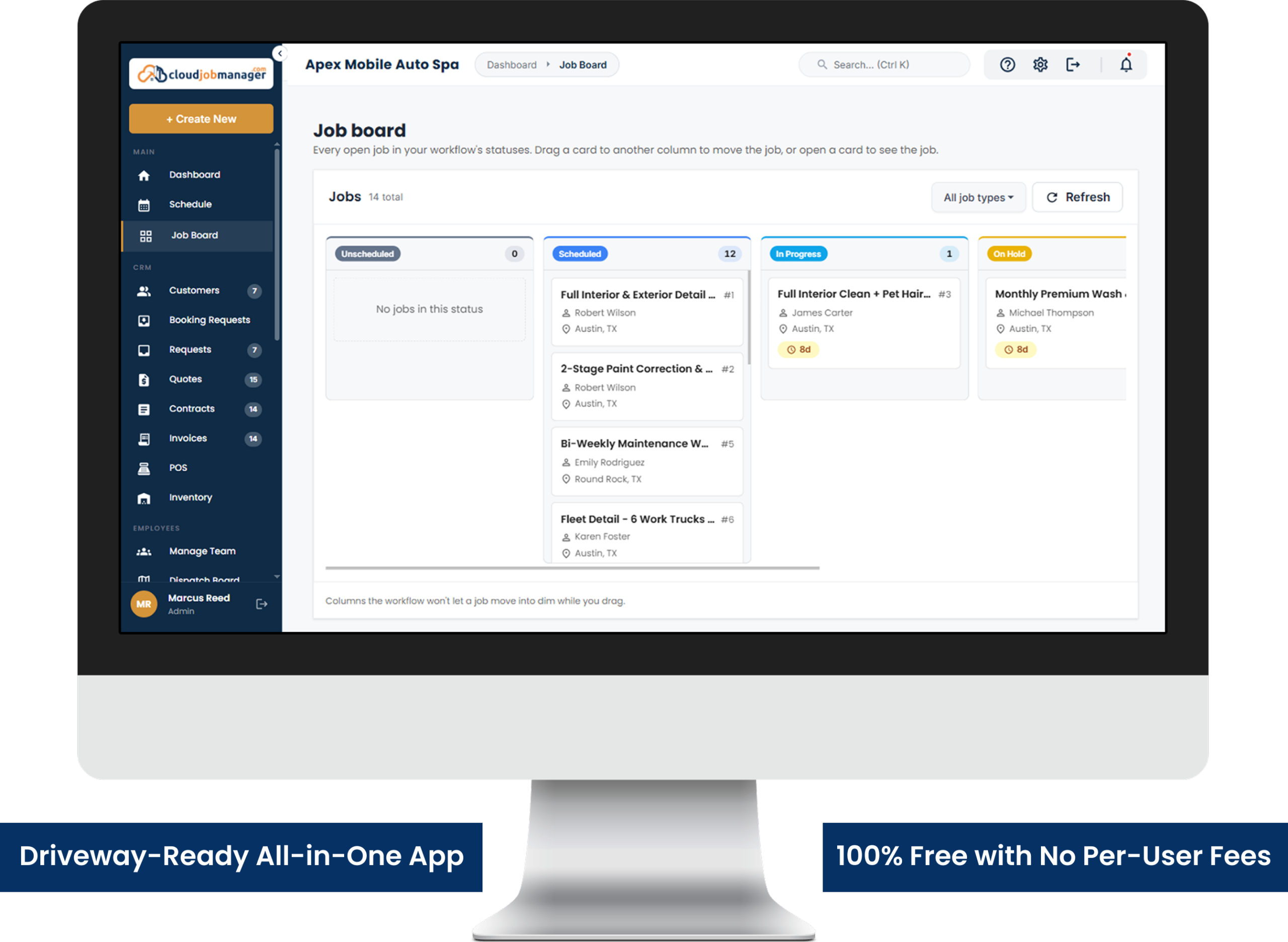
Arrange the day so the jobs are route-ready: the office park fleet at 7 a.m. before the lot fills, the two neighbours on the same street back to back, the ceramic coating job in the afternoon when you need the garage and the time. The calendar shows the day in the order you set, and the status on each job tells the office — or your partner in the second van — where you are.
Cloud Job Manager shows the day’s jobs in the sequence you arrange and does not reorder them for you. Pair Cloud Job Manager with a maps app for the drive between customers.
Smart Scheduling & Job Tracking
Estimates, Work

Estimates, Work Orders & Invoicing

Quote from the package template, adjust for the vehicle, add the on-site extras, and the estimate becomes the work order — package, add-ons, vehicle notes — and then the invoice, in one click, with the change order for the pet hair already on it. For fleet accounts, the estimate covers all six trucks and the invoice goes to the office manager with a pay link.
If you have been sending customers a car detailing pricing sheet as an image, the package templates put the same prices on an estimate they can approve in a tap, and the numbers stay consistent from one quote to the next.

Manage Jobs From the Mobile App

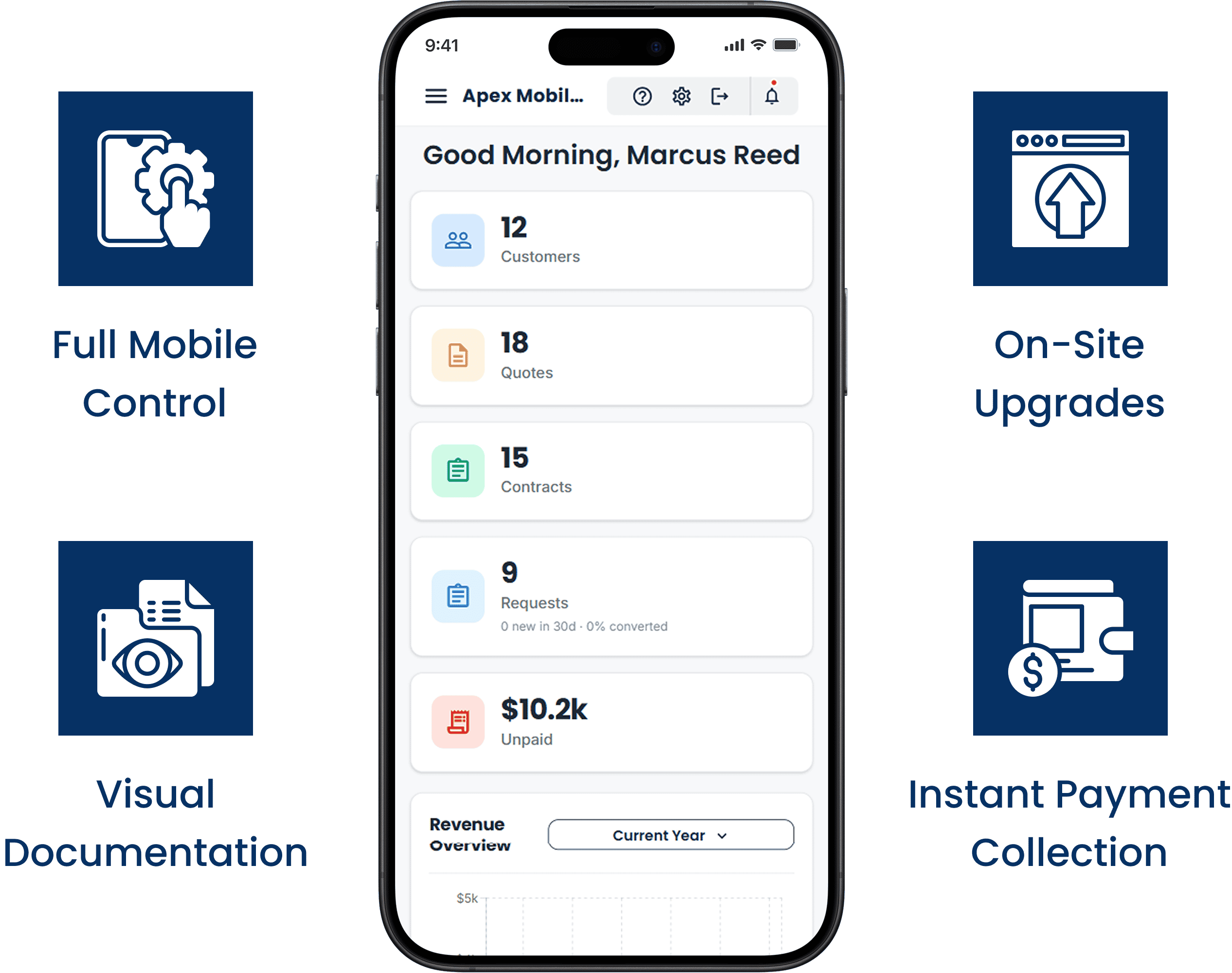
The iOS or Android app is the office. Open the day’s schedule, read the customer’s vehicle notes, take the before photo, add the on-site upgrade, take the after photo, mark it done, send the invoice and collect a card, ACH or digital wallet payment while the customer walks around the car.
Manage Jobs From The Mobile App

From First Call to "Payment Received" in Four Steps

HVAC Four-Step Workflow
Receive an HVAC service request in Cloud Job Manager

Receive the request

A homeowner asks for a quote on three rooms and the hallway. The request becomes a job on their record with any photos and colour notes they sent, ready for the walk-through.

Send an HVAC estimate from Cloud Job Manager

Send an estimate

After the walk-through, price each room, the trim and the prep, and send it. The customer approves it on their phone, and the deposit pay link goes out the same minute.

Schedule an HVAC crew in Cloud Job Manager

Schedule the crew

With the deposit paid, drop the job onto Tuesday, Wednesday and Thursday for the two-painter crew. They see the rooms, colours and prep notes in the app before they load the van.

Invoice an HVAC customer and record payment

Invoice and get paid

At the walkthrough, convert the estimate to the final invoice with the deposit deducted, and take the balance by card at the door or by pay link that evening.
Step 1 of 4

Accept Payments with Host Merchant Services

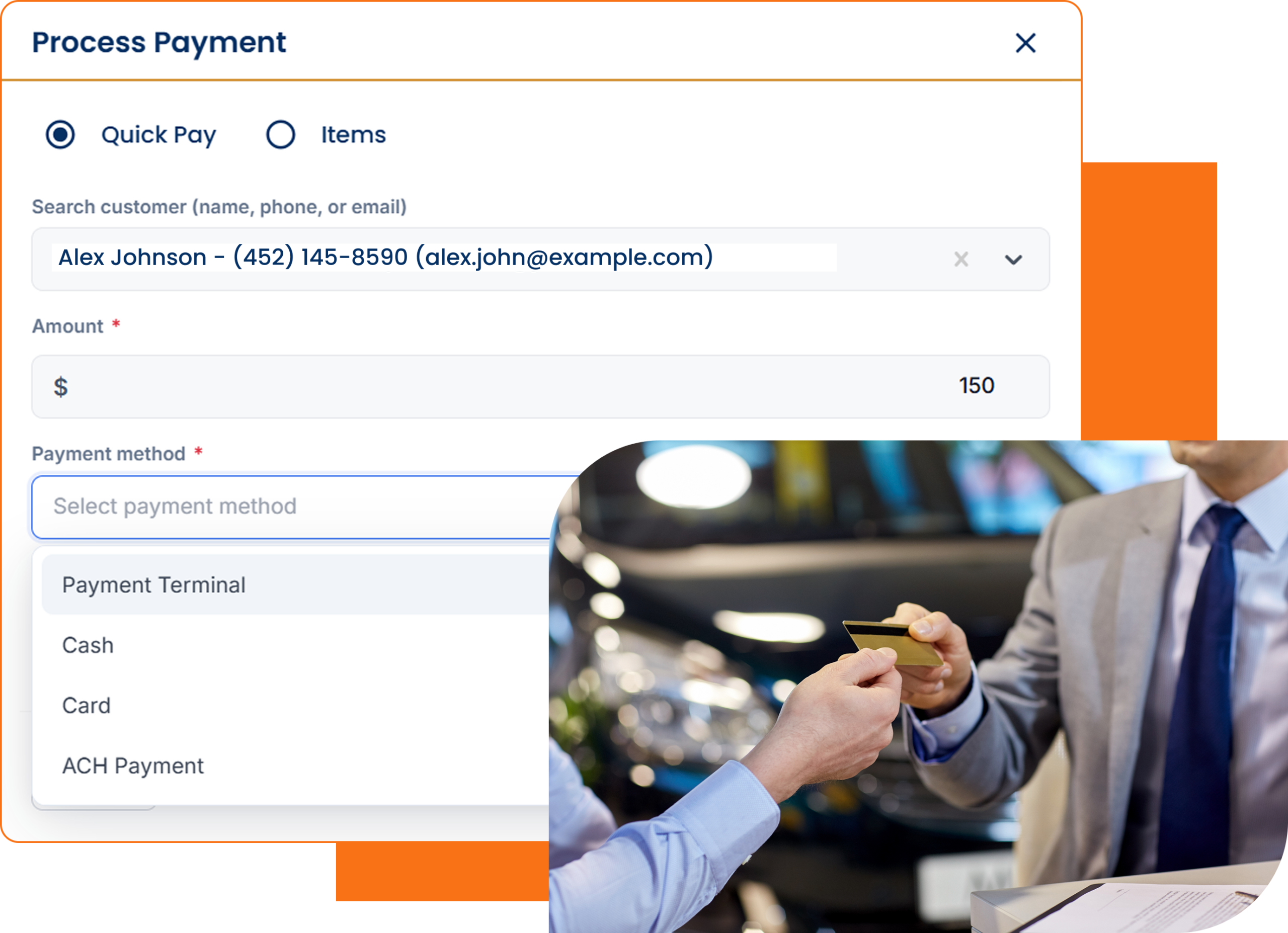
Payment processing from Host Merchant Services is built into Cloud Job Manager, so a detailer takes credit and debit cards, ACH and digital wallets from the driveway, and fleet accounts pay their monthly invoice by pay link. The payment lands on the job with the photos and the invoice, so nothing is matched by hand later.
Accept Payments With Host Merchant Services

Reports & Business Insights

See revenue by package, how much comes from recurring clients versus one-off bookings, which fleet invoices are unpaid, and how many jobs each van did. Mobile detailing software that reports by package is what tells a solo detailer whether the recurring plans are enough to justify a second van and a helper.

Revenue by package

Compare income across washes, full details, corrections and coatings.

Recurring clients

Review recurring-plan income against one-off jobs.

Open fleet invoices

See unpaid fleet work and jobs completed by each van.

Why Is Cloud Job Manager Free

Why Is Cloud Job Manager Free?

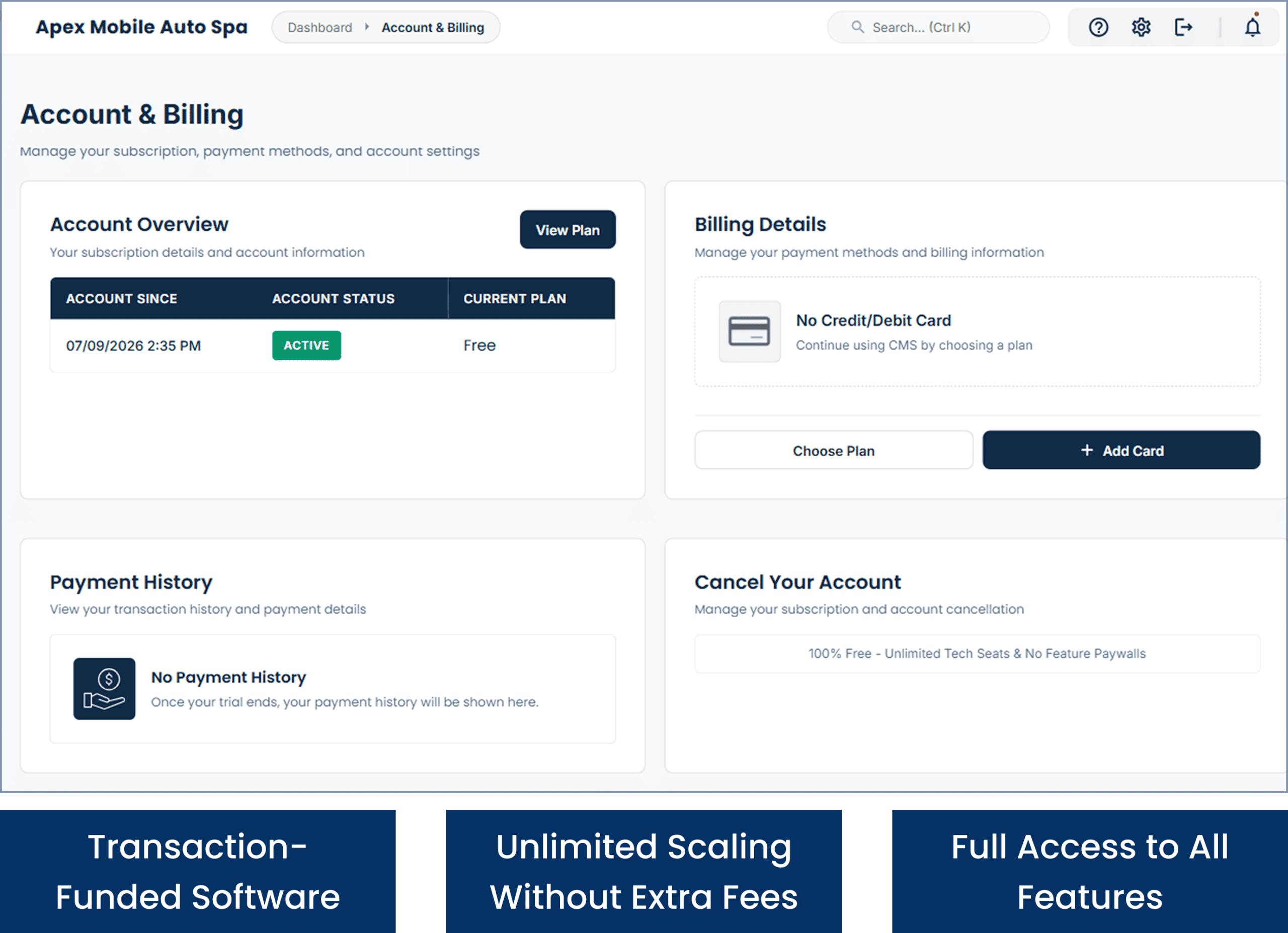
Cloud Job Manager is free because the payments pay for it: Host Merchant Services processes every card, ACH and digital wallet transaction you take, and that funds the software. Every card, ACH or digital wallet payment you take beside a car keeps the platform free, so there is no subscription, no per-user fee for the helper you add in the summer, no tiers and no feature paywalls.
Auto detailing apps that charge per user make a second van a subscription decision instead of a business one. Cloud Job Manager takes that off the table. There is more on free job management software on the homepage, the industries page lists the other trades, and our guide to scheduling for mobile auto detailers goes deeper on planning the day.

Frequently Asked Questions

It runs a detailing business from the phone: package-based estimates by vehicle size, add-ons quoted on site, the day’s jobs in order, before-and-after photos on every job, recurring monthly clients, invoices and card payment beside the car. One free account covers it, and the app is on both iOS and Android.
Requests from your website, your phone or a booking page all land in the same job queue with the customer’s details and vehicle attached, so you quote and schedule from one place. If you want customers to pick their own time slot online, pair Cloud Job Manager with a booking tool and run the job from Cloud Job Manager once it is booked.

Yes. Set a customer to a monthly or biweekly recurring visit on the day they prefer and the visits appear on the calendar for the year, with their package and vehicle already on each one. Skip or move a visit when they are travelling, and the rest of the schedule stays as it was.

Price by package and by vehicle size, and keep add-ons as separate lines so the base price stays simple. Put those prices into estimate templates in Cloud Job Manager so every quote is consistent and every upgrade is approved before you do it. A pricing guide for detailers is on the way and will be linked here when it is published.
Yes. Cloud Job Manager has no subscription, no per-user fees, no tiers and no feature paywalls, for a solo detailer or a company with three vans. The platform’s cost is met by Host Merchant Services processing under the hood; a standard rate on each transaction is the whole of it.

Ready to Run Your Detailing Business From One Free Platform?

Quote the package, drive the day in order, take the before-and-after, and get paid beside the car. Start free today, or book a demo and we will load your packages into estimate templates together.