Cloud Job Manager

HVAC Field Management Software — 100% Free

The first heat wave of summer and the first hard freeze of winter fill your phone with no-cool and no-heat calls, and every one of them wants a technician today. Cloud Job Manager is HVAC field management software that takes those calls from ring to paid: dispatch board, estimates, maintenance agreements, invoices and card payment at the truck. The software is free for heating and cooling contractors of any size, with no per-user fees.
HVAC field management software

All-in-One HVAC Management

Your dispatcher, your lead tech and your bookkeeper should be looking at the same job, and that is what HVAC field management software is for. In Cloud Job Manager a service call, the customer’s equipment notes, the estimate for a new condenser, the work order and the final invoice all live on one record, and the payment posts against it the moment the homeowner taps their card.
All-in-One HVAC Management
  • Customer records with the service history of every furnace, heat pump and air handler you have touched

  • A dispatch board that shows who is on a call, who is driving and who is free

  • Estimates for repairs and full system replacements, converted to invoices in one click

  • Recurring maintenance visits scheduled a season ahead

  • Reports on revenue, unpaid invoices and technician workload

HVAC Dispatch Software for Same-Day Service Calls

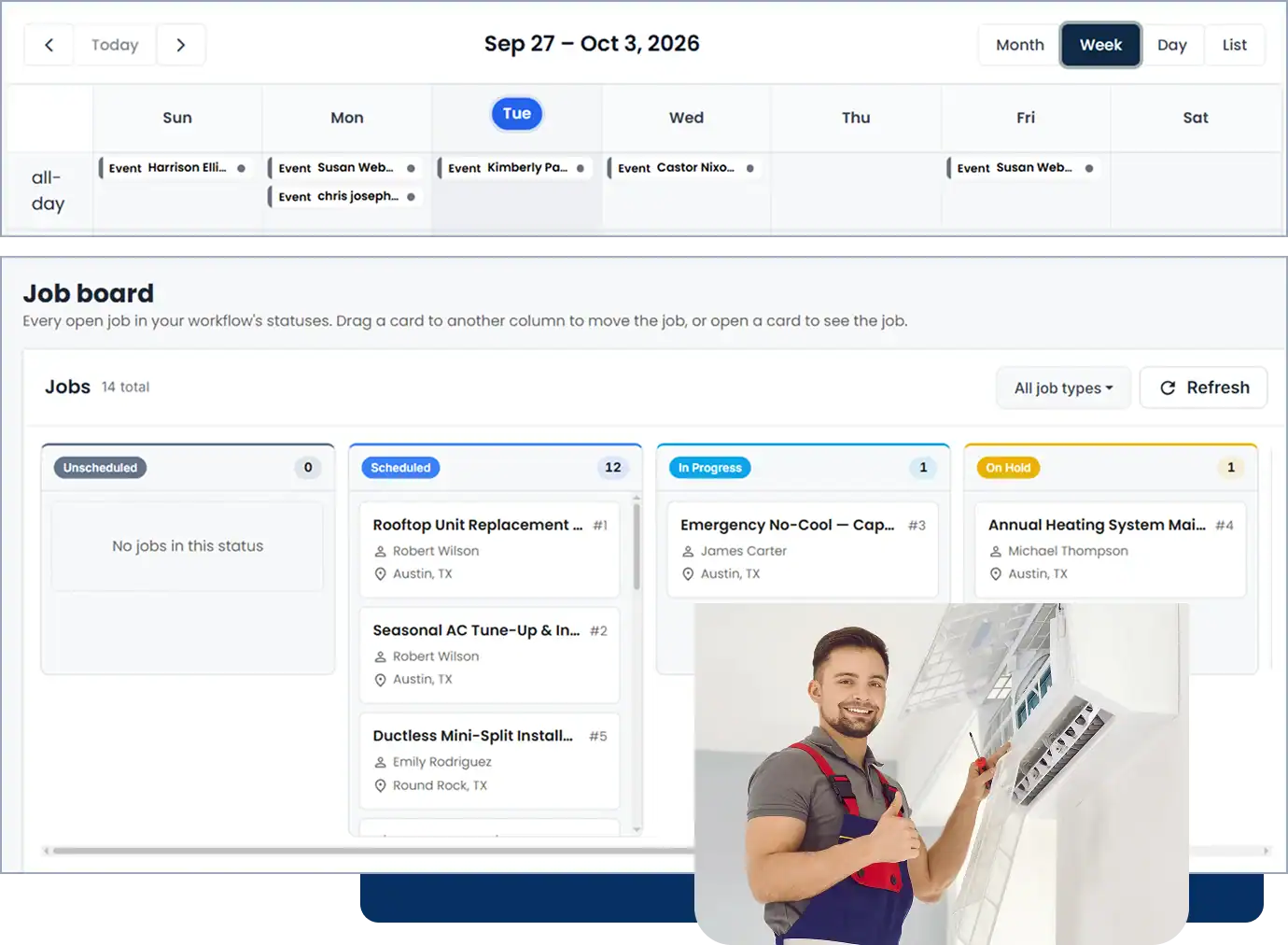
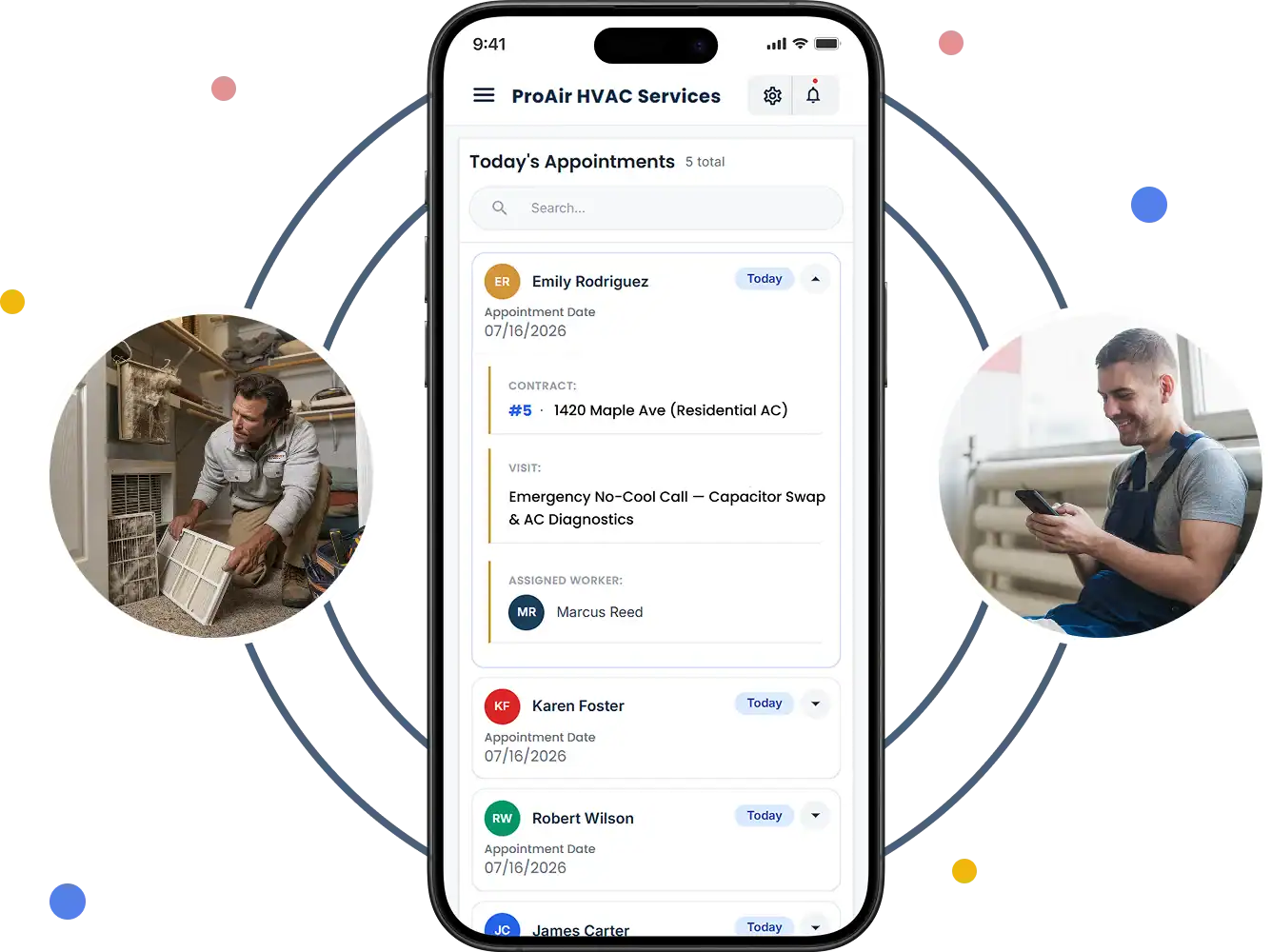
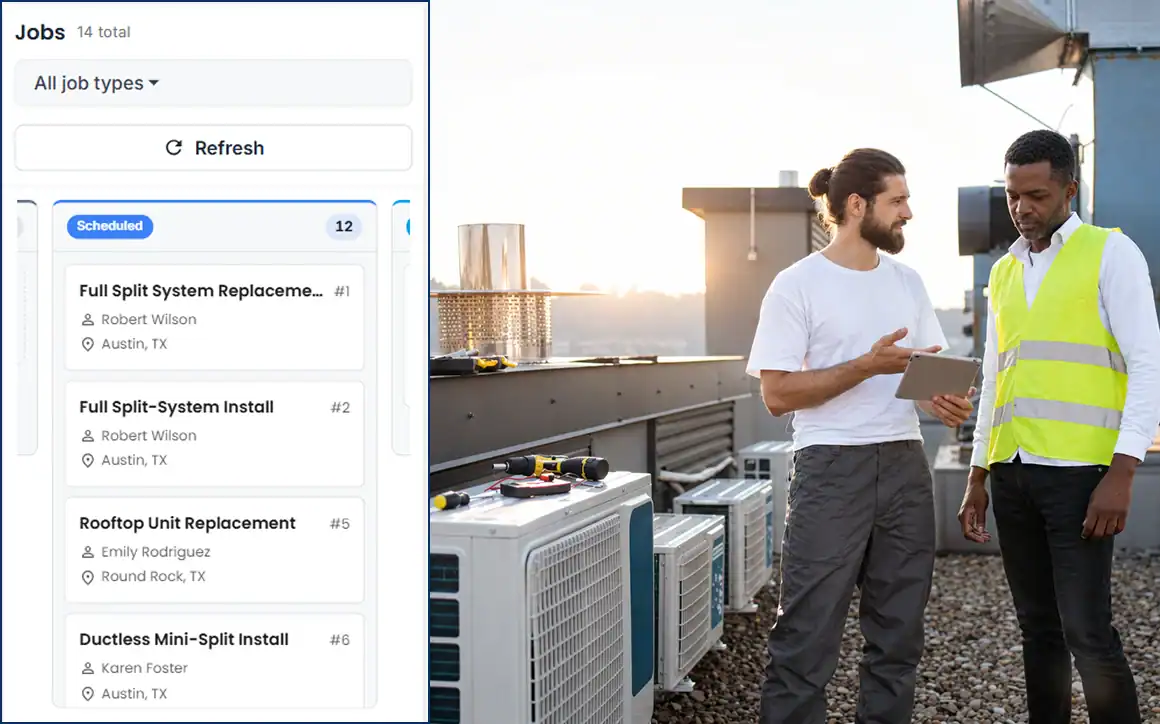
A no-cool call in July is not a job you can pencil in for Thursday. Your dispatch screen has to show you, in seconds, which technician can get there first. The dispatch board in Cloud Job Manager shows each tech’s day as a column of jobs with live status, so when the call comes in you can see that one tech has just marked a capacitor swap complete across town while another is still mid-way through a coil cleaning, and assign the emergency to the right one.
Mark the call as urgent and it sits above the routine work on the board. The tech gets the job on their phone with the address, the customer’s equipment notes and anything the homeowner said about the symptoms — no airflow, tripped breaker, ice on the line set. As they update the status from scheduled to en route to on site to complete, the office sees it without a radio call. Dispatch programs for HVAC companies often bury this behind a per-seat license; here it is included.
See where your technicians are on the Worker Location Map. The mobile app records GPS location and job-site geofences when techs clock in and out, so you can send the closest available tech to a no-heat call, and customers can follow their technician’s arrival from the customer portal.
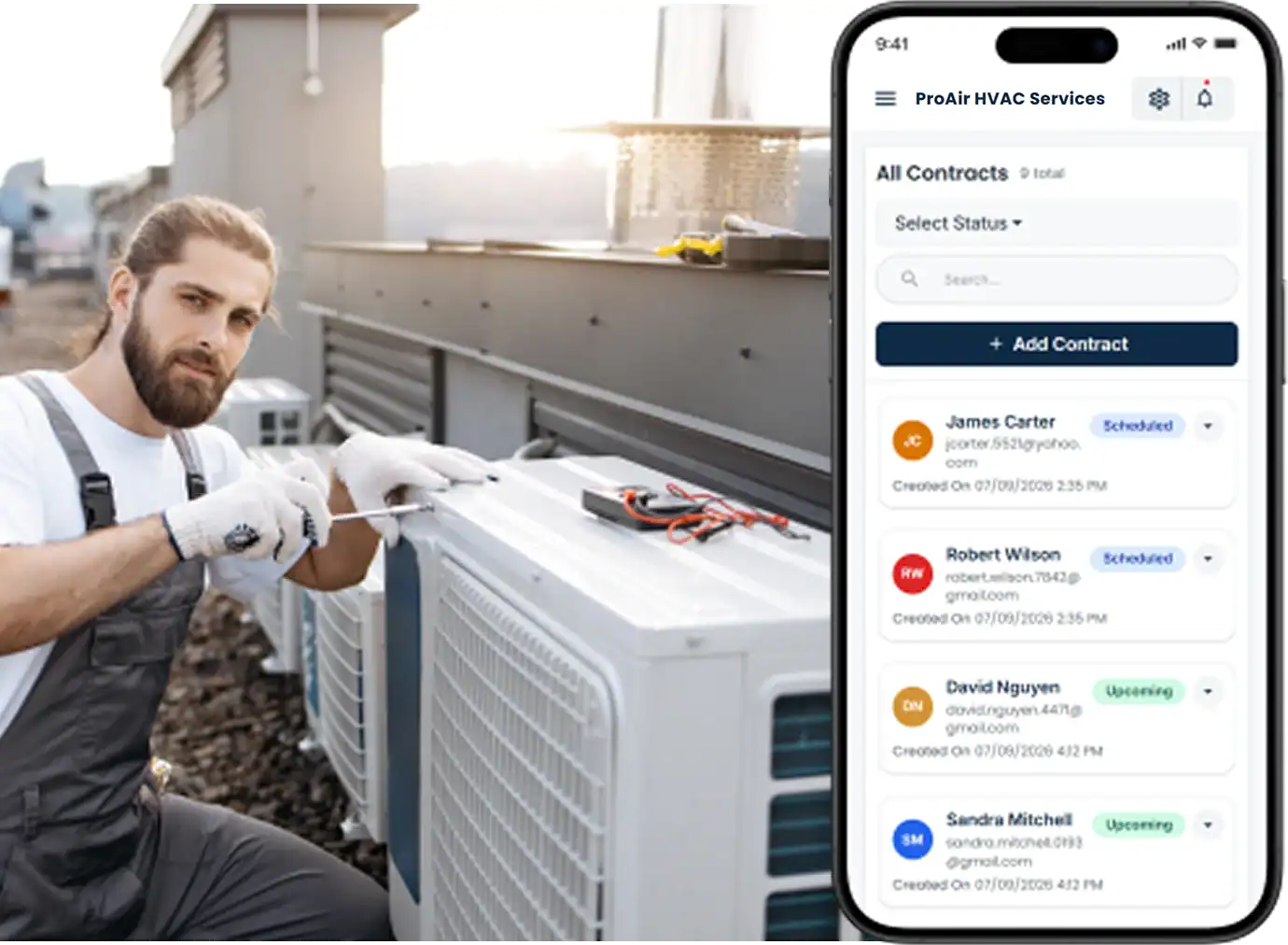
Mobile Friendly For Field Technicians
Maintenance agreement and tune-up scheduling

Maintenance Agreements and Seasonal Tune-Up Scheduling

Maintenance agreements are the steadiest revenue an HVAC company has, and the hardest thing to keep on top of with a spreadsheet. Set up each agreement customer as a recurring job — a cooling tune-up in spring, a heating tune-up in fall — and the visits appear on the calendar months ahead, ready to be assigned when the season arrives.
The customer record doubles as your HVAC CRM. Every visit adds to the equipment history. The tech’s notes from April (refrigerant pressures looked fine, filter was 20x25x1, homeowner asked about a thermostat upgrade) are on screen in October. When the blower motor finally goes, the tech already knows the model and the install year before opening the cabinet. HVAC management software that remembers the equipment for you is the difference between a tune-up and a sales visit.

Smart Scheduling & Job Tracking

HVAC dispatching runs on two calendars at once: the emergency calls that arrive by the hour and the installs and tune-ups booked weeks out. The calendar view holds both. Drag a two-day rooftop unit replacement across Monday and Tuesday, keep Wednesday open for the calls you know are coming when the forecast hits 95, and see the whole crew’s week without a whiteboard.
Smart Scheduling & Job Tracking
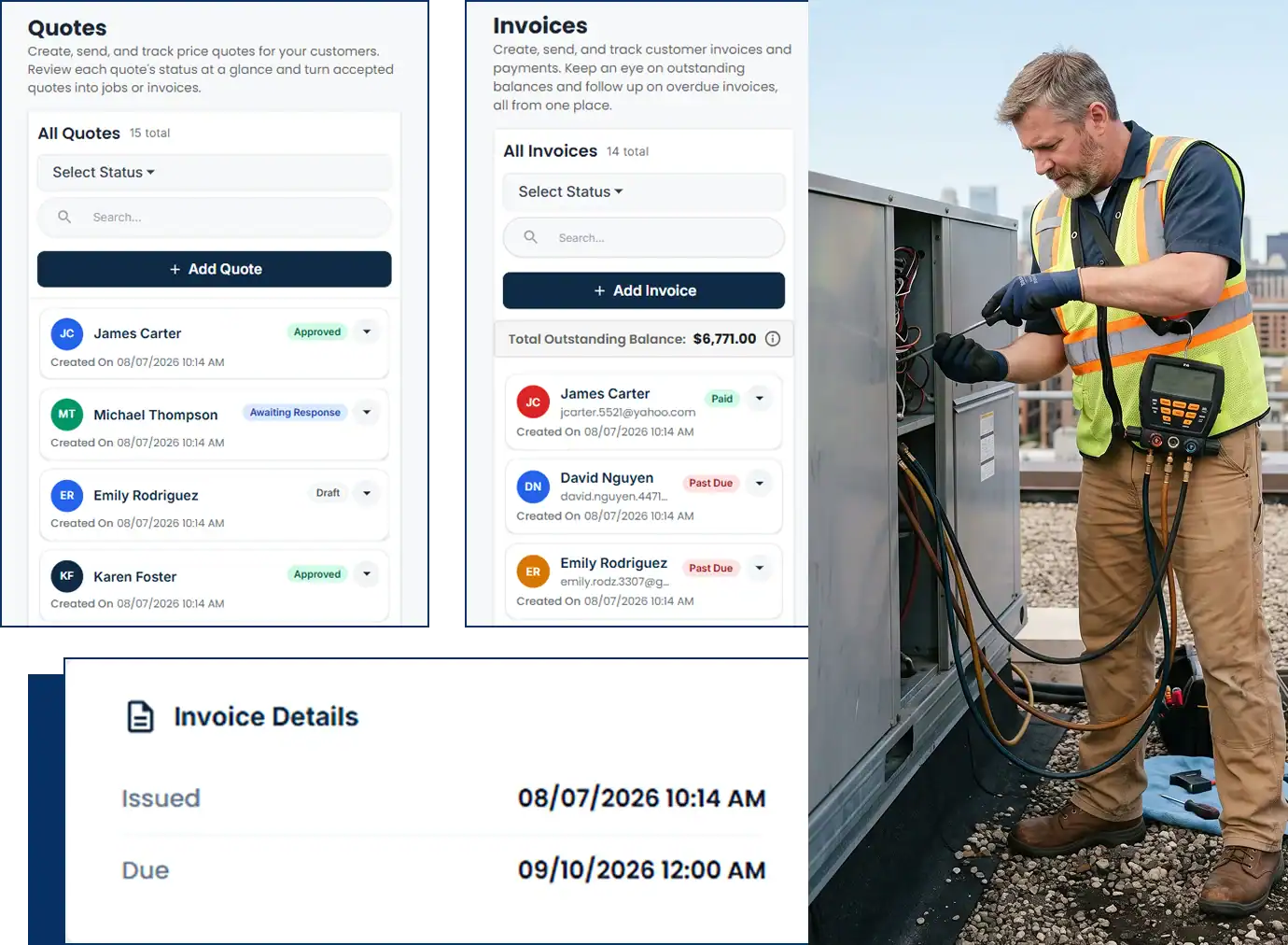
Estimates, work orders and invoicing screen

Estimates, Work Orders & Invoicing

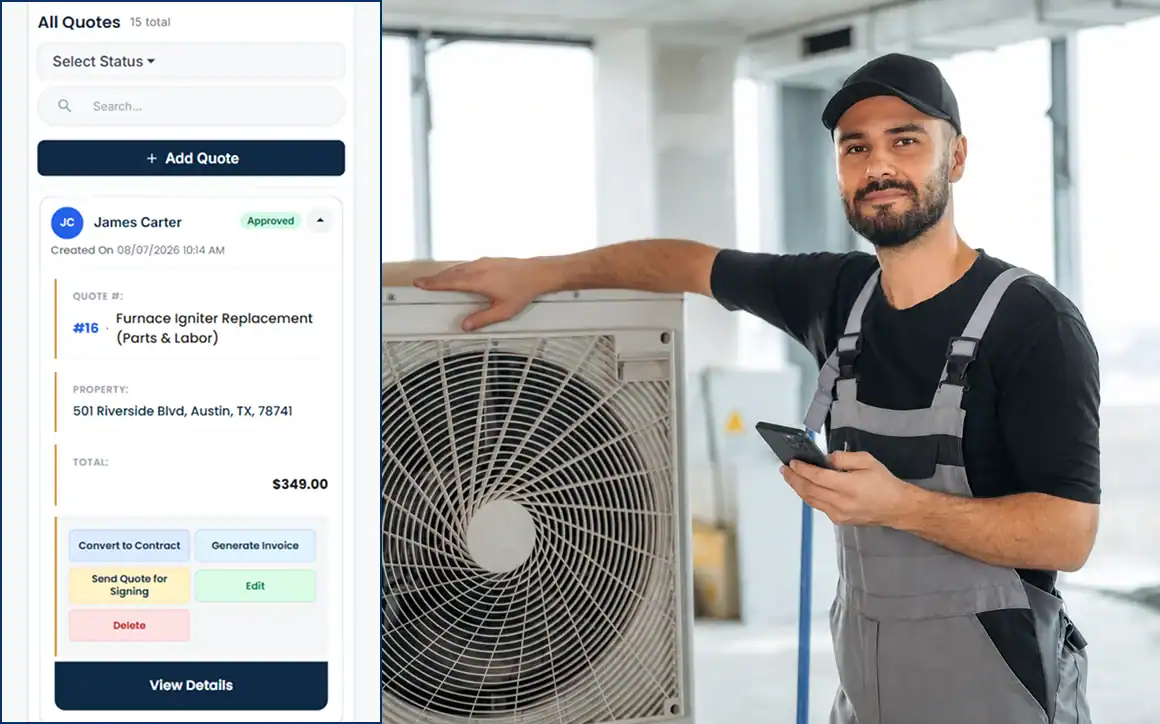
HVAC estimating software should let you quote a compressor replacement or a full split-system install from your own parts and labour list, send it to the customer, and get an approval without a second visit. When they approve, the job goes to the calendar with a work order the installer can read on the driveway. When the system is running, one click turns the approved estimate into the invoice.
Change orders cover the surprises: the line set that has to be replaced, the disconnect box that is not to code, the duct run that needs a boot. Add the extra to the job so the final invoice matches what was actually installed. If you have been handing customers a paper HVAC invoice template, the digital version goes out by email or text and carries a pay link.

Manage Jobs From the Mobile App

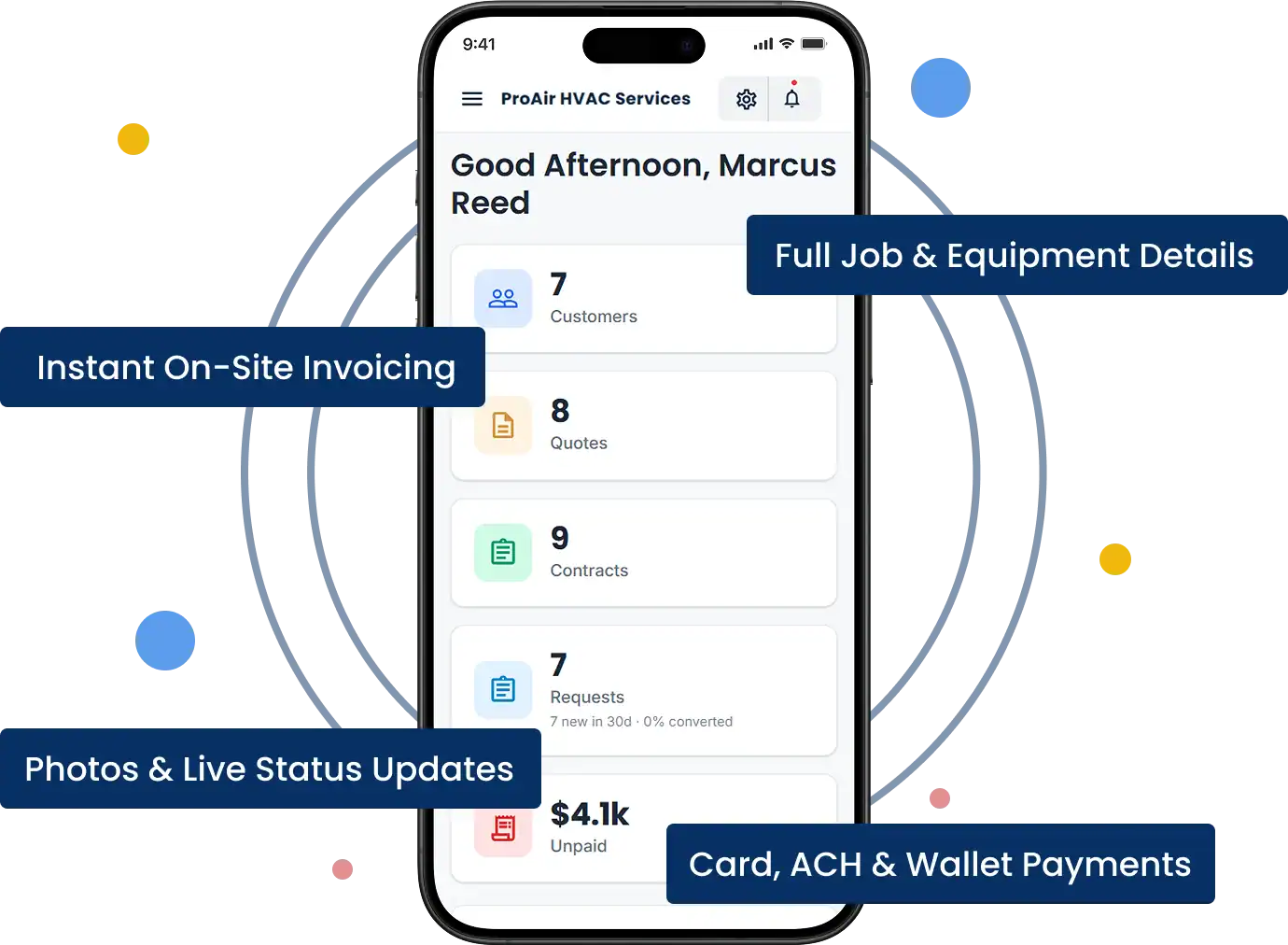
Technicians work from the iOS or Android app. In the attic or on the roof they can open the job, read the equipment notes, take a photo of the nameplate or the failed part, and update the status. When the repair is done they send the invoice and take card, ACH or digital wallet payment standing next to the condenser, before the homeowner has time to forget how hot it was.

Job Details and Equipment Notes

Photos and Live Status Updates

Invoices From the Job

On-Site and Remote Payment

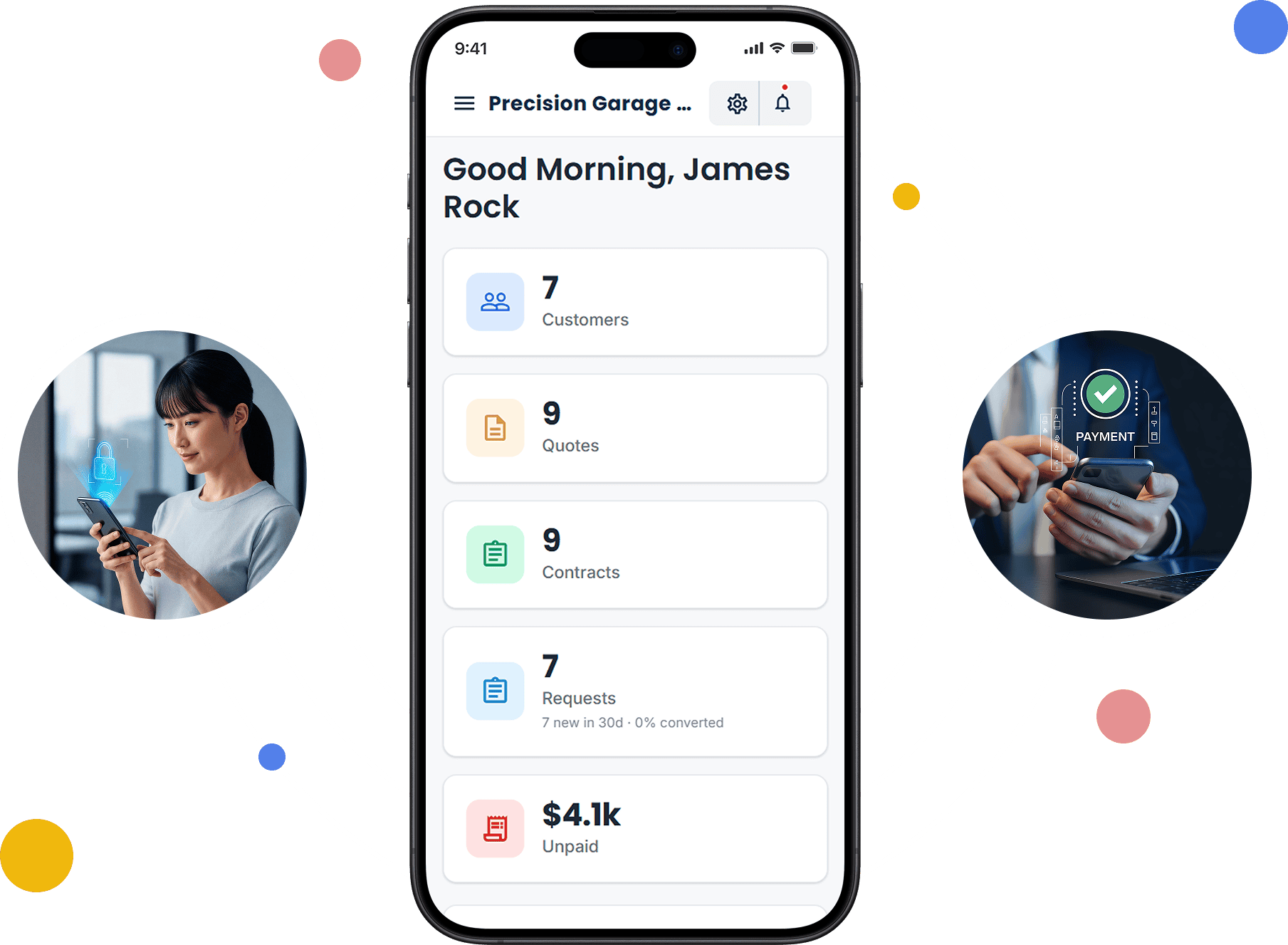
Mobile app dashboard with customers, quotes, contracts and unpaid invoices

From First Call to "Payment Received" in Four Steps

HVAC Four-Step Workflow
Receive an HVAC service request in Cloud Job Manager

Receive the request

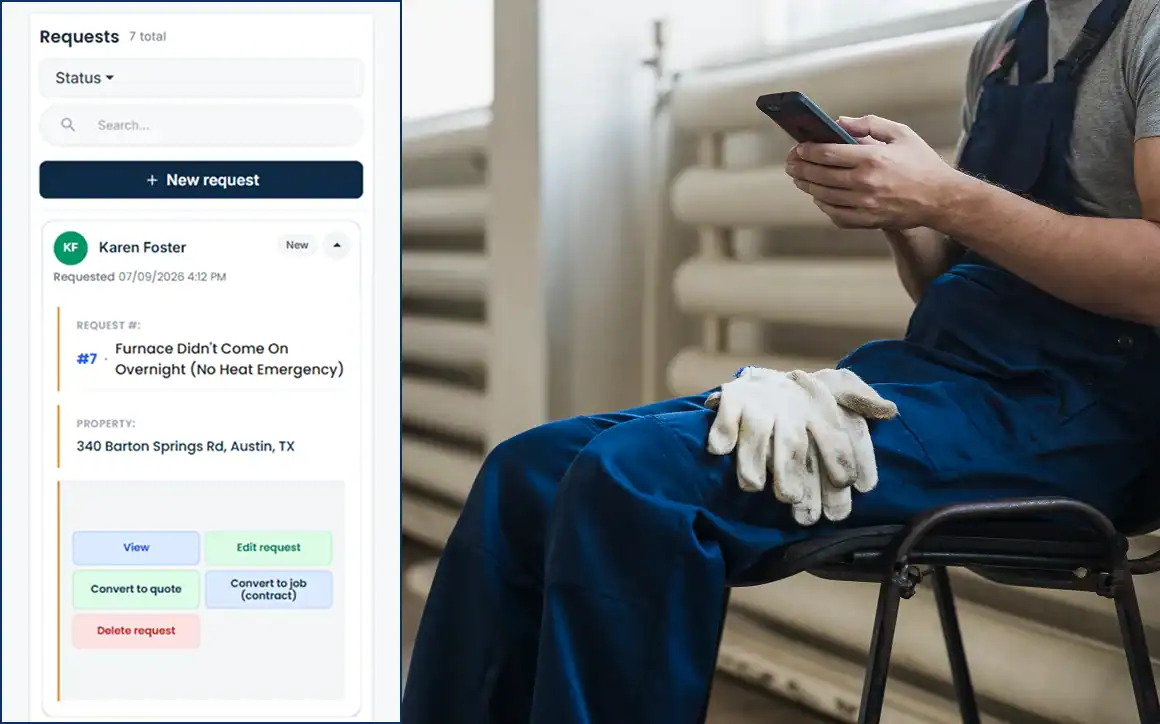
A homeowner calls at 7 a.m. because the furnace did not come on overnight. The call becomes a job with the customer's record attached, so the dispatcher can see the last tune-up and the unit's age before choosing a tech.

Send an HVAC estimate from Cloud Job Manager

Send an estimate

The tech diagnoses a failed igniter and quotes the part and labour from the phone. The customer approves it on screen and the job continues without a call back to the office.
Schedule an HVAC crew in Cloud Job Manager

Schedule the crew

For bigger work — a system replacement quoted after the repair — the installer and helper are assigned to a day on the calendar, and both see the work order, address and equipment notes in the app.

Invoice an HVAC customer and record payment

Invoice and get paid

Convert the estimate to an invoice, take the card at the door or text a pay link, and the payment records against the job. Your outstanding invoices report is already up to date by the time the truck is back on the road.
Step 1 of 4

Accept Payments with Host Merchant Services

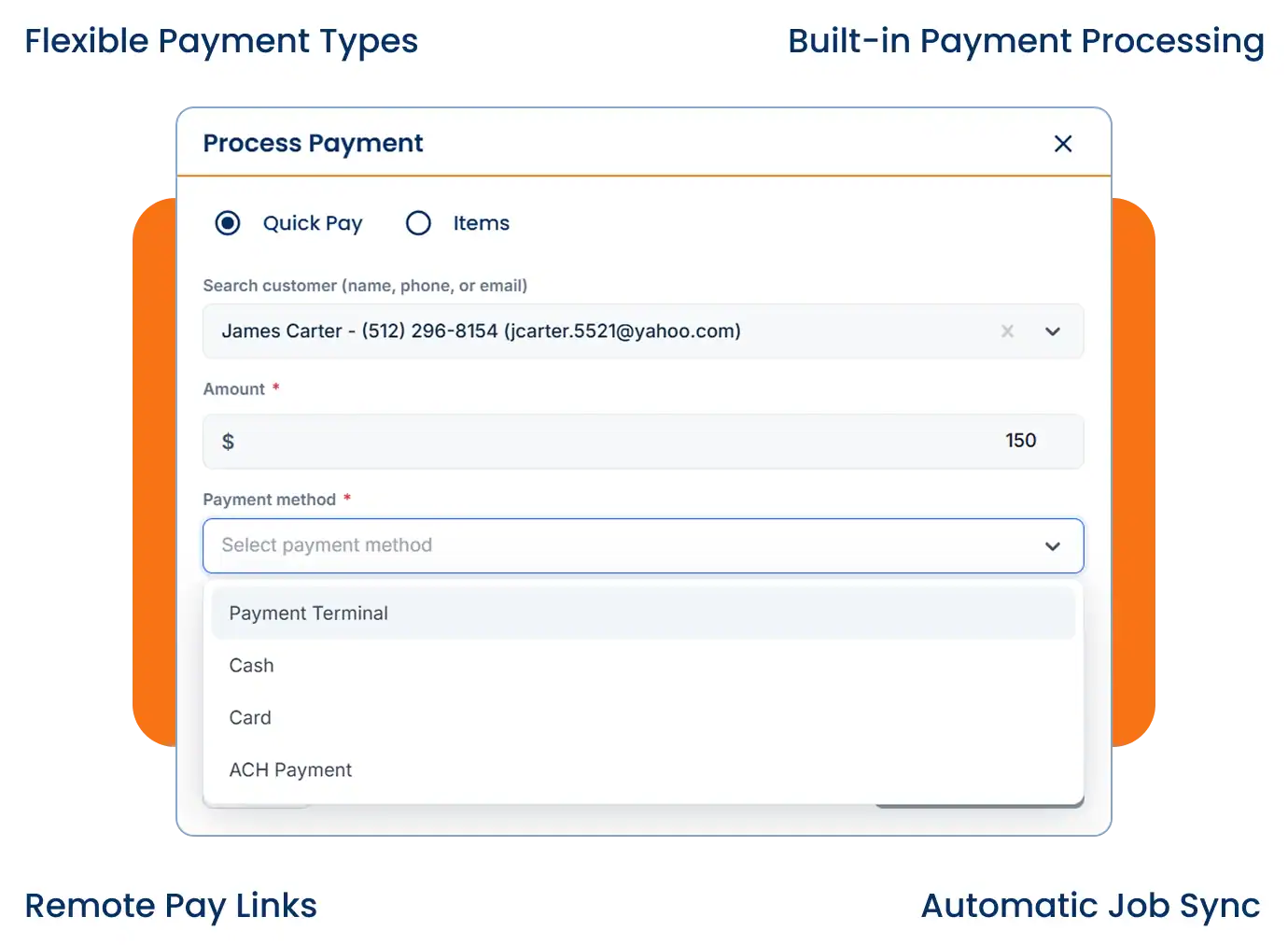
Payment processing from Host Merchant Services is built into Cloud Job Manager, so a tech can take a card for a $180 capacitor call or an ACH transfer for a $9,000 system install from the same app. Send a pay link by text or email for customers who want to pay from the kitchen table after you have left. Every payment syncs to the job and invoice automatically.
Process payment screen with card, ACH and payment terminal options

Reports & Business Insights

HVAC business software should show how much of your revenue comes from service calls versus maintenance agreements and installs, which technicians carry the heaviest workload, and which invoices are still outstanding. When you’re deciding whether demand justifies another truck or technician, that report is the answer.

Job mix

Compare service calls with installs.

Revenue

Review maintenance-agreement income.

Workload

See unpaid invoices and jobs closed per tech.

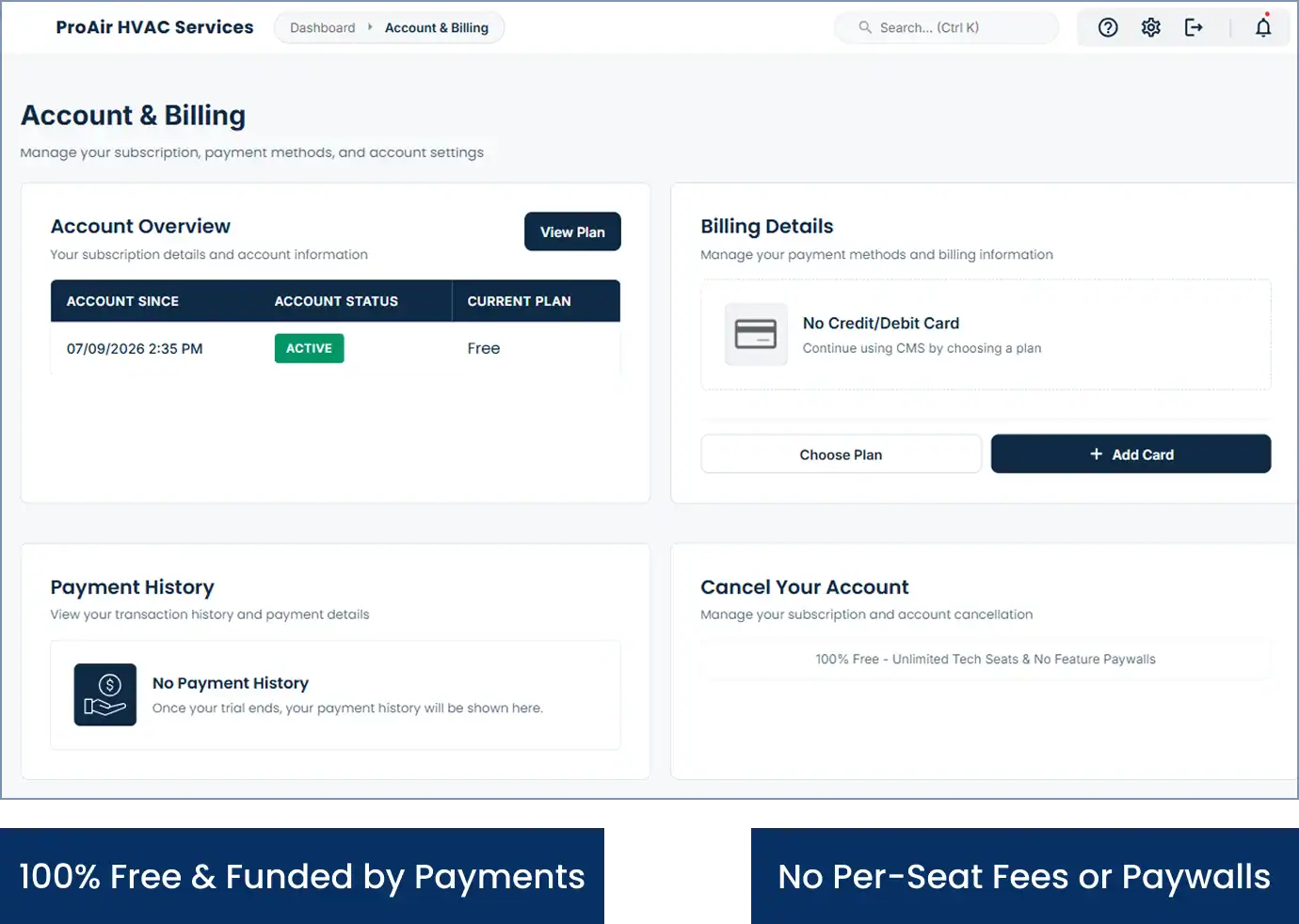
Account and billing screen showing the free plan with no per-seat fees

Why Is Cloud Job Manager Free?

This HVAC field management software costs nothing because Host Merchant Services provides the payment processing, and that processing is what funds the platform. When customers pay for a repair or an install by card, ACH or digital wallet, the platform earns its keep. There are no per-user fees for adding techs in peak season, no tiers, and no feature paywalls around dispatch or reporting.
HVAC business software usually charges by the seat, which punishes you for hiring a summer helper. Cloud Job Manager does not. Read more about free job management software on the homepage, browse the other trades on the industries page, or see our guides on HVAC scheduling and dispatch and EPA Section 608 refrigerant tracking.

Frequently Asked Questions

It runs the job side of an HVAC company: taking service requests, dispatching technicians, quoting repairs and installs, scheduling maintenance agreement visits, invoicing and collecting payment. Field service management software for HVAC also keeps each customer’s equipment history so a tech knows the unit before arriving. Cloud Job Manager does all of this in one free account with mobile apps.

You can see on the dispatch board which technicians are free, en route or on a job and where each of their jobs is, and assign the emergency call to whoever is best placed. The Worker Location Map shows where each technician is, so you can pick the closest one.

Yes. Set each agreement customer up with recurring spring and fall visits and they appear on the calendar ahead of the season, ready to assign. Notes and photos from every visit stay in the customer’s record, so the equipment history is there for the next tune-up or repair. Bill the agreement fee however you sell it.

No. Manual J load calculations need a dedicated HVAC load calculation tool, and Cloud Job Manager is not one. Run the calc in that tool, then use Cloud Job Manager to quote the system, schedule the install crew, manage the work order and collect the deposit and final payment. The two sit side by side.

From the iOS or Android app. When the repair is finished the tech converts the estimate to an invoice and takes a credit or debit card, ACH or digital wallet payment through Host Merchant Services on the spot, or texts a pay link. The payment records against the job automatically, with nothing to reconcile later.

Ready to Run Your HVAC Business From One Free Platform?

Dispatch the emergency calls, keep the maintenance agreements on schedule, and get paid before the truck leaves the driveway. Open your free account now, or ask us for a walkthrough of the dispatch board.