Cloud Job Manager

Painting Contractor Software — 100% Free

A painting job is sold room by room, paid in stages and finished over days, not hours — and the money moment is the estimate approval, when a good contractor collects a deposit before a drop cloth goes down. Cloud Job Manager is painting contractor software built around that rhythm: itemised estimates, deposit pay links, crews scheduled across a whole week, change orders for the extra bedroom, and the balance paid at the final walkthrough. It is free, with no per-user fees.
Painting Contractor Software — 100% Free

All-in-One Painting Management

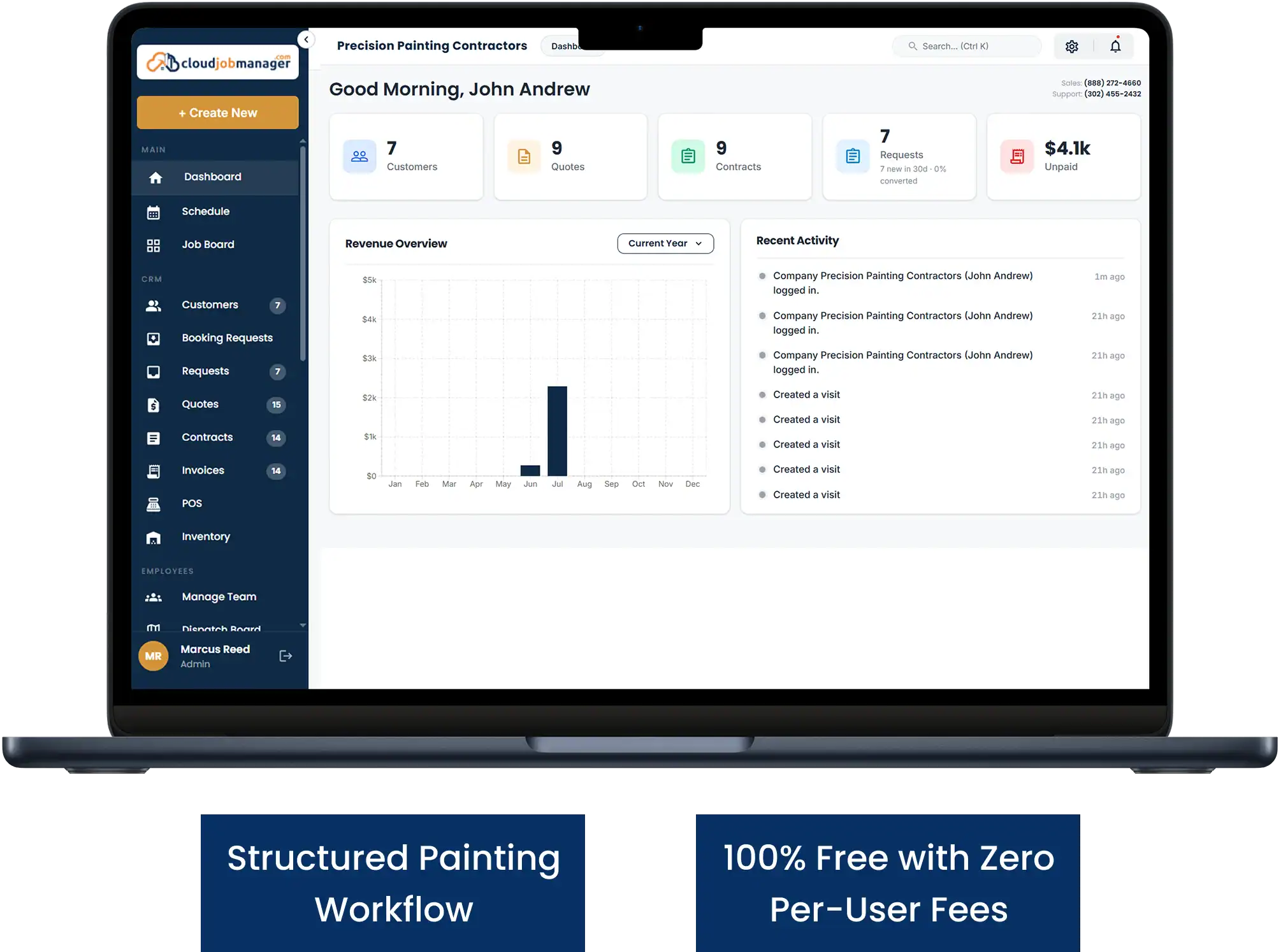
An interior repaint, a full exterior with prep and two coats, a cabinet refinish and a commercial suite after hours are four very different jobs that need the same paper trail: an estimate the customer signed off, a deposit received, a schedule the crew can see, and an invoice that matches what was actually painted. Painting contractor software has to keep all of it on one customer record, and Cloud Job Manager does — from the first colour consultation to the final balance.
Junk Removal Management Features
  • Customer records with colours, sheens and surfaces from previous jobs

  • Estimates itemised by room, surface and prep, approved on the customer's phone

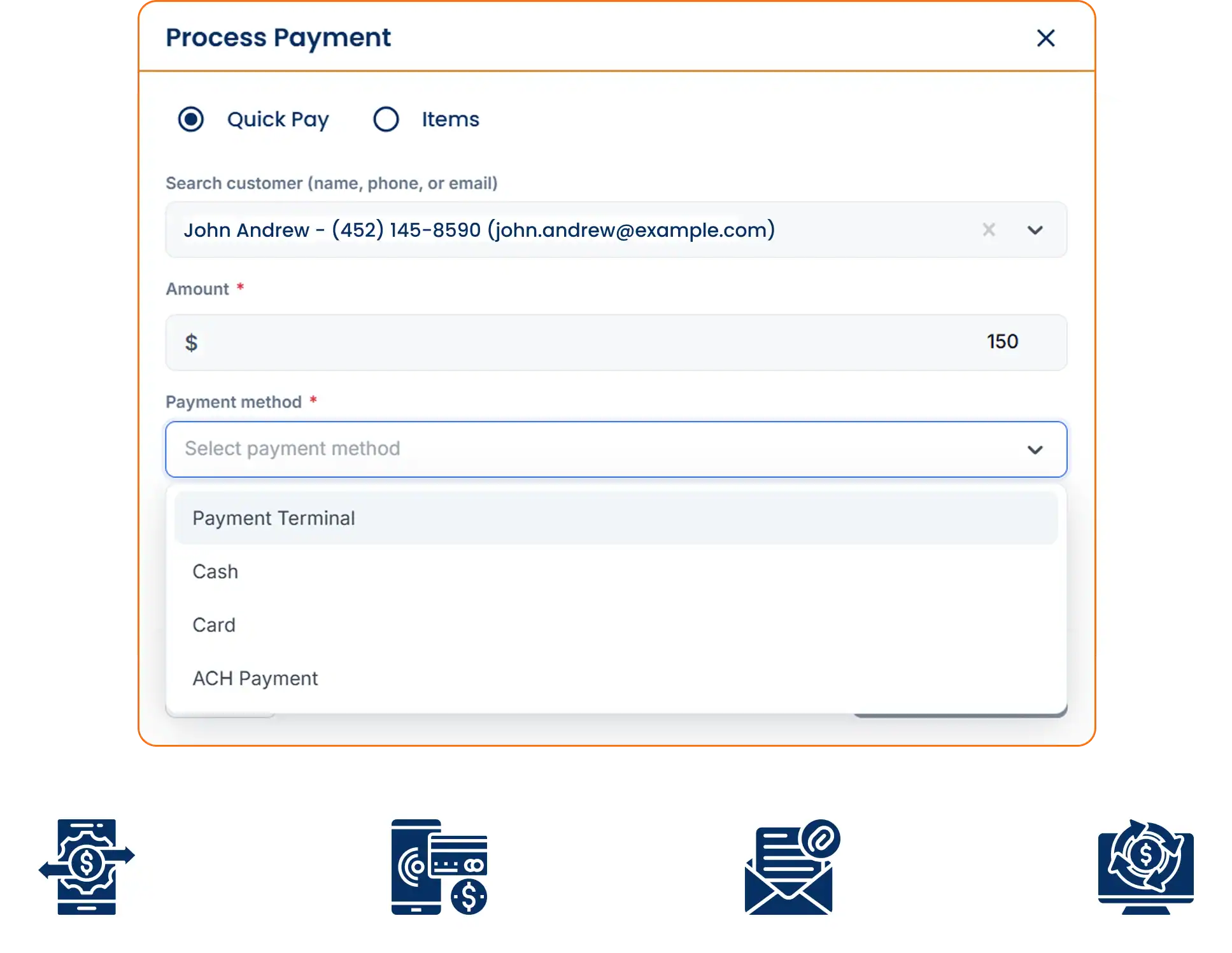
  • Deposit and balance invoices with card, ACH and digital wallet payment

  • Multi-day scheduling for interior and exterior crews

  • Reports on revenue, deposits held and open balances

Room-by-Room Estimates and Deposits

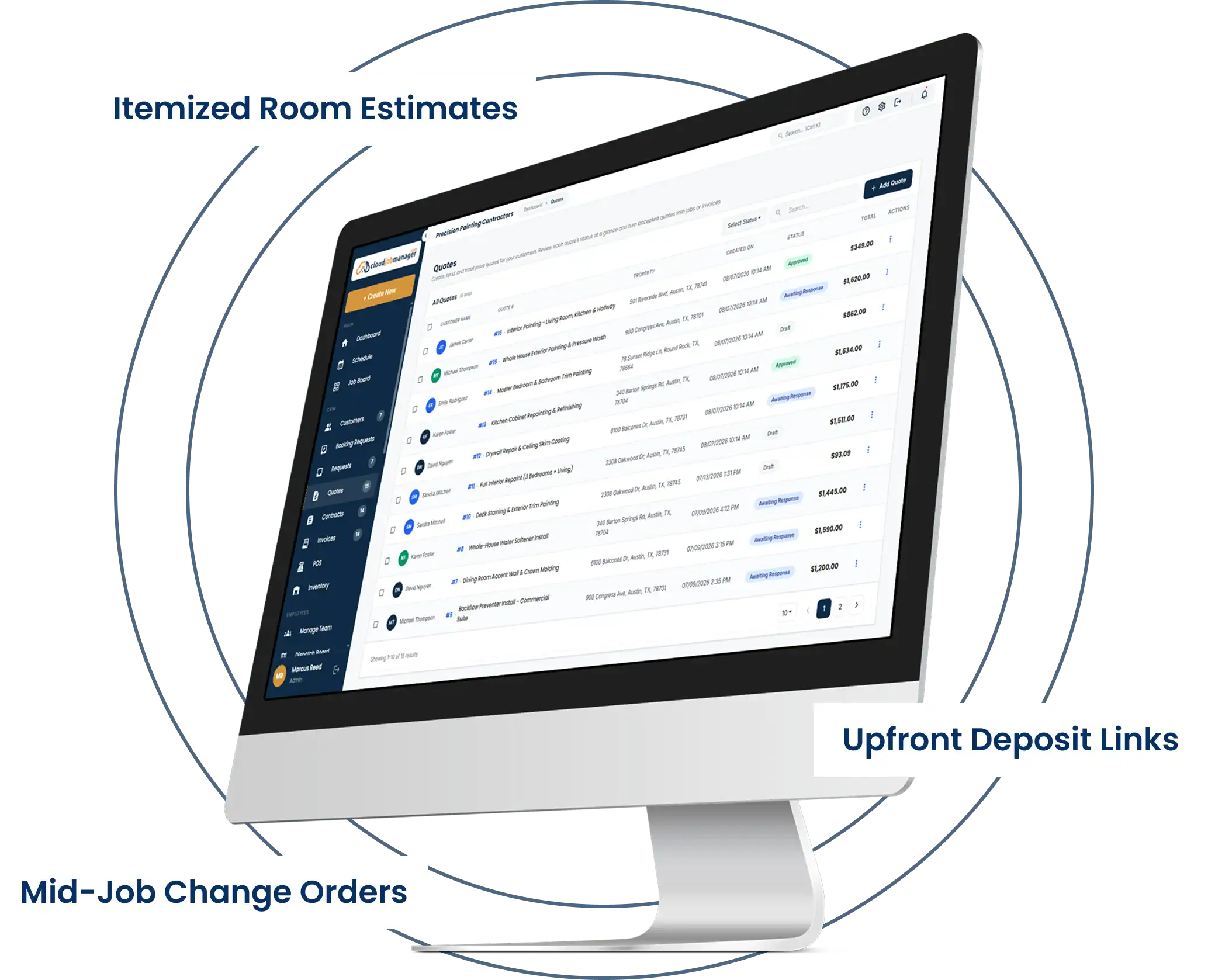
Customers understand an estimate that reads the way they think: living room walls and ceiling, hallway trim, two bedrooms, primer on the patched drywall, one coat on the closet doors. Build it from your own price list by room, square footage or surface, add prep and materials as their own lines, and send it. One tap on their phone approves it; you do not have to drive back out. If you have been emailing a painting estimate template as a PDF, this replaces it with something the customer can approve in one tap.
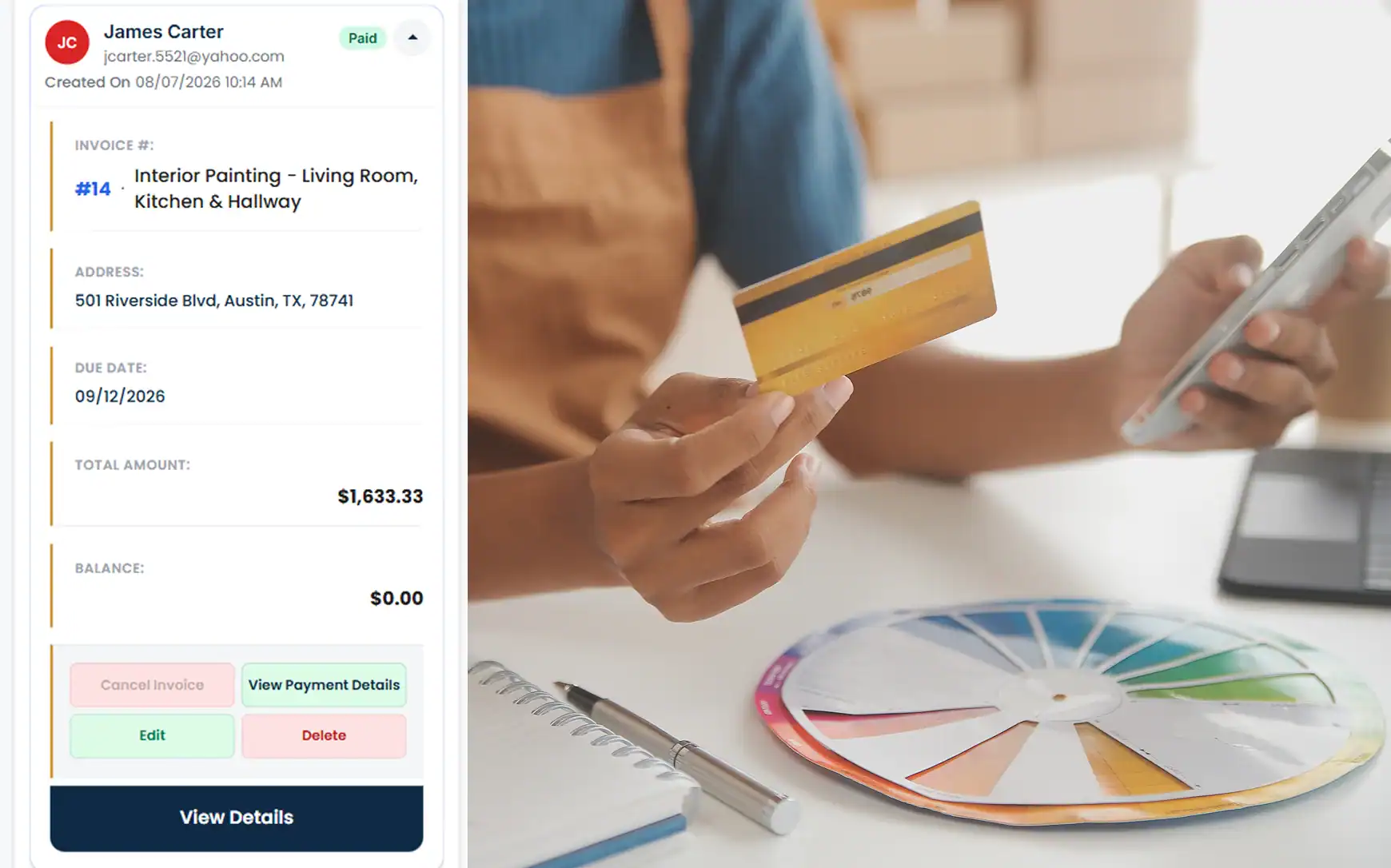
Approval is when the deposit is collected. Send a pay link for the deposit — a third, half, whatever your terms are — and the customer pays by card, ACH or digital wallet before the job goes on the calendar. The deposit sits on the job, and the final invoice shows it deducted from the balance without any arithmetic on your side.
Then the extras. A customer who watches the living room go up decides the dining room should match, or the crew finds peeling under the wallpaper that needs skim coating. Add a change order to the job so the extra rooms and prep are priced and approved before they are painted, not argued over at the end.
Room By Room Estimates And Deposits
Multi Day Job Scheduling For Interior And Exterior Work

Multi-Day Job Scheduling for Interior and Exterior Work

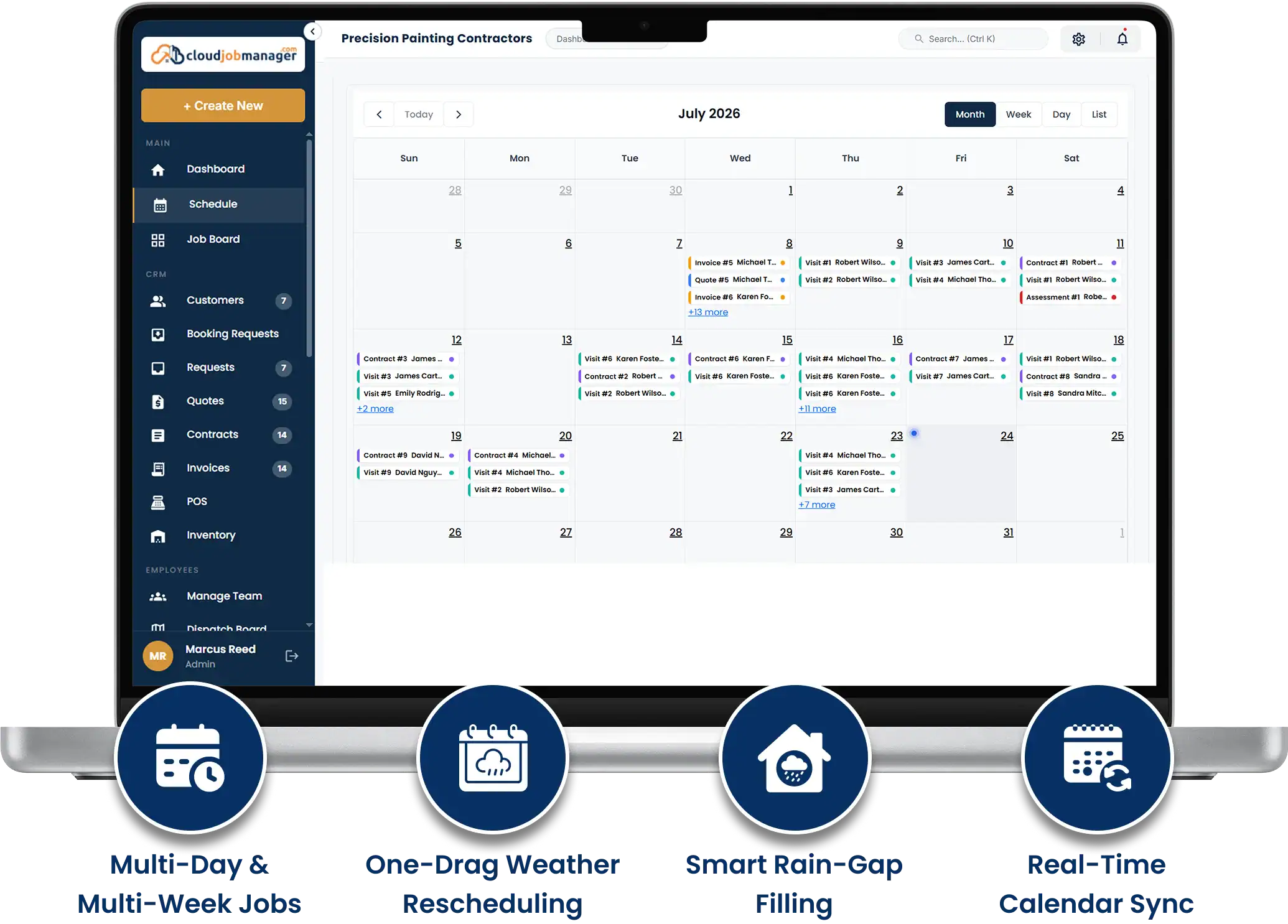
Painting does not fit in a one-day calendar slot. A three-bedroom interior is a Monday-to-Wednesday job for two painters; an exterior with scraping, priming and two coats is a week for three, and only if it does not rain. Cloud Job Manager schedules a job across as many days as it needs, assigns the crew to each of them, and shows the whole month so you can see that the exterior on Elm Street ends Thursday and the crew is free for the office repaint on Friday.
Weather moves exterior work, so move it. When the forecast turns, drag the exterior to the following week and slide an interior job forward into the gap. The crew sees the change on their phones, the customer gets the new dates, and nobody is standing in a driveway in the rain with forty gallons of paint.

Smart Scheduling & Job Tracking

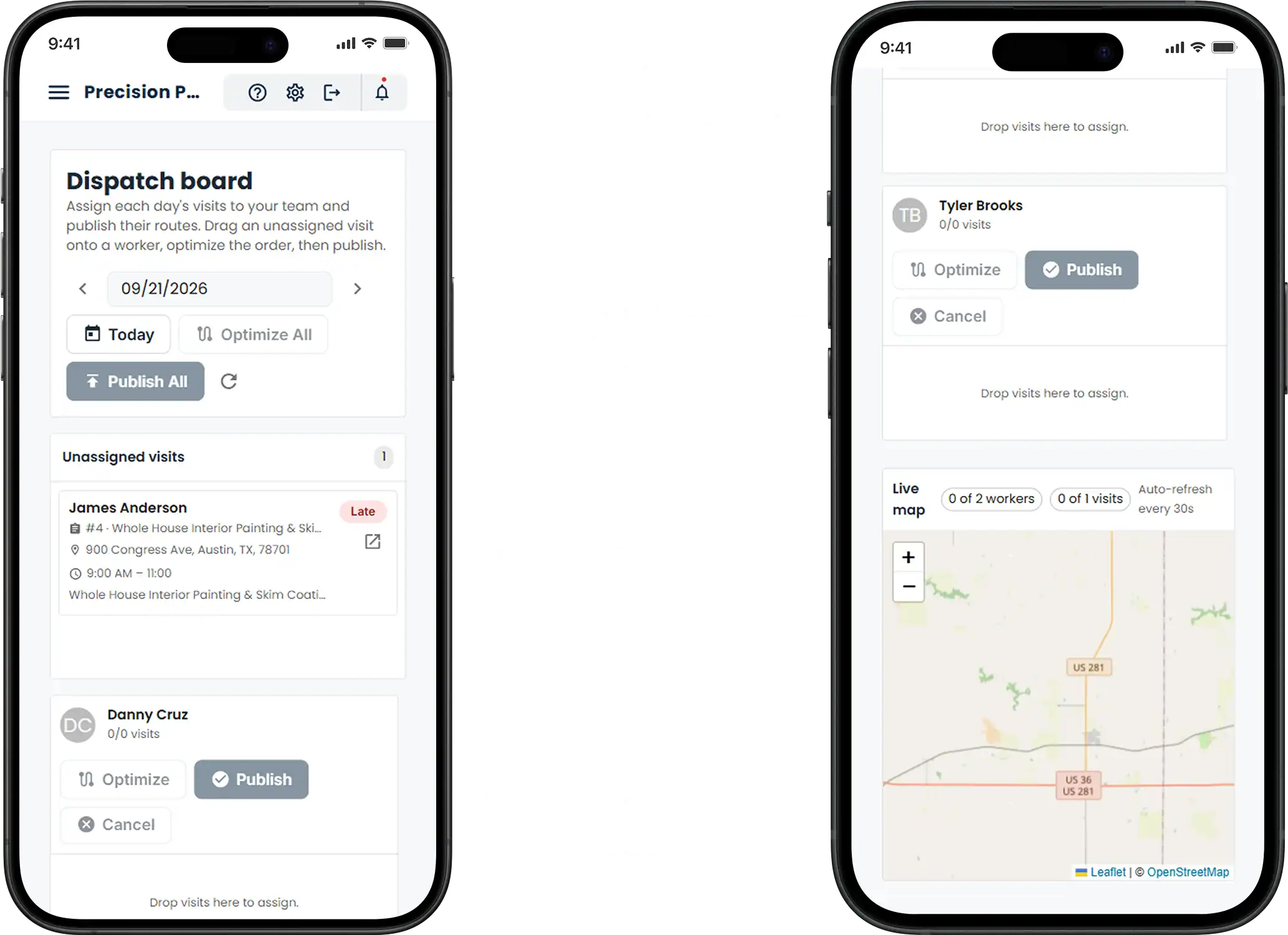
The dispatch board shows each crew’s week as a column of jobs with live status, so a two-painter crew mid-way through a repaint is not double-booked on a commercial job. Flag the house that has to be done before the owners’ move-in date, and track prep, priming and finishing as the crew updates the status from the site.
Smart Scheduling & Job Tracking
Estimates, Work Orders & Invoicing 8

Estimates, Work Orders & Invoicing

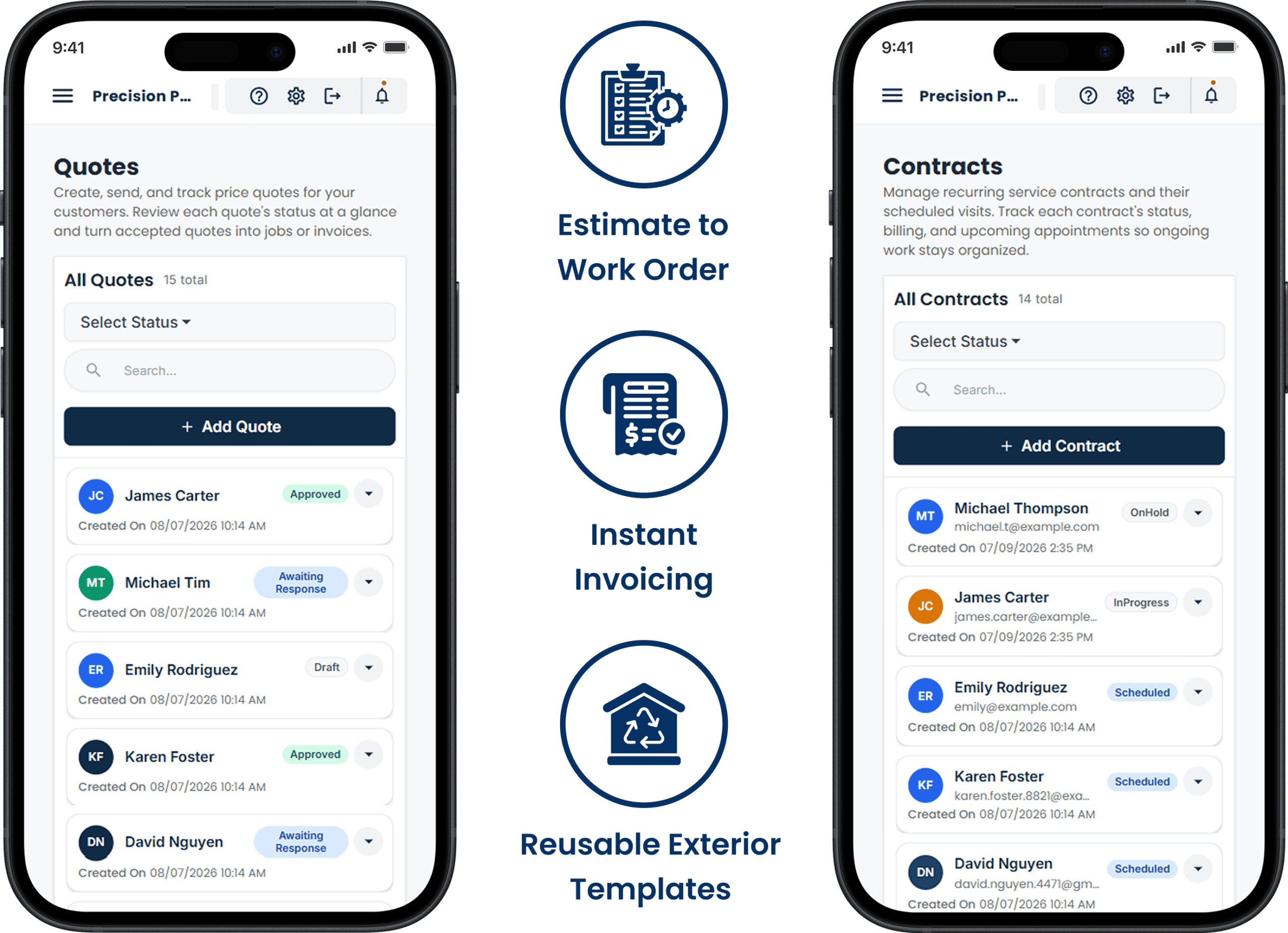
Painting estimating software should turn the same itemised estimate the customer approved into the crew’s work order — rooms, colours, sheens, coats, prep — so the lead painter is not calling to ask which white. When the last touch-up is done, one click turns the estimate, change orders included, into the final invoice with the deposit deducted.
Exterior estimates work the same way. Build the exterior house painting estimate template you already use — siding, trim, doors, shutters, scraping, priming — into your price list once, and every exterior quote starts from it.

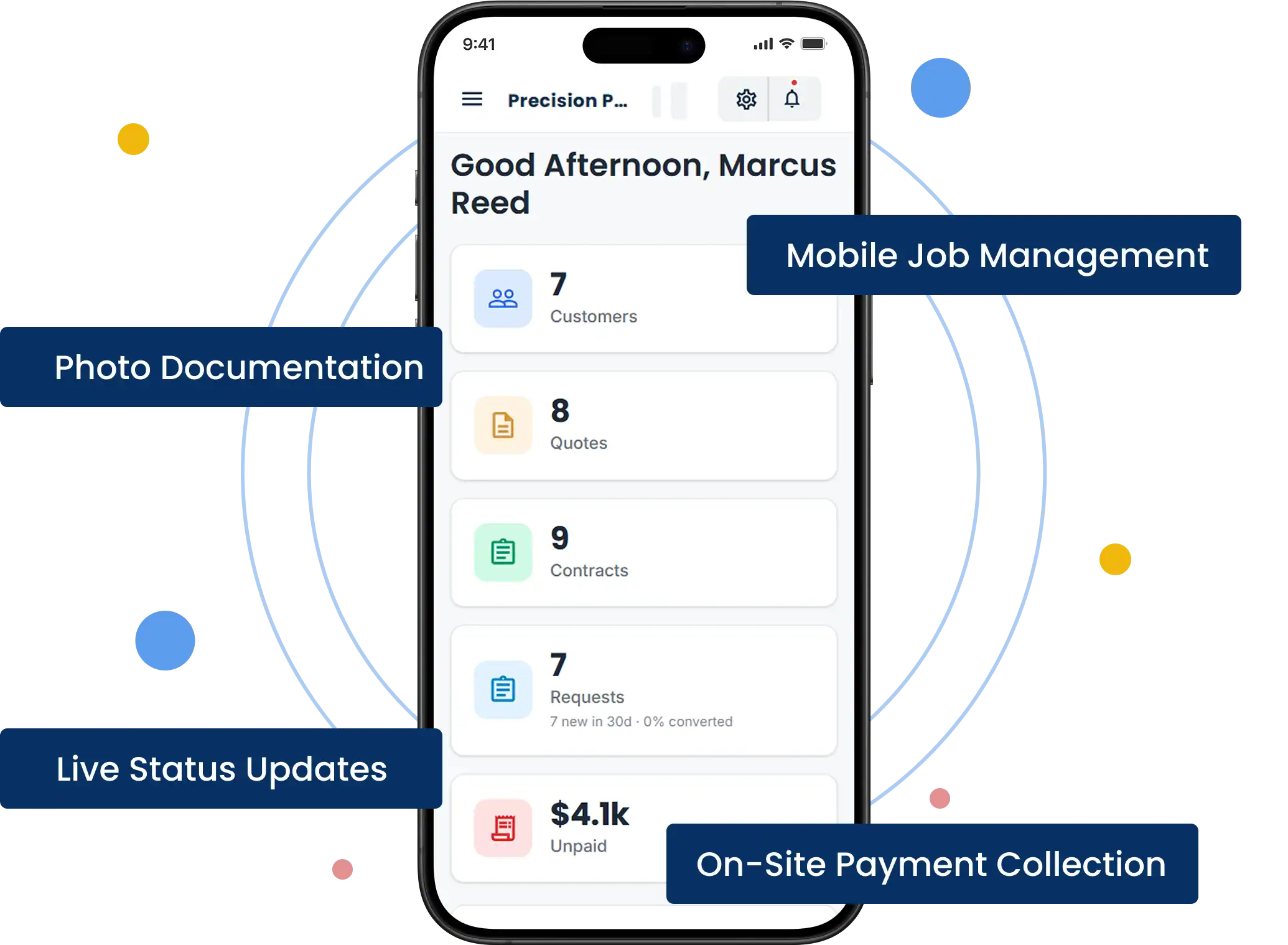
Manage Jobs From the Mobile App

Painting contractor software has to travel to the site. The crew lead runs the job from the iOS or Android app: the day’s schedule, the customer’s address and colour notes, before-and-after photos of each room, status updates, and at the final walkthrough the balance invoice and a card, ACH or digital wallet payment while the customer is still admiring the trim.
Manage Jobs From The Mobile App

From First Call to "Payment Received" in Four Steps

HVAC Four-Step Workflow
Receive an HVAC service request in Cloud Job Manager

Receive the request

A homeowner asks for a quote on three rooms and the hallway. The request becomes a job on their record with any photos and colour notes they sent, ready for the walk-through.

Send an HVAC estimate from Cloud Job Manager

Send an estimate

After the walk-through, price each room, the trim and the prep, and send it. The customer approves it on their phone, and the deposit pay link goes out the same minute.

Schedule an HVAC crew in Cloud Job Manager

Schedule the crew

With the deposit paid, drop the job onto Tuesday, Wednesday and Thursday for the two-painter crew. They see the rooms, colours and prep notes in the app before they load the van.
Invoice an HVAC customer and record payment

Invoice and get paid

At the walkthrough, convert the estimate to the final invoice with the deposit deducted, and take the balance by card at the door or by pay link that evening.
Step 1 of 4

Accept Payments with Host Merchant Services

Payment processing from Host Merchant Services is built into Cloud Job Manager, which is what makes the deposit-then-balance flow work without a separate payments app. Deposits by pay link, balances by card at the walkthrough, ACH for the commercial accounts and digital wallets for the customers who prefer them — every payment posts to the job it belongs to.
Accept Payments With Host Merchant Services

Reports & Business Insights

See revenue by month, how much sits in deposits on jobs not yet started, which balances are still outstanding after the walkthrough, and how many days each crew has booked ahead. Painting business software that shows the deposit pipeline tells you how much work is actually sold for the next six weeks, not just how much is quoted.

Revenue by month

Review completed and upcoming painting income.

Properties per truck

See deposits on jobs that have not started.

Crew workload

Track booked days and outstanding balances.

Why Is Cloud Job Manager Free

Why Is Cloud Job Manager Free?

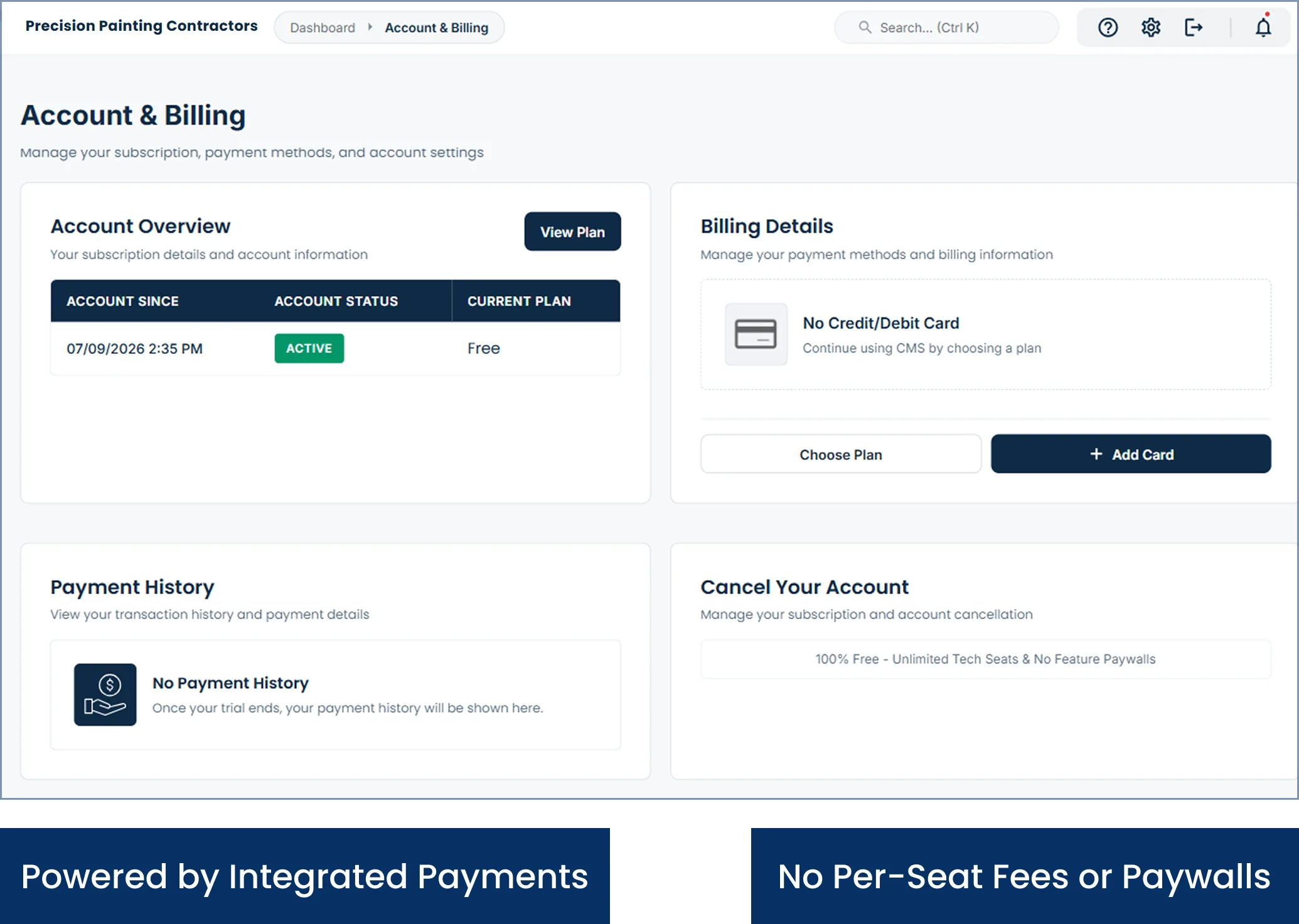
The processing pays the bill: Host Merchant Services runs the payments inside Cloud Job Manager, and that is why the software is free. Every deposit, balance and commercial payment that runs through it keeps the platform free, so there is no subscription, no per-user fee for the painters you bring on for the summer exterior season, no tiers and no feature paywalls.

Painter contractor software that charges by the seat makes a busy season more expensive than a slow one. This one does not. Painting contractors software should cost the same for a two-person crew as for four crews, and here it costs nothing. For the bigger picture, read about free job management software on the homepage or compare trades on the industries page. Our earlier painting contractors page covers the basics.


Frequently Asked Questions

It manages the paper trail of a painting job: itemised room-by-room or exterior estimates, deposit collection on approval, crew scheduling across multiple days, change orders for added rooms or prep, the final invoice with the deposit deducted, and card or ACH payment at the walkthrough. One free Cloud Job Manager account, with the iOS and Android apps, handles the lot.
Yes. As soon as the customer approves the estimate on their phone, send a pay link for the deposit and they pay by card, ACH or digital wallet. The deposit is recorded on the job, and when you invoice the balance at the end it is already deducted, so the customer sees exactly what remains.
Yes. When a customer adds the dining room or the crew finds prep that was not in the original scope, add a change order to the job with its own price. The customer approves it before the work is done, and it rolls into the final invoice alongside the original estimate and the deposit already paid.
Yes. A job can span as many days as it needs, with the crew assigned to each day, so a three-day interior or a week-long exterior sits on the calendar as one job. Exterior work can be moved for weather in one drag, and the crew sees the new dates in the app immediately.
Yes. Cloud Job Manager has no subscription, no per-user fees, no tiers and no feature paywalls, so a two-person crew gets the same estimates, deposits, scheduling and payments as a company with four crews. Host Merchant Services payment processing is built in and covers the cost; you pay standard processing on payments and nothing for the software.

Ready to Run Your Painting Business From One Free Platform?

Estimate by the room, collect the deposit on approval, schedule the week and take the balance at the walkthrough. Start free, or ask for a demo and we will build a room-by-room price list together.